Boris Cherny Claude Code Setup: What to Copy and Skip
What Boris Cherny's Claude Code setup actually contains, which habits suit a solo developer, and which to skip until you have a team.
On this page
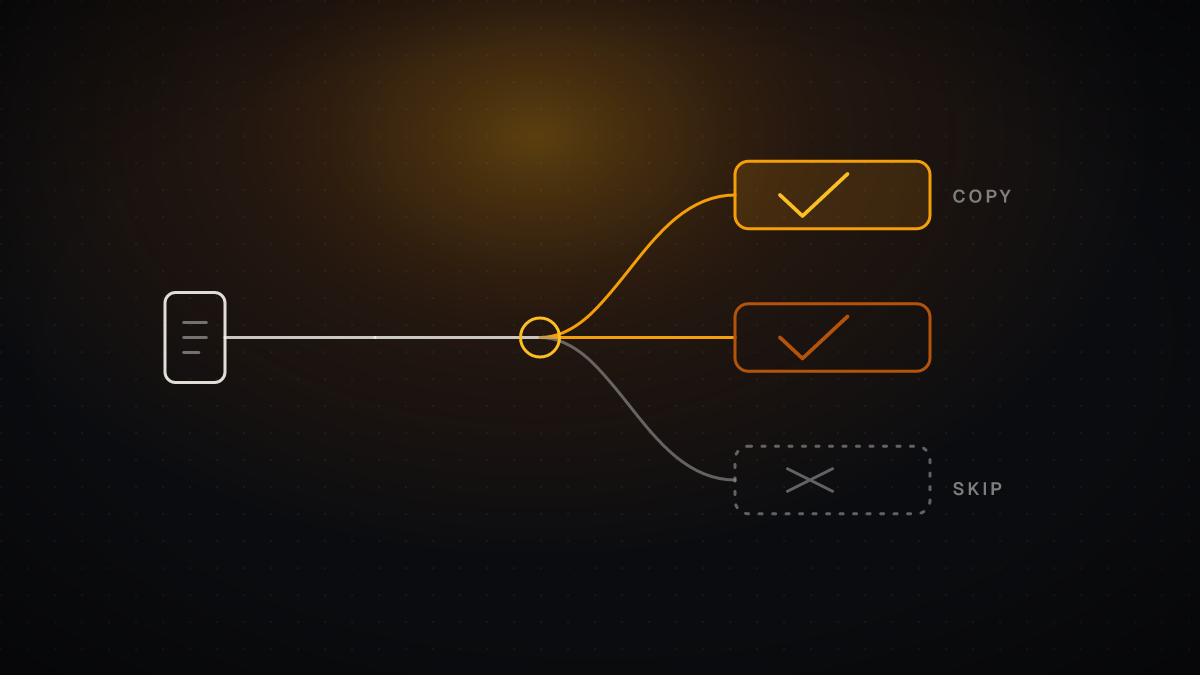
TL;DR: Copy the habits that cost nothing and work alone: plan mode first, a pruned CLAUDE.md, pre-allowed permissions, and a way for Claude to verify its work. Skip the heavy parallel-session routine until you can supervise it, because even its creator abandons 10-20% of those sessions (infoq.com). The Boris Cherny Claude Code setup is a team-scale workflow, and only part of it transfers to one laptop.
| Habit | What it does | Copy it if... | Verdict |
|---|---|---|---|
| Parallel worktrees | Several Claude sessions, one per checkout | You can review several diffs at once | Later |
| Plan mode first | Agree the plan, then auto-accept edits | Any task with several steps | Now |
| Shared CLAUDE.md | Records mistakes and conventions in git | You repeat the same corrections | Now |
| Slash commands and skills | Saves repeat workflows in the repo | You type the same prompt weekly | Now |
| Pre-allowed permissions | Safe commands run without prompts | You approve the same commands daily | Now |
| PostToolUse hooks | Auto-format after every write | You have a formatter | Now |
| Verification loop | Tests or a browser check Claude runs itself | Always | Now |
| Statusline | Shows context usage and git branch | You lose track of context | Now |
What does the Boris Cherny Claude Code setup actually consist of?
Strip away the viral framing and it is a short list of habits. The loud one is scale: a February 2026 write-up says Boris runs 5 terminal sessions plus 5-10 web sessions on claude.ai/code (jitendrazaa.com). He also starts remote sessions with & from the CLI and uses --teleport to move them back and forth (infoq.com).
That scale is the part not to copy first. The same InfoQ report notes that 10-20% of those parallel sessions are abandoned due to unexpected scenarios (infoq.com). A setup that expects a fifth of its work to be thrown away is built for someone with the attention and budget to absorb that. You probably are not that person yet, and nothing else on the list requires it.
The other habits are small and independent: plan before editing, keep a shared CLAUDE.md, store workflows as commands, pre-allow safe commands, and give Claude a feedback loop. Each works on its own. Take them one at a time.
How do you run parallel sessions without losing track of them?
Parallelism is the habit with the highest ceiling and the highest supervision cost. One GitHub issue quoting the team calls running 3-5 git worktrees at once, each with its own Claude session, the single biggest productivity gain and the team's top tip (github.com). The same issue adds a useful detail: Boris uses multiple git checkouts, while most of the Claude Code team prefers worktrees.
If you want to try it, build up in this order:
- Start with a single extra worktree, not a full set. Give it its own task and its own branch.
- Name your worktrees. Some people set up shell aliases (za, zb, zc) to hop between them in one keystroke (github.com).
- Keep a dedicated "analysis" worktree for reading logs and running queries, as others on the team do (github.com). It never edits code, so it never conflicts.
- Use the --worktree flag when launching Claude Code if you do not want to create the checkout by hand (jitendrazaa.com).
- Press Ctrl+B to run a subagent in the background while you keep working in the main session (jitendrazaa.com).
The decision rule: add a session only when you can review the output of the ones you already have. If you are merging diffs you did not read, you are past your limit. A solo developer will usually get more from a few well-supervised sessions than from many skimmed ones.
Why start in plan mode, and when do you switch to auto-accept?
This is the cheapest habit to copy and the one we would adopt first. Boris's stated flow for a pull request is to use Plan mode, go back and forth with Claude until the plan is good, then switch to auto-accept edits so Claude can usually one-shot it (infoq.com). His own summary is that a good plan is really important.
The shared CLAUDE.md example shows where the line sits: any task with 3+ steps gets a spec first (linkedin.com). For a one-line fix, skip planning. For anything touching several files, plan.
- Enter plan mode and describe the outcome, not the edits.
- Push back on the plan until it matches what you would write yourself. Pour your energy here so the implementation can land in one shot (github.com).
- Optionally, have a second Claude session review the plan as a staff engineer. One team member does exactly this (jitendrazaa.com).
- Switch to auto-accept edits only once the plan is solid (jitendrazaa.com).
- If the work drifts, go back. The team's advice is that the moment something goes sideways you should switch back to plan mode and re-plan instead of pushing on (github.com).
Step 5 is the signal most people miss. Pushing a failing implementation forward burns context. Re-planning resets it cheaply.
What belongs in CLAUDE.md, and how do you keep it from bloating?
Each team at Anthropic keeps a CLAUDE.md in git to document mistakes, so Claude improves over time, along with best practices such as style conventions and PR templates (infoq.com). Its size is the number to remember: Cherny says their CLAUDE.md is currently 2.5k tokens. That is a short file. It is a working list of corrections, not a manual.
Put build commands, style guides and architecture decisions in it, since anything that saves context-setting time belongs there (jitendrazaa.com). Use /init to bootstrap one in a new project.
Placement matters. A February 2026 summary of the memory documentation describes a six-tier hierarchy where more specific instructions take precedence over broader ones (jitendrazaa.com). In practice:
- ~/.claude/CLAUDE.md is user-wide and applies to all projects (jitendrazaa.com).
- ./CLAUDE.local.md holds local preferences and is gitignored (jitendrazaa.com).
- The project file is the one you commit and share.
Then prune it. The advice repeated across sources is to edit ruthlessly: remove outdated rules, consolidate duplicates, sharpen language (jitendrazaa.com), and keep iterating until Claude's mistake rate measurably drops (github.com). The team also tags @.claude on PRs to fold review learnings back into the file. One engineer goes a step further and has Claude keep a notes directory per task, then points CLAUDE.md at it, which keeps the main file short.
A solo developer should copy the pruning habit, not the PR-tagging ritual. If you are generating a first draft, the Claude MD Generator gets you a starting file you can then cut down.
Which commands, skills, hooks, and permissions make the setup fast and safe?
Four pieces of automation carry most of the benefit. Add them in the order below.
| Piece | What it is | Where it lives | Add it when |
|---|---|---|---|
| Pre-allowed permissions | Safe commands approved once via /permissions | Permissions settings | You approve build, lint or test every session |
| PostToolUse hook | Auto-formats code after Claude writes it | Hooks config | You have a formatter command |
| Slash command | A saved daily workflow | .claude/commands/ | You repeat a prompt |
| Skill | A packaged workflow with frontmatter | .claude/skills/<name>/SKILL.md | A workflow needs tool limits or a subagent |
Permissions first. Boris does not skip permissions. He enables commonly used bash commands that are safe in his environment via /permissions (infoq.com). Pre-allow common commands such as build, lint and test instead of approving each one (jitendrazaa.com). The Claude Code Permissions Generator can produce a starting allow list.
Then a formatting hook. Set up a PostToolUse hook to auto-format code after Claude writes it, for example with a bun run format || true command (jitendrazaa.com). Hooks can also run tests on save (linkedin.com). The Claude Code Hooks Preset Generator covers the common cases.
Commands, then skills. All of Boris's daily workflows are stored in .claude/commands/, which reduces the need for explicit prompting (infoq.com). His /commit-push-pr command uses inline bash to pre-compute git status so it runs quickly. Skills go further: project skills live in .claude/skills/<name>/SKILL.md and are shared via git, personal ones in ~/.claude/skills/<name>/SKILL.md (jitendrazaa.com). Their frontmatter can set user-invocable for slash command access, context: fork to run in a subagent, or allowed-tools to restrict what the skill can use.
What not to do. Boris uses --dangerously-skip-permissions only for long-running tasks inside a sandbox, to stop Claude from pausing repeatedly (infoq.com). Outside a sandbox, that flag is the wrong choice. Pre-allowing a short list does most of the job without removing the guardrail.
Which parts of the setup should you copy, and which should you skip?
Use these rules.
If you work alone on one repo:
- Copy plan mode, a pruned CLAUDE.md, pre-allowed permissions and one formatting hook. The Claude Code Hooks Preset Generator builds the hook for you.
- Skip the multi-session routine. Run few sessions, and only add worktrees when you are waiting on Claude rather than the other way round.
If you work on a small team:
- Copy the shared CLAUDE.md. The value of a file that records mistakes is that the next teammate's session does not repeat them (infoq.com).
- Commit commands and skills so everyone gets the same workflows (jitendrazaa.com).
- Adopt the PR habit of tagging @.claude to capture learnings only once reviews are already a routine.
If you want heavy parallel use:
- Use worktrees, name them, and add a read-only analysis worktree (github.com).
- Budget for waste. Expect some sessions to be abandoned, as Boris's are at 10-20% (infoq.com).
- Re-plan the moment a session goes sideways (github.com) rather than letting it grind.
Skip, in every case:
- --dangerously-skip-permissions outside a sandbox (infoq.com).
- Copying a 2.5k-token CLAUDE.md wholesale. Their file reflects their repo's mistakes, not yours (infoq.com).
When this setup is the wrong choice: if your tasks are small, single-file edits, plan mode and worktrees add ceremony without payoff. A tight CLAUDE.md and pre-allowed commands are enough.
If you would rather not assemble the pieces by hand, ClockedCode compiles a curated set of tools, subagents and CLAUDE.md instructions into one master prompt for a one-time $39 purchase, as of November 2026. It is optional. Every habit above works without it.
How do you give Claude a way to check its own work?
This is the habit we would rank above everything else. Boris calls verification his number one tip: give Claude a way to verify its work, and the final quality goes up by a factor of 2-3 (jitendrazaa.com). The InfoQ report repeats the same 2-3 figure.
Pick the loop that fits your project:
- Tests and builds. If the project has a test suite, tell Claude to run it and iterate until it passes. This is the default and costs nothing.
- A browser check. Boris's team has Claude test every change to claude.ai/code using the Chrome extension, which opens a browser, tests the UI and iterates until the code works and the UX feels good (infoq.com). Use this for front-end work.
- A reviewer session. Have a second Claude review the plan as a staff engineer (jitendrazaa.com).
- A challenge prompt. Ask Claude to grill you on the changes and not make a PR until you pass its test (github.com). It turns Claude into your reviewer.
- Real errors. When something breaks, paste the error instead of describing it (linkedin.com).
Start with option 1. Add the browser loop only for UI work, since it takes setup the others do not.
What small daily habits round out the setup?
These are low-cost and worth adopting this week.
- Commit before Claude changes anything, and start a new git branch for each task (linkedin.com).
- One task per session, then start fresh (linkedin.com).
- Roll back fast with /rewind or Esc twice (linkedin.com).
- Add a statusline with /statusline. It can show context usage, cost, git branch and model (jitendrazaa.com), and the team suggests always showing context usage and the current branch (github.com). The Claude Code Statusline Generator builds the script.
- Use subagents to keep context clean. Offload individual tasks so the main agent's window stays focused (github.com). The built-in Explore subagent uses Haiku and is read-only, suited to quick codebase searches (jitendrazaa.com). Custom ones go in .claude/agents/ with YAML frontmatter for model, tools and MCP access.
- Prompt for outcomes. Describe the desired outcome instead of telling Claude exactly what to change (jitendrazaa.com), and write detailed specs, because the more specific you are, the better the output (github.com).
ClockedCode: Upgrade your Claude Code setup in one paste A curated Claude Code setup: vetted tools, subagents, and a tuned CLAUDE.md, compiled into one master prompt you paste once.
Frequently asked questions
Does Boris Cherny use a special CLAUDE.md?
Not a secret one. His team keeps a shared file in git, currently 2.5k tokens, that records mistakes and best practices [2]. The trick is the maintenance, not the content: it is edited and pruned continuously, so copy the process and write your own rules.
How many Claude Code sessions should I run at once?
As many as you can review. The team's top tip is 3-5 worktrees, and Boris goes well beyond that, but he also abandons some of them. Start with one extra session and add another only when you are not the bottleneck.
Is it safe to use --dangerously-skip-permissions?
Only inside a sandbox, which is the one case Boris describes [2]. On your normal machine, use /permissions to pre-allow the commands you trust. The Claude Code settings.json Generator can write that file for you.
Your next action: open plan mode on your next multi-step task, and add the one verification step your project already supports.
Frequently asked questions
Does Boris Cherny use a special CLAUDE.md?
Not a secret one. His team keeps a shared file in git, currently 2.5k tokens, that records mistakes and best practices [2]. The trick is the maintenance, not the content: it is edited and pruned continuously, so copy the process and write your own rules.
How many Claude Code sessions should I run at once?
As many as you can review. The team's top tip is 3-5 worktrees, and Boris goes well beyond that, but he also abandons some of them. Start with one extra session and add another only when you are not the bottleneck.
Is it safe to use --dangerously-skip-permissions?
Only inside a sandbox, which is the one case Boris describes [2]. On your normal machine, use /permissions to pre-allow the commands you trust. The Claude Code settings.json Generator can write that file for you.
Your next action: open plan mode on your next multi-step task, and add the one verification step your project already supports.