Claude Code Hooks: The Complete Guide to All 29 Events
 By Neo Zino - builder of ClockedCode16 min read
What Claude Code hooks are, all 29 lifecycle events, the five handler types, matcher gotchas, and tested copy-paste configs - the complete 2026 guide.
On this page
Claude Code hooks are user-defined handlers that run automatically at fixed points in the tool's lifecycle: shell commands, HTTP endpoints, MCP tools, or even single-turn LLM prompts, fired before a tool call, after an edit, when a session starts, and at 26 other moments. You configure them in settings.json, and unlike anything you write in CLAUDE.md, they are guaranteed to execute - every time, deterministically, whether or not the model is paying attention. I run Claude Code daily with a handful of them, and they are the difference between "Claude usually formats my code" and "my code is always formatted."
TL;DR: Hooks live under the
hookskey insettings.json, keyed by event name, with an optional matcher and a list of handlers. There are 29 events as of mid-2026 and five handler types (command,http,mcp_tool,prompt,agent). Exit code 2 blocks the action and feeds stderr back to Claude; exit code 1 blocks nothing. Most community tutorials still describe the 9-event, command-only system from 2025 - the current one is much bigger, and this guide covers all of it.
What are Claude Code hooks?
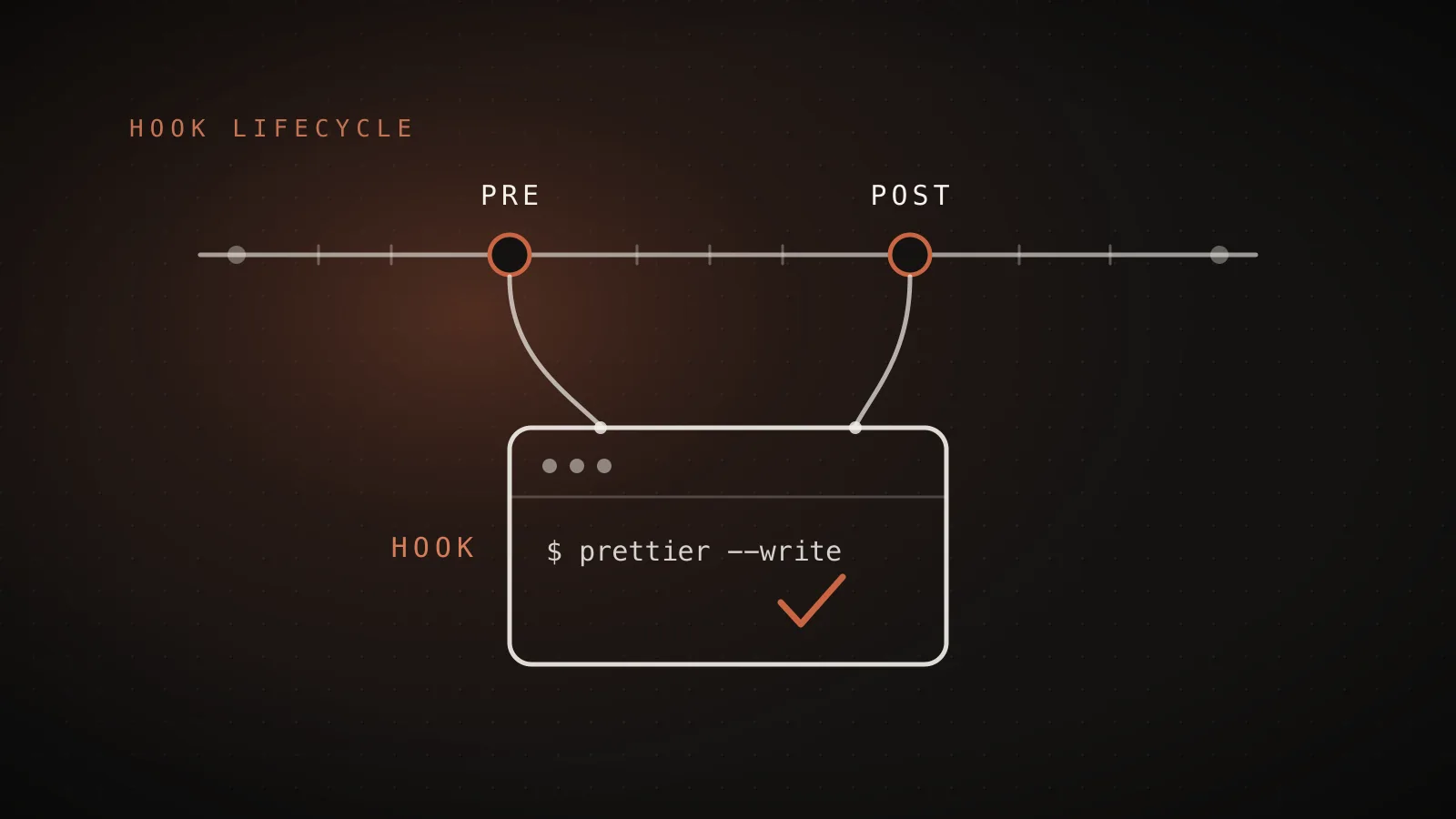
A hook is a rule you register once: "when X happens, run Y." Claude Code evaluates it at the exact lifecycle point, runs your handler with a JSON payload describing what is happening, and - for blocking events - lets the handler veto the action.
The mental model that makes everything click: CLAUDE.md asks, hooks enforce. A CLAUDE.md line like "never touch .env" is context the model reads and usually respects. A PreToolUse hook that exits 2 when the file path contains .env is a guarantee that holds even when the context window is full of other things. I wrote about that split in my CLAUDE.md guide - if a rule must hold every single time, it belongs here, not in a memory file.
One warning before the details: hooks grew fast in 2026, and most tutorials you will find describe the old system - around nine events, shell commands only. The current docs list 29 events and five handler types. If a post does not mention PostToolBatch or HTTP hooks, it predates the expansion.
How do I set up a hook?
Hooks live in the hooks key of a settings file. Three levels of nesting: the event name, an optional matcher group, and the handlers themselves.
{
  "hooks": {
    "PostToolUse": [
      {
        "matcher": "Edit|Write",
        "hooks": [
          {
            "type": "command",
            "command": "jq -r '.tool_input.file_path' | xargs npx prettier --write"
          }
        ]
      }
    ]
  }
}
That one is straight from the official docs and it is the first hook most people should run: after every Edit or Write, extract the file path from the JSON payload on stdin and run Prettier on it. Save it in .claude/settings.json, edit any file, and the formatting argument with Claude is over permanently.
Where you save it decides its scope:
| Location | Scope | Committable |
|---|---|---|
~/.claude/settings.json | Every project on this machine | No |
.claude/settings.json | This project, whole team | Yes |
.claude/settings.local.json | This project, just you | No (gitignored) |
| Plugin, skill, or agent frontmatter | While that component is active | Yes |
Merge behavior surprises people: sources do not override each other. Every hook from every level that matches the event runs, in parallel, with identical handlers deduplicated. An organization can lock this down with managed policy settings, and disableAllHooks: true turns everything off at its level and below - but user settings can never disable managed hooks.
Settings files are hot-reloaded, so edits apply to the running session. To see what is active, run /hooks - it is a read-only browser now (the old interactive editing menu is gone): every event, its matchers, and which file each hook came from.
Every hook event, in one table
This is the current, complete list - 29 events as of v2.1.207. Cadence matters for cost: SessionStart/SessionEnd fire once per session, UserPromptSubmit and Stop once per turn, and the PreToolUse/PostToolUse pair on every single tool call.
| Event | Fires |
|---|---|
SessionStart | When a session begins or resumes |
Setup | On --init-only, or --init/--maintenance in -p mode - one-time prep for CI |
UserPromptSubmit | When you submit a prompt, before Claude sees it |
UserPromptExpansion | When a slash command expands into a prompt; can block the expansion |
PreToolUse | Before a tool call executes; can block it |
PermissionRequest | When a permission dialog appears |
PermissionDenied | When a tool call is denied; can tell the model to retry |
PostToolUse | After a tool call succeeds |
PostToolUseFailure | After a tool call fails |
PostToolBatch | After a batch of parallel tool calls resolves |
Notification | When Claude Code sends a notification |
MessageDisplay | While assistant text streams to the screen; can rewrite displayed text |
SubagentStart | When a subagent is spawned |
SubagentStop | When a subagent finishes |
TaskCreated | When a task is created |
TaskCompleted | When a task is marked completed; can block completion |
Stop | When Claude finishes responding |
StopFailure | When a turn ends on an API error |
TeammateIdle | When an agent-team teammate is about to go idle |
InstructionsLoaded | When a CLAUDE.md or rules file loads into context |
ConfigChange | When a configuration file changes mid-session; can block it |
CwdChanged | When the working directory changes |
FileChanged | When a watched file changes on disk |
WorktreeCreate | When a worktree is being created; can replace default git behavior |
WorktreeRemove | When a worktree is removed |
PreCompact | Before context compaction; can block it |
PostCompact | After compaction completes |
Elicitation | When an MCP server requests user input |
ElicitationResult | After the user responds, before it returns to the server |
SessionEnd | When a session terminates |
You will use five of these constantly (PreToolUse, PostToolUse, SessionStart, Stop, Notification), and it is worth knowing the rest exist - FileChanged and ConfigChange in particular solve problems people still write polling scripts for.
What can hooks do besides run shell commands?
Since v2.1.63 and v2.1.118, type: "command" is just one of five handler types:
| Type | What it does | Good for |
|---|---|---|
command | Runs a shell command (or an executable directly with args) | Formatters, linters, guards, notifications |
http | POSTs the event payload to a URL | Team-wide logging, CI integration, remote policy |
mcp_tool | Calls a tool on a connected MCP server | Reusing integrations you already have |
prompt | Single-turn LLM evaluation of the event | Judgment calls a regex cannot make |
agent | Multi-turn verifier with tool access (experimental) | "Check the tests actually pass" style verification |
The prompt type deserves a highlight because nobody seems to know it exists: instead of writing a brittle regex to decide whether Claude's action is acceptable, you hand the event to a model with a prompt and it answers {"ok": true} or {"ok": false, "reason": "..."}. A Stop hook that asks "did Claude actually run the tests it claims passed?" is ten lines of config, no code.
Command hooks also picked up useful flags along the way: async: true runs in the background without blocking, timeout is per-hook, and args runs an executable directly without a shell - which is what you want when the input contains untrusted strings.
How do matchers work (and why your regex matches too much)
The matcher field filters which tool (or source) triggers the group. The rules are precise, and one of them bites almost everyone:
"*","", or omitting the matcher entirely matches everything.- A value made of plain names matches exactly:
Editmatches only the Edit tool,Edit|Writematches both. - Any other character turns the whole thing into an unanchored JavaScript regex.
Edit.*does not mean "Edit and friends" - it means "any tool whose name contains Edit", which includesNotebookEdit. Anchor with^Edit$when you mean exactly Edit. - MCP tools follow the pattern
mcp__server__tool, for any of the MCP servers you have connected. To match a whole server,mcp__memory__.*- the trailing.*is required, because baremcp__memoryis treated as an exact name and matches nothing. - Events match on different things: tool names for the tool events, but
startup|resume|clear|compactforSessionStart, notification types forNotification, agent types for the subagent events. - Ten events ignore matchers entirely (
Stop,UserPromptSubmit, andPostToolBatchamong them) - a matcher there is silently discarded, which looks exactly like a broken hook.
Since v2.1.85 there is also an if field that filters by permission-rule syntax, like "if": "Bash(git *)". Know its limits: one rule only, no boolean operators, and it fails open when a command cannot be parsed - so use it to reduce noise, not as a security boundary.
How do hooks talk back to Claude?
Every handler receives a JSON payload on stdin (or as the HTTP body): session_id, cwd, hook_event_name, and per-event fields like tool_name and tool_input for tool events, prompt for UserPromptSubmit, or last_assistant_message for Stop. Your hook answers through its exit code, and optionally through JSON on stdout:
| Exit code | Meaning |
|---|---|
0 | Success; stdout is parsed for JSON directives |
2 | Block the action; stderr is fed back to Claude as the reason |
| anything else | Non-blocking error; the action proceeds, stderr goes to the debug log |
Three details here do the most damage when missed. First, exit 1 does not block - the docs warn about this explicitly, and I have watched people ship "guards" that never guarded anything. Policy enforcement is exit 2. Second, JSON output is only processed on exit 0 - pick one channel per hook, exit 2 with stderr or exit 0 with JSON, never both. Third, blocking only works on blocking events: a PostToolUse hook cannot un-run a tool, and SessionEnd cannot stop a session from ending.
The JSON channel is where the advanced control lives. A PreToolUse hook can return:
{
  "hookSpecificOutput": {
    "hookEventName": "PreToolUse",
    "permissionDecision": "deny",
    "permissionDecisionReason": "Direct writes to prod config are blocked - edit config/dev.yaml instead."
  }
}
permissionDecision takes "allow", "deny", or "ask", and "allow" skips the permission prompt without being able to override deny rules. The same mechanism can rewrite a tool's input (updatedInput), inject context for Claude (additionalContext), or - on PostToolUse - replace the tool output Claude sees (updatedToolOutput). If you read an older tutorial using top-level "decision": "approve" on PreToolUse, that form is deprecated; hookSpecificOutput is the current one.
One system-level protection worth knowing: a Stop hook that keeps blocking can trap Claude in a loop, so after 8 consecutive blocks the turn ends anyway.
The hooks I actually run
Tested configs, shortest first. All of these go in .claude/settings.json unless noted.
1. Format on every edit. The official docs' version, and the one I ship to ClockedCode customers - Prettier runs on exactly the file Claude touched:
{
  "hooks": {
    "PostToolUse": [
      {
        "matcher": "Edit|Write",
        "hooks": [
          {
            "type": "command",
            "command": "jq -r '.tool_input.file_path' | xargs npx prettier --write"
          }
        ]
      }
    ]
  }
}
2. Protect files Claude must never touch. A PreToolUse guard that blocks edits to .env and lockfiles - exit 2 plus a stderr message Claude can read and route around:
{
  "hooks": {
    "PreToolUse": [
      {
        "matcher": "Edit|Write",
        "hooks": [
          {
            "type": "command",
            "command": "f=$(jq -r '.tool_input.file_path // empty'); case \"$f\" in *.env*|*pnpm-lock.yaml) echo \"Blocked: $f is protected - ask me first.\" >&2; exit 2;; esac"
          }
        ]
      }
    ]
  }
}
3. Desktop notification when Claude needs you. For long tasks you walk away from (macOS; goes in ~/.claude/settings.json):
{
  "hooks": {
    "Notification": [
      {
        "matcher": "",
        "hooks": [
          {
            "type": "command",
            "command": "osascript -e 'display notification \"Claude Code needs your attention\" with title \"Claude Code\"'"
          }
        ]
      }
    ]
  }
}
4. Log every session's start for later archaeology. SessionStart stdout is one of the three places where plain output is added to Claude's context, so this doubles as a context injector - here it just records:
{
  "hooks": {
    "SessionStart": [
      {
        "matcher": "startup",
        "hooks": [
          {
            "type": "command",
            "command": "echo \"$(date '+%F %T') session started in $PWD\" >> ~/.claude/session-log.txt"
          }
        ]
      }
    ]
  }
}
Every JSON block above parses clean and the shell commands are tested - the jq extraction, the case guard, and the osascript line all run as written. Adapt the file patterns and paths to your project.
Why is my hook not firing?
The debugging path, in the order that actually finds it:
- Run
/hooksand confirm the hook is listed under the event you expect, from the file you expect. Not listed means the settings file is not loaded or the JSON is malformed. - Check the matcher rules above. The two classic failures: a regex that is unanchored (matching too much is also "not working"), and a matcher on an event that ignores matchers, where it is silently discarded.
- Check the exit code. A guard that exits 1 looks like a hook that "runs but does nothing" - blocking is exit 2, and JSON directives need exit 0.
- Run
claude --debug. The debug log at~/.claude/debug/shows every hook evaluated, matched, executed, and what it returned.CLAUDE_CODE_DEBUG_LOG_LEVEL=verboseif you need more. - Mind the version. Comma-separated matchers need v2.1.191+, hyphenated tool names match exactly only since v2.1.195,
prompt_idarrived in v2.1.196. If a config from a blog post misbehaves, check the changelog against your version.
When NOT to use hooks
An honest list, because hooks are sharp:
- Anything a model should judge case by case. Style preferences, tone, architecture taste - that is CLAUDE.md territory (the free CLAUDE.md generator gets you a tuned file in a minute). Hooks are for rules with no exceptions.
- Procedures you trigger occasionally. A multi-step release checklist wants to be a skill, loaded on demand, not a hook firing on every event.
- Untrusted input, careless shells. Command hooks run with your full user permissions - the docs are blunt about this. Quote every variable, reject path traversal, prefer
argsexec form over string interpolation, and never wire secrets into hook commands. - Heavy work on hot events. A slow synchronous
PreToolUsehook taxes every single tool call. Move anything expensive toasync: trueor aStophook that runs once per turn. - Blocking where blocking does not exist. No amount of exit 2 makes
PostToolUseundo an edit. Guard before the action, observe after it.
FAQ
What are hooks in Claude Code?
Hooks are user-defined handlers - shell commands, HTTP endpoints, MCP tools, or LLM prompts - that Claude Code runs automatically at fixed points in its lifecycle: before a tool call, after an edit, when a session starts, when Claude finishes responding, and 25 other events. You configure them in settings.json. Unlike CLAUDE.md instructions, hooks are guaranteed to run every time.
Where do I put Claude Code hooks?
In the hooks key of a settings file: ~/.claude/settings.json for all your projects, .claude/settings.json for one project (committed for the team), or .claude/settings.local.json for one project privately. Plugins, skills, and agents can also carry hooks. All sources merge and every matching hook runs in parallel - it is not an override chain.
Can a hook block Claude from doing something?
Yes, on blocking events. A PreToolUse hook that exits with code 2 blocks the tool call, and its stderr is fed back to Claude as the reason. Exit code 2 also blocks prompts on UserPromptSubmit, stops Claude from finishing on Stop, and denies permissions on PermissionRequest. Exit code 1 does NOT block anything - that catches a lot of people.
Why is my Claude Code hook not firing?
The usual causes, in order: the matcher does not match (matchers with special characters are unanchored regex, and bare names must match the tool name exactly), the hook is in a settings file that is not loaded, the event does not support matchers so your matcher is silently ignored, or the command fails - run claude --debug and check ~/.claude/debug/ to see hooks evaluated and their output.
What is the difference between hooks and CLAUDE.md?
CLAUDE.md is context: Claude reads your rules and tries to follow them, with no runtime guarantee. Hooks are enforcement: they execute deterministically on lifecycle events whether or not the model remembers anything. The docs' own framing is that an instruction like never edit .env is a request in CLAUDE.md and a guarantee as a PreToolUse hook.
Do hooks work in the VS Code extension?
Yes. The VS Code extension and the terminal CLI share the same settings files, so hooks configured in ~/.claude/settings.json or your project's .claude/settings.json fire in both. Hooks lost direct terminal access in v2.1.139, so anything that used to write to /dev/tty should use the terminalSequence output field instead.
The enforcement layer
Everything in Claude Code that must happen every time runs through hooks: the formatting, the guardrails, the notifications, the context that loads itself. The 29 events and five handler types above are the whole current surface - bookmark the table, start with format-on-edit and one guard, and add more only when a rule earns it. Tuning this layer against real work is the slow part, which is exactly the piece ClockedCode packages: the hooks I run daily, a tuned CLAUDE.md, and the curated tool set, installed into your own setup with one paste. Either way, take the exit-code table seriously - it is the difference between a hook that guards and one that only looks like it does.