> /plugin marketplace add affaan-m/ECC
> /plugin install ecc@ecc
Everything Claude Code
200K+ stars MIT
67
subagents
278
skills
94
commands
34
rules
14
MCP configs
Everything Claude Code: What the 200K-Star Repo Is and Whether You Need It
 By Neo Zino - builder of ClockedCode11 min read
Everything Claude Code (ECC) explained by a daily Claude Code user: what the 200K-star repo contains, how to install it safely, what it costs in context, and when a curated setup beats it.
On this page
Somewhere in the last year, "everything claude code" stopped being a phrase and became a proper noun. Everything Claude Code, ECC to its users, is now one of the most-starred repositories on GitHub - past 200,000 stars as of July 2026 - and it is what most people searching the phrase are trying to understand. I build my products in Claude Code every day, and my whole setup philosophy is the opposite of installing everything, so I spent the time reading through the repo properly: what is in it, how the install actually works, and where the "install one repo, get a whole engineering platform" pitch holds up or falls over.
TL;DR: Everything Claude Code is an MIT-licensed repo of Claude Code configuration - 67 subagents, 278 skills, 94 commands, rules, hooks, and 14 MCP configs - installable as a plugin (
/plugin marketplace add https://github.com/affaan-m/ECC, then/plugin install ecc@ecc) and portable to Cursor, Codex, OpenCode, and others. It is genuinely impressive and genuinely heavy: ECC's own docs warn that tool overhead can shrink a 200k context window to about 70k. The full install makes sense for power users running several agents side by side. Most developers are better off pulling pieces selectively, because a small setup you understand beats a huge one you do not.
What is Everything Claude Code?
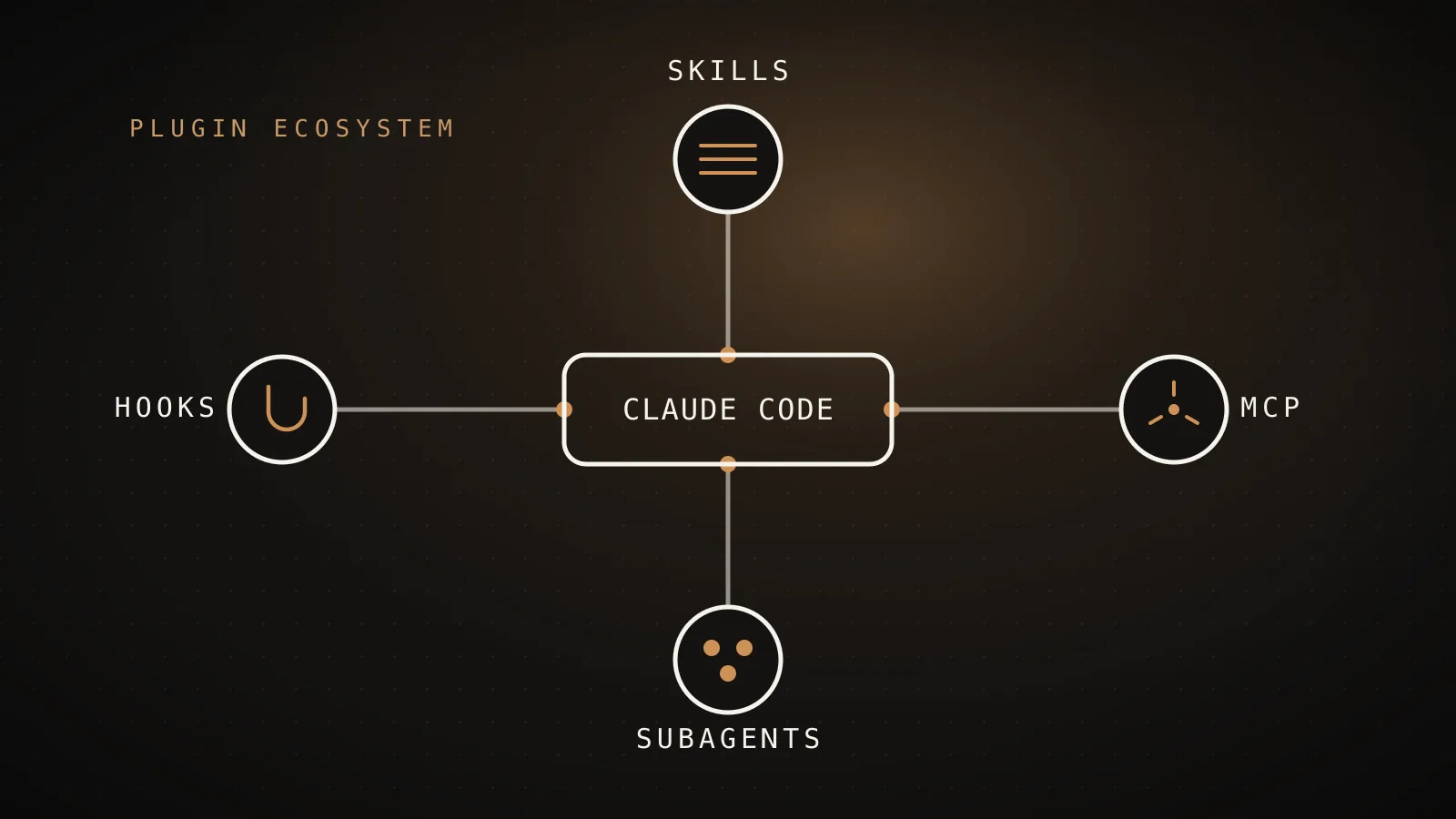
Everything Claude Code (ECC) is an open-source collection of ready-made Claude Code configuration - subagents, skills, slash commands, hooks, rules, and MCP server configs - that you install as a plugin instead of writing your own from scratch. It was created by Affaan Mustafa and lives at github.com/affaan-m/ECC, with over 200,000 stars, 32,000 forks, and 230 contributors as of July 2026. The license is MIT. It is a community project: not affiliated with Anthropic, despite the name.
The pitch has grown past Claude Code itself. The README now describes ECC as an "agent harness operating system," and the same configuration targets Cursor, Codex, OpenCode, GitHub Copilot in VS Code, Zed, Gemini CLI, and more. That portability is the real reason the repo took off: teams running two or three coding agents side by side get one versioned config layer instead of three drifting ones.
If you landed here without knowing what Claude Code is in the first place, start with my VS Code setup guide - this post assumes you have it running.
What is actually inside the repo
The honest answer: a lot, and the counts keep climbing. Here is the inventory as the README reports it in the v2.0 line, with what each layer does to your sessions.
The ECC inventory, layer by layer
README, v2.0 line
Skills278
Workflow instructions Claude loads on demand The core of the repo - TDD, reviews, framework patterns
Slash commands94
Typed entry points that trigger workflows Kept as thin shims - the README calls skills the real layer
Subagents67
Specialists Claude can delegate to Planner, architect, code reviewer, security reviewer...
Rules34
Always-on constraints, per language ecosystem Common set plus language packs - only some apply to you
MCP configs14
Preconfigured external tool connections Every enabled server costs context on every turn
Hook events8
Scripts that run automatically on Claude Code events The layer to read line by line before you enable it
Counts from the ECC README as of July 2026. The repo moves fast - expect the numbers to have grown by the time you read this.
A few things the numbers alone do not tell you:
- Skills are the center of gravity. The 278 skills are markdown workflow definitions - test-driven development loops, code review procedures, framework-specific patterns - that Claude loads when a task matches. The 94 slash commands mostly exist as typed shortcuts into them. If skills are new to you, I wrote up how skills work and which ones earn their keep.
- Hooks are the layer that acts on its own. ECC's hooks do things like block
git --no-verify, catch secrets in prompts, and stop the agent from editing linter configs instead of fixing code. Useful guardrails, and also automatic code execution wired into Claude Code's hook events - which is exactly why the security section below matters. - It ships its own security scanner. AgentShield, bundled since the v1.6 line, runs 102 static analysis rules against agent configurations, looking for suspicious hooks, prompt injection patterns, over-broad permissions, risky MCP config, and exposed secrets. The uncomfortable and slightly funny implication: the ecosystem of shared agent configs is now big enough to need its own security tooling.
- Releases move fast. The changelog shows v1.9.0 in March 2026 (selective installs), a release candidate in April, and v2.0.0 on June 9, 2026. Any specific count in this post will drift; the shape of the thing will not.
How to install Everything Claude Code
The supported route is Claude Code's plugin system, and it takes two commands inside a session:
/plugin marketplace add https://github.com/affaan-m/ECC
/plugin install ecc@ecc
That registers the repo as a plugin marketplace and installs the plugin from it. You need Claude Code v2.1.0 or later - the plugin loads its hooks from hooks/hooks.json automatically, which older versions do not support. After installing, plugin skills show up namespaced (/ecc:something), and /reload-plugins picks up updates without restarting.
If you do not want all of it - and I will argue below that you probably do not - the repo ships a selective installer with profiles:
npx ecc-install --profile full
Swap full for a smaller profile to cherry-pick layers. Windows users get an install.ps1 equivalent. The selective path arrived in v1.9.0 and it is the single most important feature in the repo for anyone who is not a power user.
One warning, straight from the project itself: install only from verified channels. ECC is popular enough that fake copies exist, and the README states that "third-party re-uploads and mirrors are unreviewed and may ship malware." The verified sources are the GitHub repo, the ecc-universal npm package, the ecc@ecc plugin slug, and ecc.tools. This is not theoretical - a repo whose whole product is hooks and configs that execute automatically is exactly what an attacker would want to impersonate. Whatever you install, from ECC or anywhere else, read the hooks first.
The context cost of installing everything
Every piece of an agent harness rides in the same context window your actual work needs, and this is where "install everything" stops being free. Rules load on every session. MCP server tool descriptions load on every turn. ECC's own documentation is refreshingly blunt about the failure mode.
What tool overhead does to your context window
ECC docs, own numbers
Clean session
200k tokens
The window Claude Code starts with
Overloaded with MCP tool descriptions
~70k tokens
The working room ECC's README says you can be left with
The README's own guardrails
Those are ECC's numbers, not mine: the README warns that MCP tool descriptions alone can take a 200k-token window down to roughly 70k of usable room, and tells you to keep fewer than 10 MCP servers enabled and fewer than 80 tools active. The project ships a context audit skill precisely because its own users kept hitting this.
I have watched this exact thing eat sessions long before ECC existed. It is why I keep a curated list of six MCP servers instead of a directory of fifty, why I wrote up how to stop MCP servers from eating your context, and why my free scanner UsageCut exists - it flags config that silently burns tokens. A bloated harness does not just cost window space either; it costs quota. If your limits vanish faster than they should, this breakdown of where usage actually goes is the place to start.
Should you install all of it?
No - and interestingly, the repo half agrees, or the selective installer and the context audit skill would not exist. The question is which failure mode you would rather manage: missing capability, or carrying weight you do not understand.
Install the whole harness
fits power users
You run several agents
One config synced across Claude Code, Cursor, Codex
You want enforced guardrails
Hooks that block risky commands, AgentShield scans
You will prune it yourself
Selective profiles exist - full install is opt-in
Curate a small setup
fits most developers
Context stays yours
Few tools loaded, more window for actual work
You know every piece
Nothing runs that you have not read and chosen
A tuned CLAUDE.md does the rest
Most of the win is instructions, not volume
The full harness earns its cost in specific situations. If you run Claude Code, Cursor, and Codex side by side, one synced config layer genuinely beats three hand-maintained ones. If you want guardrails that are enforced rather than suggested - hooks that block dangerous commands no matter what the model decides - ECC ships them working out of the box. And if you enjoy tuning agent systems and will actually prune what you do not use, the repo is the best single reference of working examples I have seen. Even if you never install it, it is worth reading: dozens of real hook and skill implementations, in public, under an MIT license.
Most developers are in the other column. The daily-driver work - build a feature, chase a bug, review a diff - gets most of its lift from a small number of things done well: a tuned CLAUDE.md, a handful of MCP servers you actually use, a few skills matched to your stack, and habits like planning before coding. That conviction is what ClockedCode is built on: a short list of verified pieces I personally run every day, not 278 of anything. ECC and I disagree on volume, but we agree completely on the premise - a configured agent runs circles around a stock one.
The middle path, and my actual recommendation for most people reading this: browse the repo, take the two or three pieces that map to problems you have this week, and install those. A config you have read is a config you can debug.
The rest of everything: where to go deeper
The phrase "everything Claude Code" deserves an actual map, not just one repo review. Here is every deep guide on this site, organized by what you are trying to do:
- Set it up: Claude Code in VS Code, the complete setup - extension plus CLI, ten minutes.
- Teach it your project: the complete CLAUDE.md guide covers the whole memory system, and my real CLAUDE.md, annotated shows a tuned file. The free CLAUDE.md generator builds you a starter.
- Extend it: the six MCP servers worth installing, the skills that earn their context cost, and free templates for subagents, hooks, and CLAUDE.md starters.
- Work smarter: make Claude Code plan before it codes - the highest-leverage habit I know with this tool.
- Control the cost: why usage limits disappear so fast and how to keep MCP servers out of your context window.
- Stay current: the Claude Code changelog, explained tracks what each release actually changes, and Codex vs Claude Code is the honest comparison if you are deciding between agents.
FAQ
What is Everything Claude Code?
Everything Claude Code (ECC) is an open-source collection of Claude Code configuration - 67 subagents, 278 skills, 94 slash commands, hooks, rules, and 14 MCP server configs as of July 2026 - published by Affaan Mustafa under an MIT license. You install it as a Claude Code plugin, and the same config also works in Cursor, Codex, OpenCode, and other coding agents. It is a community project, not an Anthropic product.
Is Everything Claude Code an official Anthropic project?
No. ECC is an independent open-source project by Affaan Mustafa. It configures Claude Code but is not built, endorsed, or maintained by Anthropic. The same is true of this site - the plugin ecosystem around Claude Code is almost entirely community work.
How do I install Everything Claude Code?
Inside Claude Code, run /plugin marketplace add https://github.com/affaan-m/ECC and then /plugin install ecc@ecc. You need Claude Code v2.1.0 or later. If you want only part of the collection, the repo also ships a selective installer (npx ecc-install) with profiles, which is the route I would take.
Is Everything Claude Code safe to install?
The official repo is MIT-licensed, open source, and readable before you install it. The real caution comes from ECC's own README: it warns that third-party re-uploads and mirrors are unreviewed and may ship malware, so only install from the verified channels - the GitHub repo, the ecc-universal npm package, the ecc@ecc plugin, or ecc.tools. And because ECC ships hooks that execute automatically on Claude Code events, read the hooks before enabling them, the same as you would for any plugin.
Does Everything Claude Code work with Cursor and Codex?
Yes. Cross-harness portability is ECC's main selling point: the README lists Claude Code, Cursor, Codex, OpenCode, GitHub Copilot in VS Code, Zed, Gemini CLI, and several others as supported targets, so one config repo can follow you across tools.
Should I install all of Everything Claude Code?
Probably not all at once. Every rule, tool description, and MCP server you enable costs context on every turn - ECC's own docs warn a 200k window can shrink to around 70k of working room and recommend staying under 10 MCP servers and 80 active tools. Start from what your daily work needs, pull in pieces selectively, and treat the full install as something to prune down rather than a default.
Everything is a starting point, not a setup
The most useful way to think about Everything Claude Code: it is proof of how far the Claude Code extension surface goes, packaged so you can borrow from it. Read it like a library, not a checkout cart. The developers getting real leverage from these tools are not the ones with the most skills installed - they are the ones whose small setup matches how they actually work, whether those pieces came from ECC, from this site, or from an afternoon of writing their own. Start small, read what you install, and let the setup earn its size.