Claude Code Multiple Agents: Subagents, Teams, Worktrees or Background Sessions?
 By Neo Zino - builder of ClockedCode9 min read
Claude Code runs multiple agents four ways: subagents, agent teams, worktrees and background sessions. Which fits which job, what each costs, and a safe starter setup.
Made with DispatchSEO
On this page
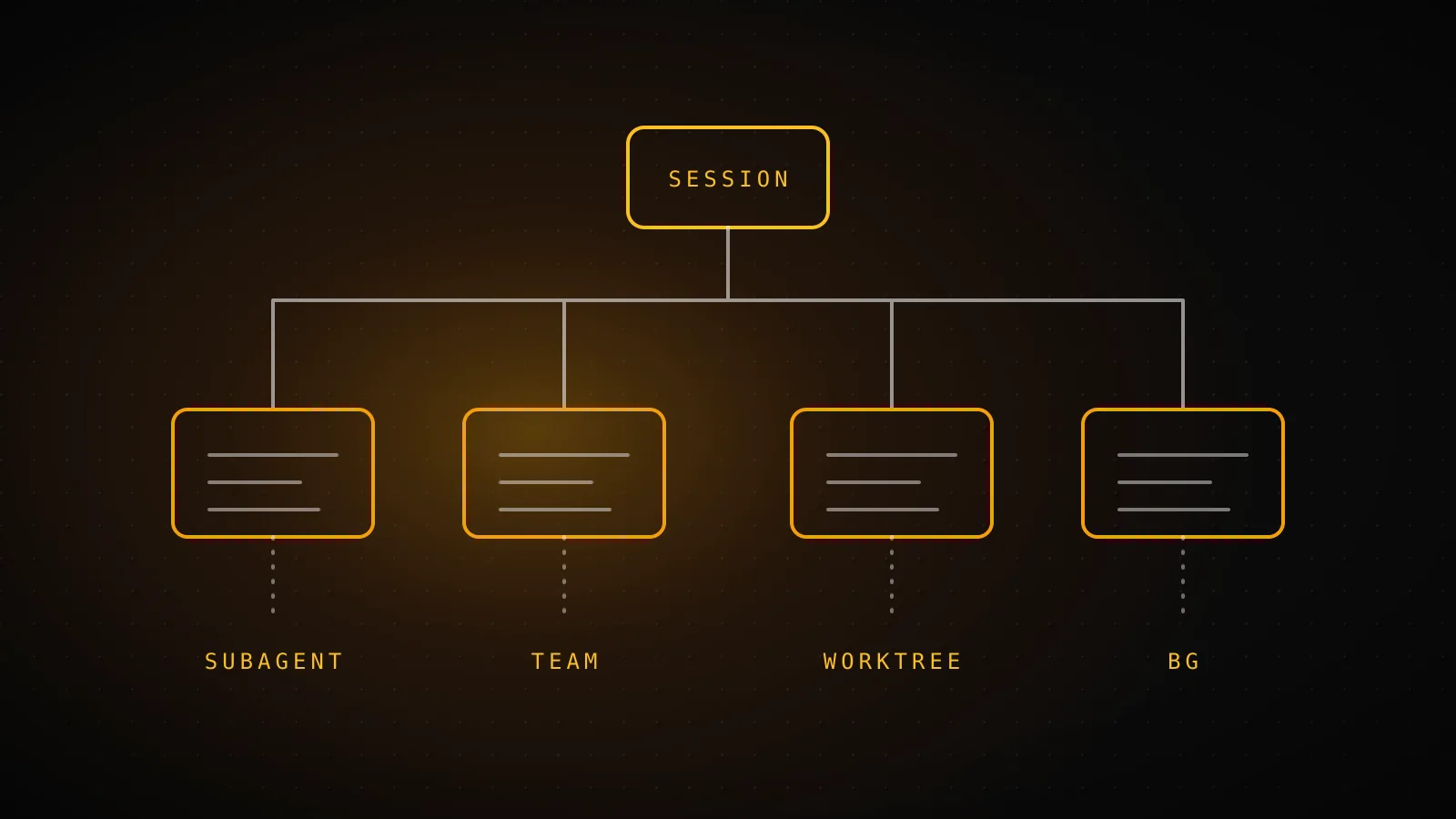
Claude Code gives you four separate ways to run more than one agent, and they solve four different problems. Subagents split work inside one session, agent teams coordinate several sessions that talk to each other, worktrees stop parallel sessions from overwriting each other's files, and background sessions keep running after you close the terminal. Most "multiple agents" setups need one of them, not all four.
TL;DR: Use a subagent when a side task would flood your context. Use a worktree when two sessions edit the same repo. Use
claude --bgwhen you want work to continue without a terminal. Use an agent team only when the workers need to discuss and challenge each other, since it is experimental and costs the most tokens. They stack: a subagent can run in its own worktree, and a background session gets one automatically.
Which of the four do you need?
Start from the problem, not the feature
One symptom, one mechanism
A side task is flooding my context with logs and file reads
Subagent
Own context window, only the summary comes back
Several workers need to compare notes and argue
Agent team
CLAUDE_CODE_EXPERIMENTAL_AGENT_TEAMS: "1"
Two sessions keep overwriting each other's files
Worktree
claude --worktree feature-auth
I want it to keep running after I close the terminal
Background session
claude --bg "investigate the flaky test"
Read from the Claude Code docs on subagents, agent teams, worktrees and agent view.
The mistake I see most is reaching for the biggest tool first. Someone reads about agent teams, turns the flag on, and then asks for three teammates to rename a variable. A single session would have been done before the team finished introducing itself.
| Subagents | Agent teams | Worktrees | Background sessions | |
|---|---|---|---|---|
| What it splits | Context, inside one session | Work, across several sessions | Files, across checkouts | Terminal attachment |
| Workers talk to each other | Report back to the caller | Yes, directly | No, separate sessions | No, separate sessions |
| Start it with | Ask, or .claude/agents/ | Env flag, then ask for teammates | claude --worktree name | claude --bg "prompt" |
| Stability | Stable | Experimental, off by default | Stable | Research preview |
| Relative cost | Low | Highest | None of its own | One full session each |
What does each one actually do?
Subagents are helpers with their own context window, system prompt, tool list and permissions. The reason to use one is context: the subagent reads the logs or files in its own window and only the summary lands in yours. Defaults worth knowing from the subagents docs: up to 20 can run at once (CLAUDE_CODE_MAX_CONCURRENT_SUBAGENTS), and a subagent can spawn its own subagents up to three layers deep. You can define your own in .claude/agents/, and the free subagent generator writes the file for you.
Agent teams are separate full sessions. One becomes the lead, the others claim tasks from a shared list and message each other by name. The difference from a subagent is that teammates can disagree with one another. The setup and the one environment variable are in the agent teams guide.
Worktrees are plain git worktrees managed by Claude Code. claude --worktree feature-auth creates .claude/worktrees/feature-auth/ on a new branch named worktree-feature-auth and starts Claude in it. Run the same command with another name in a second terminal and you have two sessions that cannot collide. The worktree guide covers the setup that stops one from being half broken.
Background sessions are full conversations that keep running without a terminal attached. claude --bg "investigate the flaky test" starts one, claude agents shows them all in one screen, and claude attach NAME brings one back. Before editing files, a background session moves into its own worktree. Single commands and subagents can also be backgrounded, which the background tasks guide separates from whole sessions.
Can you stack them?
Yes, and the useful combinations are all documented.
What stacks and what does not
Four pairings, straight from the docs
isolation: worktree in frontmatter gives each run its own checkout
Moves into .claude/worktrees/ before its first edit
Name a subagent definition as the teammate's role
In-process teammates run their subagents in the foreground
The pairing I use most is the first one. A refactor subagent with isolation: worktree in its frontmatter gets a temporary worktree, and Claude Code removes it automatically when the subagent finishes without changes:
---
name: refactorer
description: Applies mechanical refactors across many files
isolation: worktree
---

Apply the requested refactor across every affected file, then run the tests
and report the results.
That file is the example from the worktrees docs. One catch from the same page: by default those worktrees branch from the repository's default branch, not from your current work. If the subagent needs your unpushed commits, set worktree.baseRef to "head" in settings.
What does a worktree cost on disk?
I measured it on this site's own repo instead of guessing. The repo has 714 tracked files and a 7.4 MB .git directory. I ran git worktree add /tmp/wt-demo -b wt-demo HEAD, which is the same operation --worktree performs, and checked the result:
$ cat /tmp/wt-demo/.git
gitdir: /home/runner/work/clockedcode/clockedcode/.git/worktrees/wt-demo
$ git worktree list
/home/runner/work/clockedcode/clockedcode 26cd202 [main]
/tmp/wt-demo                              26cd202 [wt-demo]
Measured on this repo
4 KB of git metadata per worktree
Shared .git history (not copied)
7.4 MB
Extra worktree checkout
13 MB
Worktree .git pointer file
4 KB
git worktree add on a 714-file Next.js repo, sizes from du. Dependencies not installed.
The history is shared, so the new worktree's .git is a 4 KB pointer file. The cost is the checkout itself: 13 MB here, plus whatever pnpm install adds, since a worktree is a fresh checkout with no node_modules. A second full clone would have copied the 7.4 MB history as well. For a big monorepo that gap matters more than it does here, but the dependency install is usually the real cost, not git.
What does parallel cost in tokens?
Everything on this list spends your usage, just in different shapes:
- Subagents send their own requests against the same limits as your main conversation, but only a summary returns to your context.
- Agent teams are the expensive one. The docs say they use significantly more tokens than a single session because each teammate has its own context window, and the cost scales with how many are active.
- Background sessions are full sessions. The agent view docs put it plainly: ten parallel agents consume quota roughly ten times as fast as one.
- Worktrees cost no tokens on their own. They only make it safe to run more sessions, which does.
If you already hit limits quickly, adding agents is the wrong direction. The usage limits guide covers where the quota goes first.
What is a sane starting setup?
Build up in this order and stop when the pain stops:
- One session plus the built-in subagents. Ask Claude to "use a subagent to investigate how auth handles token refresh". Explore and Plan are built in, so there is nothing to configure.
- Add one custom subagent you trust, such as a read-only reviewer with a
toolsallowlist. Review and research subagents are safe because they do not edit. - Add worktrees when you run two editing sessions.
claude --worktreein two terminals, and put.claude/worktrees/in.gitignore. - Add
claude --bgfor the long jobs you would otherwise babysit, like a flaky test hunt. - Try an agent team last, on a review or a bug with competing theories, where the debate is the point.
ClockedCode's registry ships nine subagents (reviewer, debugger, test writer, security reviewer and others) for step two, because that is the step most setups skip.
When is running more agents the wrong move?
- The task is small or sequential. If step two needs step one's output, parallel workers just wait on each other.
- Two agents would edit the same file. Worktrees isolate checkouts, not intent. You still have to merge the branches afterwards, and conflicting edits are still conflicts.
- You are already near your limits. More agents means faster quota burn, not more quota.
- You will not read the output. Five background sessions you never check are five bills with nothing shipped.
- You need tight back-and-forth. The docs recommend the main conversation for frequent iteration, multi-phase work sharing context, and anything where latency matters.
FAQ
Can Claude Code run multiple agents at the same time?
Yes, in four different ways. Subagents run helper agents inside one session, up to 20 at once by default. Agent teams coordinate several full sessions that message each other. Worktrees give separate sessions their own checkout of the repo. Background sessions, started with claude --bg, keep running without a terminal attached.
What is the difference between subagents and agent teams?
A subagent works inside your session and reports a summary back to the caller. A teammate is a separate Claude Code session that claims tasks off a shared list and can message any other teammate directly. Subagents cost fewer tokens, so use them when only the result matters. Teams are experimental, off by default, and worth the cost when the workers need to discuss.
Do I need git worktrees to run parallel agents?
Only when two agents might edit the same files. Subagents that only read, search, or review do not need one. For parallel edits, claude --worktree NAME creates .claude/worktrees/NAME/ on a branch called worktree-NAME, and a subagent can get the same isolation with isolation: worktree in its frontmatter.
How many subagents can run in parallel?
The default cap is 20 running at once, set by CLAUDE_CODE_MAX_CONCURRENT_SUBAGENTS. Nesting is limited too: a subagent can spawn subagents up to three layers below the main conversation, and CLAUDE_CODE_MAX_SUBAGENT_SPAWN_DEPTH changes that limit. Your usage limits are the tighter ceiling in practice, because every subagent's requests count toward them.
Do multiple agents use more of my Claude Code usage?
Yes. Every agent sends its own requests against the same limits. The agent view docs say ten parallel background agents use quota roughly ten times as fast as one, and agent teams use significantly more tokens than a single session because each teammate has its own context window.
Pick one, then add the next only when it hurts
Start with the subagent, because it costs nothing to try and it protects your context immediately. Add the others as the specific problem shows up. The ClockedCode setup ships the subagents and the settings for this, so the first step is already done on day one.