Claude Code Resume Session: How to Pick Up Where You Left Off
 By Neo Zino - builder of ClockedCode9 min read
Resume a Claude Code session with --continue, --resume, or /resume: what actually carries over, cross-directory resume, and fixing session not found errors.
Made with DispatchSEO
On this page
claude --continue reopens your most recent Claude Code conversation in the current directory, no arguments needed. claude --resume opens an interactive picker across every session Claude Code has stored, and claude --resume <session-id> or <name> jumps straight to one specific conversation from any directory on the machine. Inside a running session, /resume does the same thing without exiting first.
TL;DR:
claude --continuegrabs the most recent session in this directory.claude --resume(or/resumefrom inside a session) opens a picker; add a name or session ID to skip straight to one, from any directory. A resume restores more than chat history - model, agent, permission mode, and any active goal come back too, but launch flags like--mcp-configand background Bash tasks don't, so you pass those again.
--continue vs --resume vs /resume
These aren't three ways to do the same thing - they split by whether you already know which session you want:
Six ways in, split by whether you already know which one
sessionsclaude --continue
Reopens the most recent conversation in the current directory
claude --resume <name>
Resumes that named session directly when the name matches exactly one
claude --resume <session-id>
Resumes by ID from any directory - searches the current project first, then every other project on the machine
claude --resume
Opens the interactive session picker, scoped to the current worktree by default
/resume
Opens the same picker from inside a running session, to switch without exiting
claude --from-pr <number>
Opens the picker filtered to sessions linked to that pull request
A name or ID that doesn't resolve fails immediately instead of guessing - see the error message further down.
claude --continue skips two kinds of sessions on purpose: one whose first prompt was /loop, and a background session that's still running rather than finished (reopening a finished background session needs Claude Code v2.1.257 or later; on an earlier version, or if the session is still running, claude --continue exits with an error naming that session so you can attach to it or run claude --resume instead). claude -p --continue, the non-interactive form, doesn't apply either skip - it includes -p, SDK, and /loop sessions.
Resuming a session from another directory or project
Pass a session ID to claude --resume <session-id> from anywhere, and Claude Code looks in the current project directory and its git worktrees first, then in every other project on the machine. It only resolves a match outside the current project when exactly one other project holds a transcript with messages for that ID - a hand-copied duplicate ID reports "not found" rather than resuming an arbitrary copy. That cross-project search needs Claude Code v2.1.223 or later; before that, the lookup stopped at the current project directory and its worktrees, so you had to cd back to wherever the session last ran.
Picking a session from the interactive picker behaves differently depending on where it lives:
- Same repository, another worktree - resumes it in place, in that worktree.
- That worktree no longer exists - resumes it in your current directory instead.
- An unrelated project - copies a
cdand resume command to your clipboard rather than jumping there for you, unless that project's directory is gone, in which case it resumes in your current directory.
Moving a session with /cd relocates its storage to the new directory, so it shows up in that directory's picker afterward (and, as of v2.1.196, stays out of the old directory's picker even after a crash).
What actually comes back when you resume
A resumed session restores the conversation plus a specific list of state - not everything from the original launch:
What comes back on its own, and what doesn't
6 restoredConversation history
The full history, tool calls and results included - a tool still running when the process ended doesn't finish or rerun
Model
Same model, unless it's retired, blocked by availableModels, or overridden by --model or an ANTHROPIC_MODEL env var at launch
Agent
Continues as the --agent it started with, same tool restrictions - falls back to the default with a warning if that agent can't be found
Permission mode
Restored only via --continue or --resume <id/name> from a terminal; the picker and /resume start in a fresh mode
Active goal
Carries over, but its turn count, timer, and token-spend baseline reset
Scheduled /loop tasks
Any task that hasn't expired resumes with the session
--mcp-config, --settings, --plugin-dir, --fallback-model
Pass them again on the resume command - settings.json and settings.local.json are re-read automatically, so those don't need repeating
Directories added with /add-dir
Not restored, though the picker still uses them to locate the session
Background Bash and monitor tasks
Don't come back with the session, unlike the active goal and scheduled tasks above
From code.claude.com's sessions doc - the exact restore list and launch-flag exceptions it names.
The permission-mode row is the one that trips people up: pick a session from the interactive picker, or switch with /resume, and Claude Code starts it in the permission mode a brand-new session would use from that same command line - not the mode the conversation ended in. Only a direct terminal resume (--continue, or --resume with an ID or an unambiguous name) restores the stored mode. Pass --permission-mode or --dangerously-skip-permissions on any resume to override whatever it would otherwise pick.
One more resume-time decision only shows up on long sessions: on a Pro or Max plan, resuming a conversation that's been inactive for over an hour and already crossed 100,000 tokens opens a dialog before your first message - Resume from summary (runs /compact immediately), Resume full session as-is, or Don't ask me again. Either choice reprocesses the full history once, because the prompt cache from before has already expired; the difference is what later requests carry going forward.
Where sessions live, and proving it on your own machine
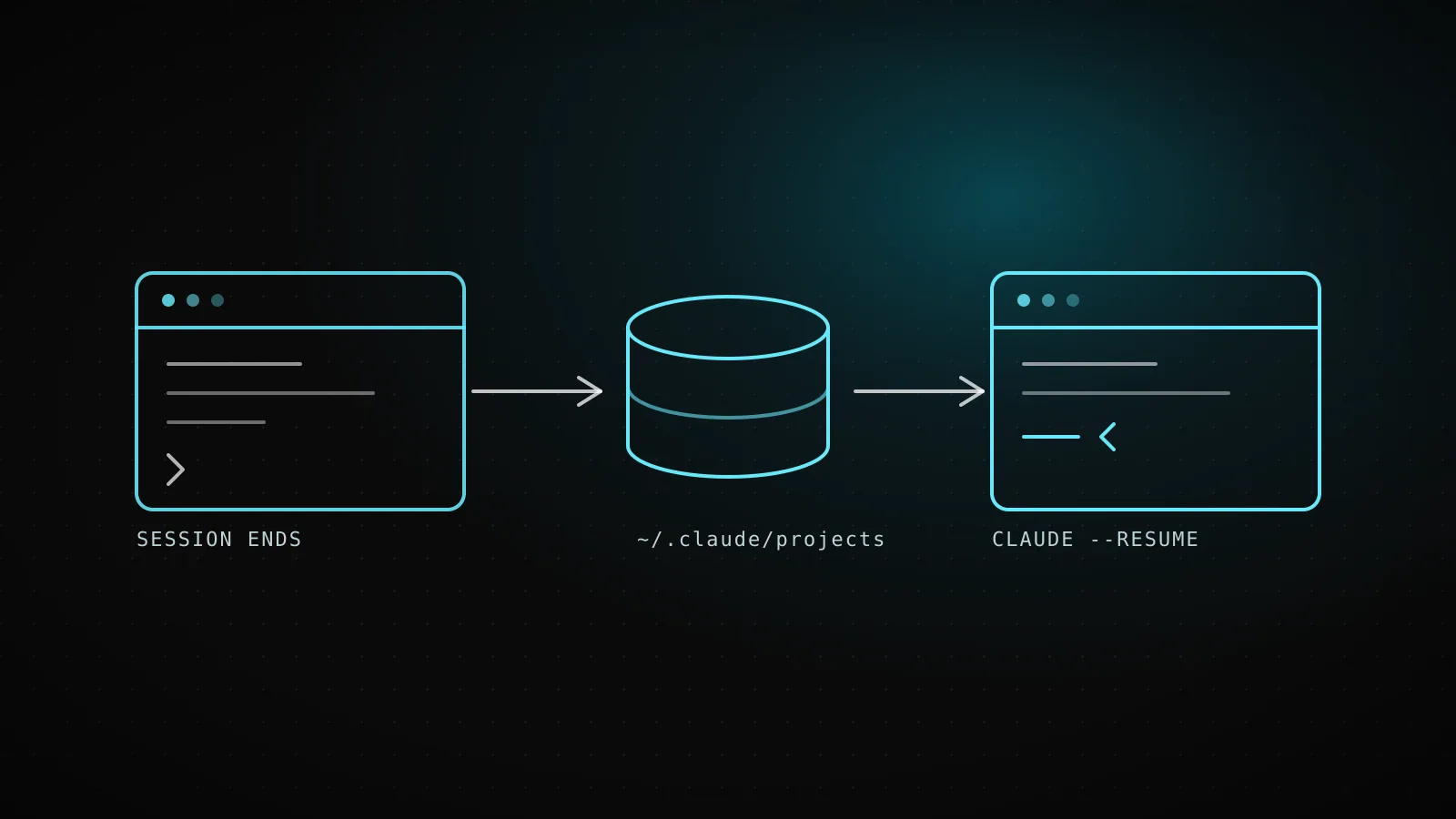
Claude Code stores each session as a JSONL transcript under ~/.claude/projects/<project>/<session-id>.jsonl, where <project> is your working directory's path with every non-alphanumeric character swapped for a hyphen. That's not a detail you have to take on faith:
Two claims from the docs, checked against a live install
v2.1.278the project-directory naming rule, on this guide's own build
pwd
ls ~/.claude/projects/
/home/runner/work/clockedcode/clockedcode
-home-runner-work-clockedcode-clockedcode
the exact error text for a session ID that doesn't exist
claude --resume 00000000-0000-4000-8000-000000000abc
No conversation found with session ID: 00000000-0000-4000-8000-000000000abc
Both check out exactly as documented: every non-alphanumeric character in the working directory path becomes a hyphen in the project folder's name, and a well-formed session ID that matches nothing reports failure by name instead of silently opening a blank session.
Run against Claude Code v2.1.278 the same day this guide was written, not reconstructed from the docs alone.
Retention is 30 days by default, tunable with cleanupPeriodDays in your settings, and CLAUDE_CONFIG_DIR moves the whole storage location off ~/.claude if you need that (for example, one config directory per tenant in an embedded setup). Because the transcript format is internal and changes between releases, don't parse the JSONL directly in a script - /export, claude -p --output-format json, and the Agent SDK are the interfaces meant for that.
The picker's keyboard shortcuts
Open the picker with claude --resume or /resume, then:
| Key | Action |
|---|---|
↑ / ↓ | Navigate between sessions |
Enter | Resume the highlighted session |
Space | Preview the session content |
Ctrl+R | Rename the highlighted session |
/ or any character | Filter sessions by search |
Ctrl+A | Show sessions from every project on the machine |
Ctrl+W | Show sessions from every worktree of this repository |
Ctrl+B | Filter to the current git branch |
Esc | Exit the picker or search mode |
Search mode has one shortcut worth knowing on its own: paste a GitHub, GitHub Enterprise, GitLab, or Bitbucket pull or merge request URL into it, and the picker filters straight to the session that created it - the same filter claude --from-pr <number> applies from the command line.
Fixing "session not found" and an empty picker
A session ID that doesn't resolve fails loudly instead of guessing, which is exactly what the evidence panel above shows: No conversation found with session ID: <session-id>. That message means one of three things - the ID has a typo, the session aged out past its 30-day retention window, or (only for cross-project lookups) the ID matches transcripts in more than one other project and Claude Code won't pick between them for you.
Naming collisions fail differently depending on which command you use: claude --resume <name> with an ambiguous name opens the picker with that name pre-filled as a search term, while /resume <name> reports an error and tells you to run /resume with no argument instead.
An empty or thin picker is almost always scope, not a missing session. By default it only shows sessions from the current worktree plus any directory added mid-session with /add-dir - press Ctrl+W to widen to every worktree of the repository, or Ctrl+A to widen to every project on this machine. If a session still doesn't turn up under Ctrl+A, check whether it was created with claude -p or the Agent SDK: those are left out of the picker and out of claude --continue by design, and need claude --resume <session-id> with the specific ID instead.
When resuming is the wrong move
- You want to try a different approach without losing the current one. Resuming keeps writing to the same transcript.
/branchcopies the conversation and switches you into the copy, leaving the original untouched and still resumable. - The session is huge and you don't need the full detail. Resuming as-is reprocesses and re-caches the entire history on your next message; if you'd rather trade some detail for a cheaper request going forward, choose "Resume from summary" on the dialog, or run
/compactyourself once you're back in. - You changed
--mcp-config,--settings,--plugin-dir, or--fallback-modelfor a reason. None of those four survive a resume automatically - pass them again on the resume command, or the session runs without whatever they set up. - You're chasing something a background Bash command or monitor task was doing. Those don't resume with the session at all; only the active goal and non-expired scheduled tasks do.
FAQ
How do I resume the last Claude Code session?
Run claude --continue. It reopens your most recent conversation in the current directory with no arguments needed.
How do I resume a specific Claude Code session by ID?
Run claude --resume followed by the session ID, from any directory. Claude Code searches the current project and its worktrees first, then every other project on the machine, and resolves the ID only when exactly one other project holds a matching transcript.
Does resuming a session restore my permission mode?
Only when you resume from a terminal with claude --continue, or claude --resume followed by a session ID or a name that matches exactly one session. The interactive picker and /resume both start the resumed session in a fresh permission mode instead of the one it ended in.
Why does Claude Code say "No conversation found with session ID"?
The ID you passed doesn't match any transcript in the projects Claude Code searched - a typo, a session that aged out of the 30-day retention window, or an ID that exists in more than one other project, which Claude Code refuses to guess between.
Why is my Claude Code session picker empty?
By default the picker only shows sessions from the current worktree plus directories added with /add-dir. Press Ctrl+W to widen to every worktree of the repository, or Ctrl+A to widen to every project on the machine.
Pick the resume that matches what you actually need back
--continue for the session you were just in, --resume <id or name> for one you can name, the picker for everything else - and now you know which parts of the old session actually follow you into the new one. ClockedCode's cheat sheet keeps every one of these commands, plus the rest of Claude Code's shortcuts, on a single page if you'd rather not memorize them.