Claude Code Checkpoints: What They Do and How to Use Them
 By Neo Zino - builder of ClockedCode10 min read
What Claude Code checkpoints save, how /rewind restores code and conversation, what they miss (bash edits, subagents), and how they pair with permissions.
Made with DispatchSEO
On this page
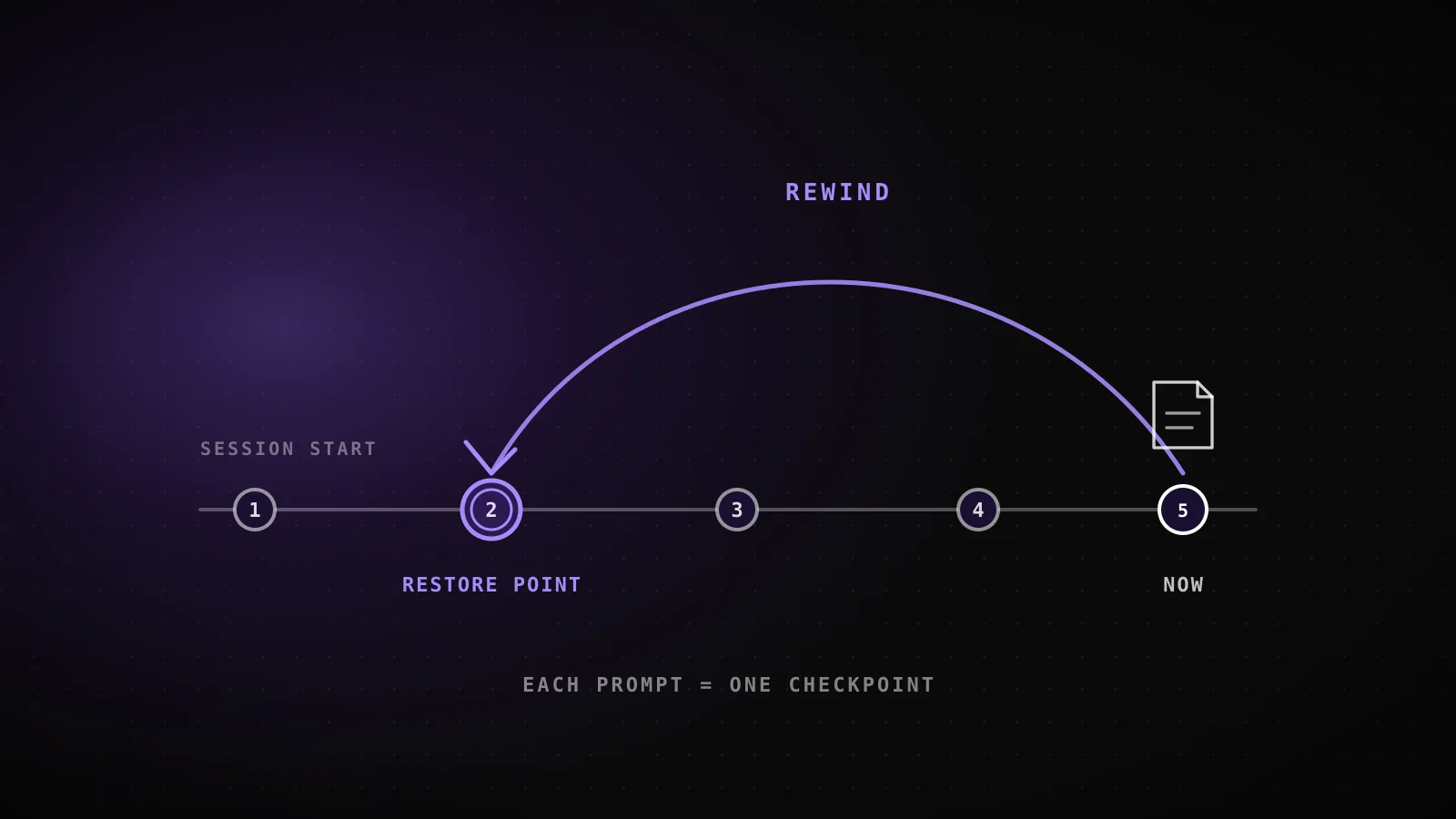
Claude Code checkpoints save a snapshot of your files before every prompt you send, so you can undo an agent's edits with /rewind without reaching for git. The capture is automatic: no command to remember, no flag to set. Run /rewind, or press Esc twice with an empty prompt box, and you can jump back to the code, the conversation, or both, at any earlier point in the session.
TL;DR: Claude Code snapshots the files its Write, Edit, and NotebookEdit tools touch, once per prompt, for the last 100 checkpoints in a session.
/rewind(or doubleEsc) lets you restore code, conversation, or both, and it also doubles as a targeted/compactthrough its two summarize options. Checkpoints don't track Bash file changes, most subagent edits, or anything outside the session - that's still git's job.
What a checkpoint actually saves
Every user prompt creates a new checkpoint, and Claude Code keeps file snapshots for the 100 most recent checkpoints in a session. Discarding an older one deletes only the snapshot files nothing else still references, except each file's very first snapshot, which the VS Code extension keeps as the baseline for its session diffs. Checkpoints save with the conversation itself, not in a separate cache, so /rewind still works after you resume a session days later.
That storage detail matters for cleanup: checkpoints go away with their session after 30 days by default. If you run long-lived sessions and want that window longer or shorter, cleanupPeriodDays in your Claude Code settings controls it directly.
Checkpoints vs Git commits vs /rewind
These three aren't competing tools, they're three layers of the same recovery story, and mixing them up is the fastest way to lose work you thought was safe:
| Checkpoint | Git commit | |
|---|---|---|
| Created | Automatically, once per prompt | Manually, when you choose to |
| Restores | Files, conversation, or both | Files only |
| Granularity | Per prompt in the session | Whatever you stage |
| Survives | The session, up to 30 days | Forever, once pushed |
| Shareable | No - local to your session | Yes - the whole point of git |
| Accessed via | /rewind or double Esc | git log, git reset, etc. |
A checkpoint is the safety net under a single session: fast, automatic, and gone once the session's retention window closes. A commit is what actually survives - the thing you'd reach for to share a change, roll back a bad merge weeks later, or bisect a regression. /rewind is just the interface that surfaces checkpoints; it never touches git history at all, so a rewind and an accidental git reset can't interfere with each other.
Restoring, reviewing, and summarizing from /rewind
Open the rewind menu with /rewind, or by pressing Esc twice while the prompt input is empty (if there's text in it, double Esc clears the input instead - the cleared text lands in your input history, so Up brings it back once you're done in the menu). The menu lists every prompt from the session; pick one, then choose what to do with it.
What /rewind actually offers
Esc EscRestore code and conversation
Reverts both - the full undo
Restore conversation
Rewinds the chat, keeps your current code
Restore code
Reverts file changes, keeps the conversation
Summarize from here
Compresses everything after this point into a summary
Summarize up to here
Compresses everything before this point, leaves the rest intact
The two code-restore rows only appear when the selected checkpoint has file changes to revert - otherwise the menu skips straight to Restore conversation.
The two restore-code options only show up when the checkpoint you picked has tracked file changes to revert - if nothing was edited after that point, the menu just offers Restore conversation and the two summarize actions. After a conversation restore or a "Summarize from here," Claude Code drops the original prompt back into your input field so you can resend or edit it. Summarizing never touches files on disk - the docs are explicit that it only compresses context, the same way a targeted /compact would, and a Summarized conversation marker shows up where the compression happened. If you want to branch off and try a different approach while keeping the original session untouched, that's /branch or claude --continue --fork-session, not a rewind. The full command list, including /rewind and /branch, is in ClockedCode's cheat sheet if you'd rather have it on one page.
One detail worth knowing if you use /clear mid-session: the rewind menu adds a /resume <session-id> (previous session) entry at the top so you can get back to what /clear erased, as long as you haven't exited Claude Code or resumed something else since. That entry needs Claude Code v2.1.191 or later; earlier versions require running /resume directly instead.
What checkpoints don't protect against
Checkpointing tracks a narrower slice of "things that changed" than most people assume walking in. It only sees edits made through three specific tools - everything else is invisible to it, on purpose:
What a checkpoint captures, and what it doesn't
3 trackedWrite tool edits
New files Claude creates directly
Edit tool edits
In-place changes to an existing file
NotebookEdit changes
Jupyter notebook cell edits
Bash file changes
rm, mv, cp, sed -i - anything run through a shell command
Most subagent edits
Restored only for a foreground context: fork skill; everything else needs git
External edits
Changes made outside the session, or by another concurrent one
Symlinked or hard-linked paths
Restore skips them and reports how many files it couldn't touch
Directory operations
Creating, moving, or deleting a directory itself isn't undone
From code.claude.com's checkpointing and agent-sdk/file-checkpointing docs - the exact tools and limitations both pages list.
The Bash gap is the one that catches people: Claude Code runs shell commands constantly, and a rm, mv, cp, or sed -i it executes leaves no checkpoint to rewind to. If you asked Claude to clean up some files and it deleted the wrong one via a shell command, /rewind can't bring it back - git can, if you'd committed first. Subagent edits are the other common surprise: a background subagent (the default kind, and a background /code-review --fix run) edits your files without showing up in your session's checkpoints at all, so reverting those needs git too. The one exception is a context: fork skill running in the foreground, which edits your working tree during your own turn and rewinds normally.
The SDK side: file checkpointing for your own agent
If you're building on the Claude Agent SDK rather than using the CLI directly, the same underlying mechanism is exposed as an API: file checkpointing. Set enableFileCheckpointing: true (or enable_file_checkpointing=True in Python) and the SDK backs up files before the Write, Edit, or NotebookEdit tools modify them; each user message in the response stream carries a checkpoint UUID you can capture and later pass to rewindFiles() (TypeScript) or rewind_files() (Python) to restore.
It shares the CLI's exact blind spots - Bash changes and most subagent edits aren't tracked here either - plus a couple specific to the API: file checkpointing is tied to the session that created it, and it undoes file content only, so creating, moving, or deleting a whole directory isn't something a rewind reverses. If you're driving the bare CLI non-interactively with claude -p and want to invoke a rewind by ID rather than through the SDK, the --rewind-files flag works but needs CLAUDE_CODE_ENABLE_SDK_FILE_CHECKPOINTING=true set first - it's deliberately left out of claude --help, but the CLI accepts it.
What's actually inside a session's checkpoint data
The docs describe checkpoints as being "saved with the conversation," which is a fact you can go check yourself if you're running Claude Code, because the session transcript is just a JSONL file on disk. Here's what that looks like against this article's own build session:
The checkpoint anchor, read straight off this session's own file
read off disk~/.claude/projects/<repo>/<session>.jsonl - first user-turn line
python3 -c "
import json
with open(session_jsonl) as f:
    for line in f:
        d = json.loads(line)
        if d.get('type') == 'user':
            print(sorted(d.keys()))
            break
"
['cwd', 'entrypoint', 'gitBranch', 'isSidechain', 'message', 'parentUuid', 'permissionMode', 'promptId', 'promptSource', 'sessionId', 'timestamp', 'type', 'userType', 'uuid', 'version']
That uuidfield sits on every one of the 93 user-turn lines this build's own session produced - one per prompt sent, in file order, inside the session transcript itself. It's not a separate checkpoint database; it's the same UUID /rewind lists in its menu and the same one rewindFiles() takes as an argument in the SDK.
Inspected live from this guide's own build session, not reconstructed from the docs.
There's no separate checkpoints table or snapshot index to go looking for - the restore point is one field on a message that was already going to be written to the transcript anyway, which is exactly why checkpoints add close to zero overhead until the moment you actually rewind.
Pairing checkpoints with a safe permissions setup
Checkpoints are a good reason to run Claude Code in a more permissive mode than you might otherwise be comfortable with, because the usual worst case - Claude edits the wrong file, or takes a wrong turn on a refactor - is a /rewind away from undone. That trade doesn't extend to everything, though: a checkpoint can't unsend a message, undo a shell command, or pull back something a background subagent already did, so the risk you're accepting by loosening permissions is specifically the risk checkpoints don't cover. ClockedCode's permissions guide covers the six --permission-mode values and a starter config if you want the fuller picture of what each mode allows before you decide how far to lean on checkpoints instead of prompts.
When checkpoints aren't enough
- You need permanent history. The docs are direct about this: checkpoints are for quick, session-level recovery, not version control. Commit to git for anything you'd want to survive the session, share with teammates, or dig up months later.
- The change went through Bash, a subagent, or another session. None of those are tracked, so
/rewindhas nothing to offer - you're back to git, or to asking Claude to manually reverse the change. - You want to prevent the mistake, not undo it. A checkpoint only helps after something already happened. If there's a specific action you never want run at all - a force push, a delete outside the project directory - that's a job for hooks with a
PreToolUseguard, which can block the action before it executes instead of giving you something to rewind from. - You're several sessions deep on the same feature. Checkpoints don't span sessions, and they age out after 30 days by default. Long-running work still wants real commits as milestones, checkpoints or not.
FAQ
What is a checkpoint in Claude Code?
A snapshot of your files that Claude Code saves automatically before every prompt you send, so you can undo an agent's edits with /rewind without touching git. Checkpoints are saved with the conversation, so they survive resuming a session too.
How do I restore a Claude Code checkpoint?
Run /rewind, or press Esc twice when the prompt input is empty, pick the prompt you want to act on, then choose Restore code, Restore conversation, or Restore code and conversation.
Does Claude Code checkpointing replace git?
No. Checkpointing is designed for quick, session-level recovery, not permanent version history - the docs say so directly. Keep committing to git for anything you want to survive past the session or share with a team.
What doesn't Claude Code checkpointing track?
Files changed through Bash commands (rm, mv, cp, sed), most subagent edits, changes made outside the session, and symlinked or hard-linked paths. Only the Write, Edit, and NotebookEdit tools are tracked.
How long do Claude Code checkpoints last?
Claude Code keeps the 100 most recent checkpoints in a session and deletes checkpoints along with the session after 30 days by default, a period you can change with the cleanupPeriodDays setting.
What's the difference between /rewind and the Agent SDK's file checkpointing?
/rewind is the interactive CLI feature; file checkpointing is the same tracked-tools mechanism exposed as an API (enableFileCheckpointing and rewindFiles()) for developers building their own agent on the Claude Agent SDK.
Trust the net, but know its edges
Checkpoints make it reasonable to let Claude Code move faster than you'd risk without them - every prompt is a free undo point for anything its own file tools touched. The edges are the part worth remembering on purpose: Bash changes, subagent edits, and anything past 30 days are still entirely on git. ClockedCode's curated Claude Code setup pairs that permissions guide with the rest of a safety-first default config, checkpoints included, so the trade-off is a deliberate one instead of something you discover mid-incident.