Claude Code Auto-Compact: What It Does and How to Control It
 By Neo Zino - builder of ClockedCode12 min read
Claude Code auto-compact summarizes your conversation once context nears its limit. Here is exactly what that request does, the settings that move it, and why a fresh session still beats waiting for it.
Made with DispatchSEO
On this page
Auto-compact is Claude Code summarizing your conversation on its own once context nears the limit for your model, so the session can keep running instead of stopping cold. Mechanically it is a single extra request: the same system prompt, tools, and history you already have, plus a summarization instruction tacked on the end, which is why it reads your existing cache instead of reprocessing the whole conversation. A handful of settings can move when that request fires - and since this page first went up, one of them changed enough that it can now push the trigger later than a model's default too, not just earlier.
TL;DR: Auto-compact fires automatically as context nears your model's compaction threshold, replacing your message history with a generated summary while CLAUDE.md, memory, and the rules and skills you invoked reload.
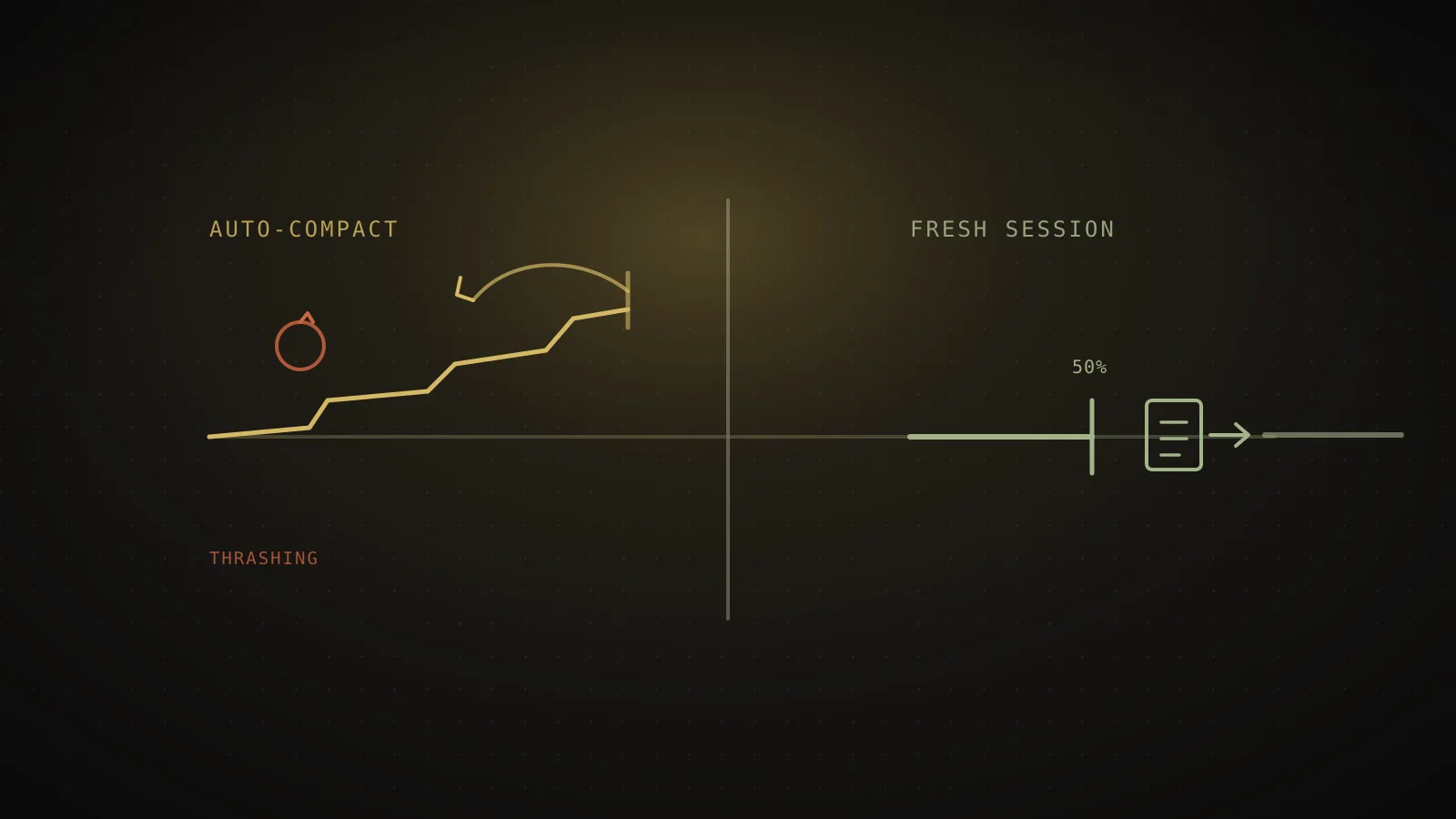
autoCompactEnabledturns it off entirely (default true);autoCompactWindowsets the trigger as a plain token count from 100K to 1M and can move it earlier or later than the model's tuned default;CLAUDE_CODE_AUTO_COMPACT_WINDOWis that same window as an environment variable with the highest precedence;CLAUDE_AUTOCOMPACT_PCT_OVERRIDEstill only ever moves it earlier. ACompact instructionsblock in CLAUDE.md doesn't touch the trigger at all - it steers what the summary keeps. If a single large file or tool output refills context immediately, Claude Code stops after a few attempts with a thrashing error instead of looping. Configuring any of this still leaves you reacting to a limit - a fresh session at a fixed point like the 50% rule beats waiting for auto-compact either way.
What auto-compact actually does when it fires
Most explanations of this stop at "it summarizes the conversation," which is true but skips the part that explains the rest of its behavior. Per Anthropic's current documentation, compaction sends a one-off request built from your exact conversation so far, with a summarization instruction appended as the final message. Because that request shares the same prefix as your normal turns, it reads from the cache instead of reprocessing your full history from scratch - most of the time a compaction takes goes to generating the summary, not to a cache miss.
Once that summary comes back, it replaces your message history outright. The system prompt was never part of that history to begin with, so it survives untouched. Project CLAUDE.md and auto memory get reloaded from disk on your next turn, which is why an edit you made to CLAUDE.md mid-session only takes effect after a compact (or a clear, or a restart) rather than immediately. What does not carry over cleanly is anything that lived only in the conversation itself: full file contents Claude had read, intermediate reasoning, and the specific back-and-forth that led to a decision, all compressed into whatever the summary chose to keep.
Reloading is not limited to CLAUDE.md and memory, either. Claude Code re-reads up to five of the files you most recently touched in the session and reloads whichever rules and nested CLAUDE.md files match them, and it re-injects the body of every skill you invoked, capped per skill so a large one gets truncated rather than dropped entirely. A SessionStart hook scoped to the compact source runs again too. None of that is guesswork on this page's part - it's what a manual /compact and the automatic pass both do, per Anthropic's current docs.
What actually happens when it fires
Context nears the compaction threshold
for your model - the point set by its default, or moved by autoCompactWindow or CLAUDE_AUTOCOMPACT_PCT_OVERRIDE.
Claude Code sends one summarization request
same system prompt, tools, and history as your conversation, plus a summarization instruction appended at the end - so it reads your existing cache instead of reprocessing everything.
The generated summary replaces your message history
CLAUDE.md and auto memory reload from disk on the next turn; the conversation itself starts over from the summary.
A single file or tool output refills context right back to the limit?
Claude Code stops retrying rather than burn API calls on a loop that is not making progress - the fix is reading the oversized file in chunks, a focused /compact, delegating it to a subagent, or /clear.
What controls auto-compact now - and what changed since this page first went up
This page originally described three environment-only knobs, each of which could only move the trigger earlier. Re-checking against code.claude.com on 2026-09-01 for this refresh turned up a real product change: the control surface is now token-window based instead of purely percentage-based, and one setting can now move the trigger later, not just earlier.
The real controls
code.claude.com docsautoCompactEnabled
settings.json
The only full on/off switch. Default true - set it false to stop auto-compact from firing at all.
autoCompactWindow
settings.json, /autocompact <size>, or --autocompact
Sets the trigger as a plain token count, 100K to 1M, capped at the model's real window. Can move the threshold earlier or later than the model's tuned default.
CLAUDE_CODE_AUTO_COMPACT_WINDOW
environment variable, same 100K-1M token count
Same window as above, as an env var - and it overrides the setting, the flag, and the command while it's set. Highest precedence of the five.
CLAUDE_AUTOCOMPACT_PCT_OVERRIDE
environment variable, 1-100
Moves the trigger percentage earlier, e.g. 70 compacts at 70% instead of the model's own default. A value above that default still does nothing.
Only the percentage override is one-directional. The token-window controls can push auto-compact later than the model's default too, not just earlier.
| This page's original version (2026-07) | Current docs (2026-09) | |
|---|---|---|
| Window control | CLAUDE_CODE_AUTO_COMPACT_WINDOW shrank the token budget a percentage was calculated against | autoCompactWindow sets an absolute token count (100K-1M), via settings, /autocompact <size>, or --autocompact |
| Direction | Every lever only moved the trigger earlier | autoCompactWindow can move it earlier or later, capped at the model's real context window |
| Full off switch | autoCompactEnabled, plus a documented DISABLE_AUTO_COMPACT=1 env var | autoCompactEnabled only - no DISABLE_AUTO_COMPACT variable turned up in the current env-var reference |
| Percentage override | CLAUDE_AUTOCOMPACT_PCT_OVERRIDE, unqualified | Same setting, still earlier-only, now documented as applying "only in sessions that compact before the model's context limit" |
The precedence order matters once more than one of these is set: CLAUDE_CODE_AUTO_COMPACT_WINDOW (the env var) beats the --autocompact flag, which beats the /autocompact command, which beats the autoCompactWindow setting, which beats the model's own tuned default. CLAUDE_AUTOCOMPACT_PCT_OVERRIDE=90 still reads like it should buy more room before compaction kicks in and still does not - a percentage above your model's default is ignored either way.
The default itself isn't one flat number either. Barring a set window, Claude Code compacts near the model's context limit for most sessions, but Claude Code on the web, Sonnet 4.6 and Opus 4.6 without extended context, and a couple of other configurations still compact at a 200K boundary regardless of the model's real ceiling. Sonnet 5 defaults to roughly 967K on its native 1M window. If a session seems to compact earlier than you'd expect for your plan, check which of those exceptions you're in before assuming a setting is misconfigured.
One more lever moves what compaction keeps, not when it fires: add a Compact instructions section to CLAUDE.md and both the automatic pass and a manual /compact follow it.
# Compact instructions

When you are using compact, please focus on test output and code changes
That's the standing version of what /compact focus on the auth bug does for one call - useful if every long session on a given project cares about the same kind of detail, which is exactly the sort of default worth setting once in a CLAUDE.md worth copying rather than typing per session.
What "context left until auto-compact" means when it hits 0
Claude Code's context readouts express this as a countdown to the threshold, not to some hard wall where the model stops functioning. A reading of 0% means the compaction threshold has been reached, or is about to be on the next turn - it is a signal that auto-compact is imminent or already running, not that Claude has run out of working memory entirely. Run /context at any point in a session for the live, categorized version of that same number, including what is actually filling the window right now rather than just how close you are to the trigger.
When auto-compact stops helping: the thrashing failure mode
Auto-compact assumes freeing space once is enough. Sometimes it is not. If a single file read or tool output is large enough to refill context back to the limit immediately after a summary, and that repeats a few times in a row, Claude Code stops retrying rather than keep burning API calls on a loop that is not making progress - you will see an error naming it a thrashing loop. That is a real, named failure mode in Anthropic's troubleshooting documentation, not a bug report you have to piece together from a forum thread.
Recovering from it is a scoping problem, not a settings problem: read the oversized file in smaller chunks (a specific line range or function instead of the whole thing), run /compact with an explicit focus that drops the large output, hand that piece of work to a subagent so it runs in its own separate context window, or run /clear if the earlier conversation is not worth keeping anyway.
Why a fresh session at 50% still beats configuring auto-compact
Every setting above changes when or what auto-compact keeps. None of them change what it fundamentally is: a reactive process that waits for you to approach a limit (or for you to ask), then hands back a summary that dropped full file contents and intermediate reasoning to fit. Moving the trigger earlier or later just changes when you hit that same tradeoff.
A checkpoint restore offers a related but different escape hatch: /rewind can "Summarize from here" or "Summarize up to here" for a chosen point in the conversation, which is really a targeted /compact wearing the rewind menu's UI. It still hands you a generated summary, the same tradeoff as the automatic pass - just aimed at a spot you picked instead of wherever the threshold happens to land.
ClockedCode's 50% context rule sidesteps the tradeoff instead of tuning it: once a session crosses roughly half its window, you write your own handoff file describing exactly what matters, and start clean. You choose what survives instead of trusting a model-generated summary to guess it, and the threshold does not depend on which model you happen to be running or a percentage buried in an environment variable. It costs one command more than doing nothing. For anyone who has been burned by a summary that quietly dropped the one decision that mattered, that trade is worth making before auto-compact ever gets the chance to fire.
When auto-compact is fine left alone
None of this means you need to touch these settings for every session. Short, single-task conversations that finish well before the threshold never trigger auto-compact at all, and a long exploratory chat where losing some early detail genuinely does not matter is exactly the case auto-compact was built for - configuring it or replacing it with a fresh session is only worth the effort once a session's context is doing real, hard-to-reconstruct work. If you are not sure which kind of session you are in, the deeper breakdown of what fills Claude Code's context window and the wider usage-limit checklist both cover the habits worth having before auto-compact becomes the thing saving you.
FAQ
What does Claude Code auto-compact actually do?
It sends one extra request once your context nears the compaction threshold: the same system prompt, tools, and history as your conversation, plus a summarization instruction appended at the end. That request reads your existing cache rather than reprocessing everything, and the generated summary then replaces your message history. CLAUDE.md and auto memory reload from disk on the next turn.
How do I control when Claude Code auto-compacts?
Several settings, all documented at code.claude.com, and they no longer all pull the same direction. autoCompactEnabled in settings.json is still the only full on/off switch, default true. autoCompactWindow sets the trigger as a plain token count from 100K to 1M - via the setting itself, the /autocompact command (/autocompact 500k), or the --autocompact flag - and unlike everything else here, it can push the trigger later than a model's tuned default, not just earlier. CLAUDE_CODE_AUTO_COMPACT_WINDOW is that same window as an environment variable, and it overrides all the others while it is set. CLAUDE_AUTOCOMPACT_PCT_OVERRIDE (1-100) still only moves the trigger earlier, as a percentage of the window, and a value above the default does nothing. A Compact instructions section in CLAUDE.md does not move the trigger at all - it tells Claude what to keep once compaction runs.
Can auto-compact be set to trigger later than a model's own default?
As of this page's last check against code.claude.com, yes, for one of the settings: autoCompactWindow (and its environment-variable form) accepts anything from 100K up to 1M tokens, capped at the model's real context window, so it can move the threshold later as well as earlier. That is a change from how this control used to work. The percentage-based CLAUDE_AUTOCOMPACT_PCT_OVERRIDE still cannot raise the threshold - values above the model's default are ignored there.
What does "context left until auto-compact" mean when it reads 0?
It is a countdown to the compaction threshold, not to running out of memory entirely. At 0 the threshold has been reached (or is about to be), so Claude Code is compacting or is on the verge of it. The session does not end there; the next turn runs on the summarized history instead of the full one.
Why did auto-compact stop working and show a thrashing error?
Compaction succeeded, but a file or tool output refilled the context right back to the limit several times in a row, so Claude Code stopped retrying rather than burn API calls on a loop that was not making progress. Fix it by reading the oversized file in smaller chunks, running /compact with a focus that drops the large output, delegating that work to a subagent, or running /clear.
Is it better to configure auto-compact or just start a fresh session?
Configuring it only ever moves a reactive event earlier - it still waits for you to near the limit, then hands you a summary that drops full file contents and intermediate reasoning either way. A fresh session at a fixed point, like the 50% rule, is proactive and model-independent: you choose the moment and hand off a file you wrote yourself, instead of accepting whatever the auto-generated summary kept.