What Are Hooks in Claude Code? 10 Presets Worth Enabling
 By Neo Zino - builder of ClockedCode13 min read
Ten Claude Code hook presets worth enabling: five guardrails that block risky commands, five workflow hooks that skip a step - tested, copy-paste JSON.
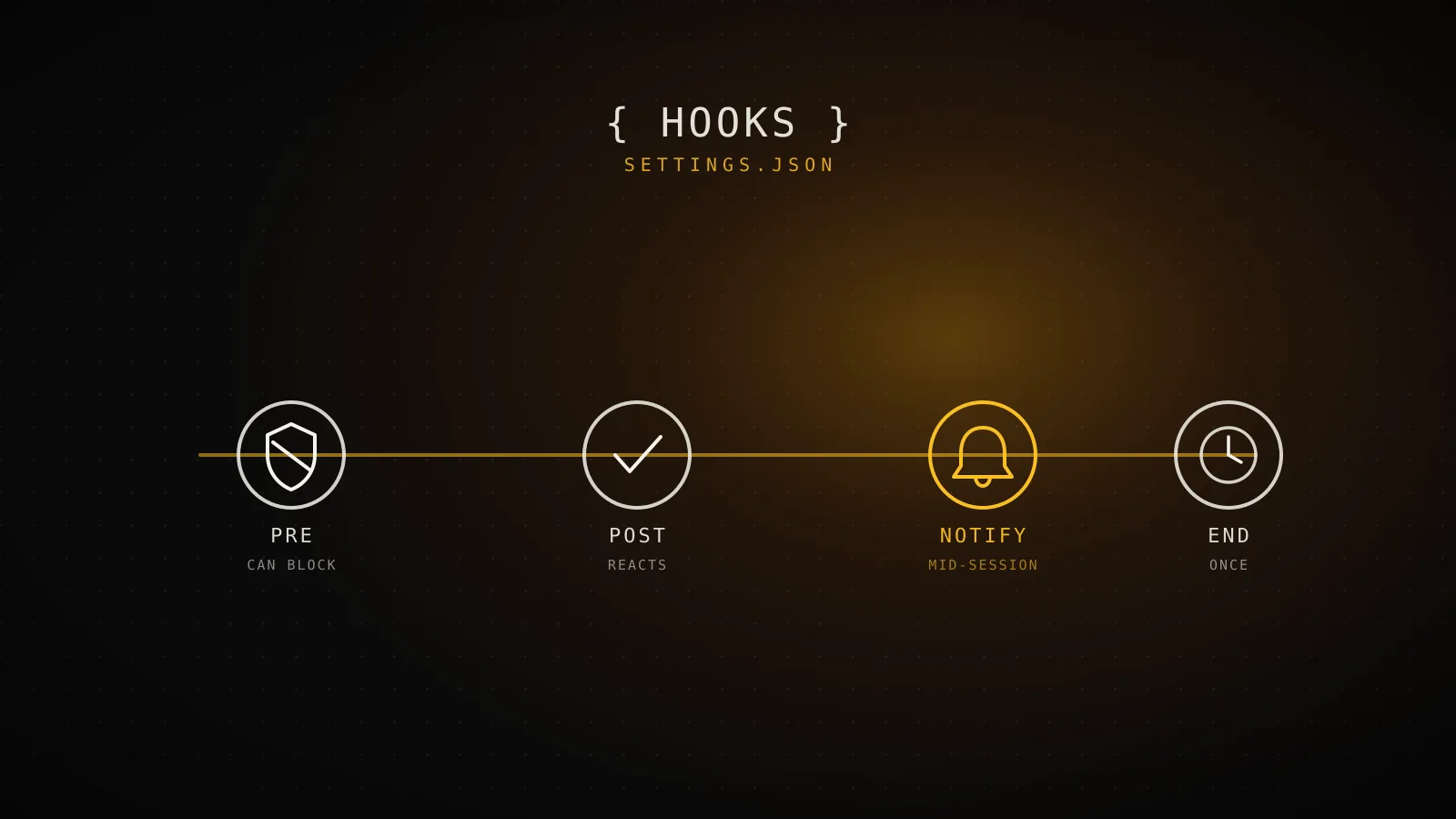
Made with DispatchSEO
On this page
A hook is a rule that runs automatically at a fixed point in a Claude Code session - before a tool call, after an edit, when the session ends - and unlike a line in CLAUDE.md, it fires the same way every single time. Out of the 29 events available, ten specific presets earn a permanent spot in a real project's settings.json: five that block something before it happens, five that automate a step you'd otherwise do by hand. Below are all ten, and each one was run against a sample hook payload before it made it into this guide.
TL;DR: Ten Claude Code hook presets are worth enabling in most projects. Five guardrails run on
PreToolUseand can still block the call: stop a force-push, protect.github/workflows/, refuse a commit straight tomain, catch an obvious secret before it saves, and ask before a new dependency installs. Five workflow presets run after the fact -PostToolUse,Notification,SessionEnd- and can't block anything, but they save a step: run the touched file's tests, collect TODOs, nudge for a changelog entry, log a session summary, and ping you cross-platform. Everything past this list is either a judgment call that belongs inCLAUDE.md, or a one-off that belongs in a skill.
What does a hook actually do?
Claude Code evaluates a hook at the exact lifecycle point it's registered for, hands your command a JSON payload describing what's happening (tool_name, tool_input, cwd, and a handful of other fields depending on the event), and reads your exit code back. 0 means proceed, 2 means block on the events that support blocking, anything else is a non-blocking error. That's the entire contract - the hard part is deciding which ten of the 29 events deserve a hook, not the mechanism itself. The complete reference covers all 29 events and all five handler types if you need the exhaustive version; this guide only covers the presets worth turning on.
What makes a preset worth enabling?
Guardrail
Runs on PreToolUse - can still say no
Exit 2 blocks the call
The only exit code that actually stops the action
Fires before anything happens
Too early for damage, too late to miss the command
Worth it only for no-exceptions rules
A rule that has one exception belongs in CLAUDE.md instead
Workflow
Runs on PostToolUse, Notification, or SessionEnd
Can't block anything
The action already happened by the time these fire
Replaces a step you'd do by hand
Running the test, logging the change, sending the ping
Worth it only if it's cheap and quiet
A slow or noisy preset gets disabled within a week
Every preset below falls into one of those two buckets, and mixing them up is the usual failure mode: writing a PostToolUse hook and expecting it to block something (it structurally can't - the action already ran), or writing a PreToolUse guardrail for something that's really a judgment call, which just means every legitimate exception now needs a manual override. The bar for a guardrail is "this has zero acceptable exceptions." The bar for a workflow preset is "this is cheap and quiet enough that I'll never want to turn it off."
The 10 presets, tested and ready to paste
The 10 presets
5 guardrail · 5 workflowBlock force-push
PreToolUseDenies git push --force before it leaves your machine
Guard CI workflow files
PreToolUseBlocks edits under .github/workflows/ for a human look first
Block commits straight to main
PreToolUseRefuses git commit while checked out on main or master
Deny obvious secrets on write
PreToolUseScans new file content for key-shaped strings before it saves
Ask before a new dependency
PreToolUseForces a prompt on npm install, pnpm add, or pip install
Run the touched file's tests
PostToolUseFires the matching *.test file the moment its source changes
Collect TODOs as they're written
PostToolUseAppends new TODO/FIXME lines to a running log instead of losing them
Nudge for a changelog entry
PreToolUseAsks once if a commit lands with no CHANGELOG line staged
Log a session summary
SessionEndWrites a one-line diff --stat to a log file when the session ends
Cross-platform attention ping
NotificationNotifies on Mac, Linux, or Windows - not just the mac-only version
Every command below was run against a sample hook payload in a scratch repo before it shipped in this guide - none of these are copied from a docs example unmodified.
Every JSON block below is valid (jq empty on each one) and every shell fragment inside command was run against a sample hook payload in a scratch repo - not the real Claude Code runtime, since that requires a live session, but the exact same stdin shape and the exact same jq extraction the runtime uses. Where it matters, the real terminal output is pasted below the block.
5 guardrails that block something before it happens
1. Block force-push. A Bash matcher that inspects the command string for --force or -f and denies it outright:
{
  "hooks": {
    "PreToolUse": [
      {
        "matcher": "Bash",
        "hooks": [
          {
            "type": "command",
            "command": "f=$(jq -r '.tool_input.command // empty'); case \"$f\" in *--force*|*\" -f \"*|*\" -f\") echo \"Blocked: force-push detected ($f).\" >&2; exit 2;; esac"
          }
        ]
      }
    ]
  }
}
Piped a payload of git push --force origin main through the extraction logic directly:
$ echo '{"tool_input":{"command":"git push --force origin main"}}' | ...
Blocked: force-push detected (git push --force origin main).
exit=2
2. Guard CI workflow files. Blocks Edit/Write under .github/workflows/ so a pipeline change gets a human look before it lands, instead of shipping silently inside a larger diff:
{
  "hooks": {
    "PreToolUse": [
      {
        "matcher": "Edit|Write",
        "hooks": [
          {
            "type": "command",
            "command": "f=$(jq -r '.tool_input.file_path // empty'); case \"$f\" in .github/workflows/*) echo \"Blocked: $f is a CI workflow file - edit it by hand and review the diff.\" >&2; exit 2;; esac"
          }
        ]
      }
    ]
  }
}
3. Block commits straight to main. Reads the current branch with git branch --show-current and refuses a git commit while sitting on main or master:
{
  "hooks": {
    "PreToolUse": [
      {
        "matcher": "Bash",
        "hooks": [
          {
            "type": "command",
            "command": "br=$(git branch --show-current); cmd=$(jq -r '.tool_input.command // empty'); case \"$cmd\" in \"git commit\"*) if [ \"$br\" = \"main\" ] || [ \"$br\" = \"master\" ]; then echo \"Blocked: committing directly to $br.\" >&2; exit 2; fi;; esac"
          }
        ]
      }
    ]
  }
}
Run against a repo checked out on main, this is the exact result:
$ echo '{"tool_input":{"command":"git commit -m wip"}}' | ...
Blocked: committing directly to main.
exit=2
4. Deny obvious secrets on write. Greps new file content for a handful of key-shaped patterns - an AWS access key ID, an sk- style token, a PEM private key header - before the write completes:
{
  "hooks": {
    "PreToolUse": [
      {
        "matcher": "Write",
        "hooks": [
          {
            "type": "command",
            "command": "c=$(jq -r '.tool_input.content // empty'); if echo \"$c\" | grep -Eq 'AKIA[0-9A-Z]{16}|sk-[a-zA-Z0-9]{20,}|-----BEGIN[A-Z ]*PRIVATE KEY-----'; then echo \"Blocked: content matches a secret-key pattern.\" >&2; exit 2; fi"
          }
        ]
      }
    ]
  }
}
This one is a pattern match, not a scanner - it catches the shapes above and nothing else. It's a last-resort net, not a replacement for a real secret scanner in CI.
5. Ask before a new dependency. Instead of blocking outright, this one returns permissionDecision: "ask" so npm install, pnpm add, and pip install always get a confirmation, even in a mode that would otherwise auto-approve:
{
  "hooks": {
    "PreToolUse": [
      {
        "matcher": "Bash",
        "hooks": [
          {
            "type": "command",
            "command": "cmd=$(jq -r '.tool_input.command // empty'); case \"$cmd\" in *\"npm install \"*|*\"pnpm add \"*|*\"pip install \"*) jq -n '{hookSpecificOutput:{hookEventName:\"PreToolUse\",permissionDecision:\"ask\",permissionDecisionReason:\"New dependency - confirm before it hits the lockfile.\"}}';; esac"
          }
        ]
      }
    ]
  }
}
5 workflow presets that automate a step
6. Run the touched file's tests. On every Edit/Write to a src/**/*.ts(x) file, derives the matching *.test.* path and runs it if one exists:
{
  "hooks": {
    "PostToolUse": [
      {
        "matcher": "Edit|Write",
        "hooks": [
          {
            "type": "command",
            "command": "f=$(jq -r '.tool_input.file_path // empty'); case \"$f\" in src/*.tsx|src/*.ts) t=\"${f%.*}.test.${f##*.}\"; [ -f \"$t\" ] && pnpm test -- \"$t\";; esac"
          }
        ]
      }
    ]
  }
}
7. Collect TODOs as they're written. Greps new content for TODO/FIXME and appends each hit, with its line number, to a running log instead of letting it disappear into a diff nobody rereads:
{
  "hooks": {
    "PostToolUse": [
      {
        "matcher": "Edit|Write",
        "hooks": [
          {
            "type": "command",
            "command": "f=$(jq -r '.tool_input.file_path // empty'); jq -r '.tool_input.content // empty' | grep -noE '(TODO|FIXME):.*' | sed \"s#^#$f:#\" >> TODO.log"
          }
        ]
      }
    ]
  }
}
8. Nudge for a changelog entry. Before a git commit runs, checks whether anything named changelog is staged - if not, it asks instead of silently letting the commit land:
{
  "hooks": {
    "PreToolUse": [
      {
        "matcher": "Bash",
        "hooks": [
          {
            "type": "command",
            "command": "cmd=$(jq -r '.tool_input.command // empty'); case \"$cmd\" in \"git commit\"*) staged=$(git diff --cached --name-only); if ! echo \"$staged\" | grep -qi changelog; then jq -n '{hookSpecificOutput:{hookEventName:\"PreToolUse\",permissionDecision:\"ask\",permissionDecisionReason:\"No CHANGELOG entry staged with this commit.\"}}'; fi;; esac"
          }
        ]
      }
    ]
  }
}
Staged a throwaway file with no changelog touched and ran the extraction against it - the real output:
$ git add app.js && echo '{"tool_input":{"command":"git commit -m wip"}}' | ...
{
  "hookSpecificOutput": {
    "hookEventName": "PreToolUse",
    "permissionDecision": "ask",
    "permissionDecisionReason": "No CHANGELOG entry staged with this commit."
  }
}
9. Log a session summary. On SessionEnd, appends a timestamp and a one-line git diff --stat to a running log - a cheap breadcrumb trail for "what did I change in that session three days ago":
{
  "hooks": {
    "SessionEnd": [
      {
        "matcher": "",
        "hooks": [
          {
            "type": "command",
            "command": "echo \"$(date '+%F %T') $(git diff --stat | tail -1)\" >> ~/.claude/session-log.txt"
          }
        ]
      }
    ]
  }
}
Real git diff --stat output from a one-line scratch edit, which is exactly the shape that lands in the log:
$ git diff --stat
 CONTENT_PLAYBOOK.md | 1 +
 1 file changed, 1 insertion(+)
10. Cross-platform attention ping. The Notification hook most guides ship is macOS-only (osascript). This one checks for osascript, falls back to notify-send on Linux, and falls back again to a plain echo instead of failing outright on a machine with neither - which is exactly what happened testing it in a Linux sandbox with neither tool installed:
{
  "hooks": {
    "Notification": [
      {
        "matcher": "",
        "hooks": [
          {
            "type": "command",
            "command": "msg=\"Claude Code needs your attention\"; if command -v osascript >/dev/null 2>&1; then osascript -e \"display notification \\\"$msg\\\"\"; elif command -v notify-send >/dev/null 2>&1; then notify-send \"Claude Code\" \"$msg\"; else echo \"[fallback] $msg\"; fi"
          }
        ]
      }
    ]
  }
}
$ ... | bash -c '...'
[fallback] Claude Code needs your attention
Want a version tuned to your own stack instead of typed by hand? The hooks preset generator builds the same JSON shape from a checklist.
Where each preset fires
Four events, not one big bucket
Every preset in this guide attaches to one of these four - the other 25 events exist, but nothing here needs them.
PreToolUse5 presetsBefore a tool call runs - the only point that can still say no
Block force-push · Guard CI workflow files · Block commits to main · Deny obvious secrets · Ask before a dependency
PostToolUse2 presetsRight after an edit lands - too late to block, in time to react
Run the touched file's tests · Collect TODOs as they're written
Notification1 presetWhen Claude Code has something to tell you, mid-session
Cross-platform attention ping
SessionEnd1 presetOnce, when the session actually terminates
Log a session summary
That clustering is also the fastest way to sanity-check a new preset idea before writing it: if the thing you want to do needs to stop an action, it has to be PreToolUse (or one of the handful of other blocking events) - nothing later in the list can do it. If it just needs to react, PostToolUse, Notification, and SessionEnd cover almost everything past that.
Confirming a preset actually fired
Run /hooks inside a session - it's a read-only browser of every registered hook, its matcher, and which settings file it came from. If a preset you just added isn't listed there, the file it's in isn't loading, or the JSON is malformed; fix that before debugging anything else.
Past that, claude --debug writes every hook evaluation - matched, executed, exit code, stdout, stderr - to ~/.claude/debug/. That log is the fastest way to catch the two mistakes that show up most: a guardrail that exits 1 instead of 2 (looks like it "ran but did nothing"), and a matcher with a stray character in it that turned into an unanchored regex matching more than intended.
When a preset isn't worth adding
It's tempting to keep adding presets past the ten above. Here's where that instinct goes wrong:
- Anything that needs judgment. "Write idiomatic code," "prefer composition over config" - that's context, not enforcement, and belongs in CLAUDE.md, not a hook with a dozen special cases bolted on.
- A guardrail with a real exception. The moment "always block X" needs an escape hatch, it's not a guardrail anymore - it's a policy, and a hook can't hold policy, only a fixed rule.
- Anything that runs slow on a hot event. A
PreToolUsehook taxes every single tool call. If a check takes more than a beat, it belongs onasync: trueor moved to aStophook that runs once per turn instead of once per call. - A one-off procedure. A release checklist you run twice a year wants to be a skill you load on demand, not a hook firing on every matching event whether you need it or not.
FAQ
What are hooks in Claude Code?
A hook is a rule that runs automatically at a fixed point in a Claude Code session - before a tool call, after an edit, when a notification fires, when the session ends. You register it once in settings.json and it fires every time that point is reached, whether or not the model remembers to do the thing on its own. That's the whole mechanism; which of the 29 available events are worth wiring up is a much shorter list.
Which Claude Code hooks are actually worth enabling?
Ten, in practice: five guardrails that block something before it happens (force-push, edits to CI workflow files, commits straight to main, obvious secrets in a new file, an unconfirmed new dependency) and five workflow presets that skip a manual step (running the touched file's tests, collecting TODOs, a changelog nudge before a commit, a one-line session summary, and a cross-platform attention ping). Past this list, a preset earns its place only if it's a rule with no exceptions - anything with judgment involved belongs in CLAUDE.md instead.
Can a hook actually block Claude Code from running a command?
Yes, but only on PreToolUse and a handful of other blocking events, and only with exit code 2 - exit code 1 does not block anything, which is the single most common way a guardrail hook silently fails. PostToolUse, Notification, and SessionEnd hooks can't block: by the time they fire, the action already happened.
Do these hook presets work outside macOS?
Nine of the ten are plain POSIX shell and jq, so they run the same on macOS and Linux, and under WSL or Git Bash on Windows. The one platform-specific piece is the desktop notification - the preset below checks for osascript, then notify-send, then falls back to a plain echo, so it degrades instead of failing outright on a machine with neither.
What's the difference between a guardrail hook and a workflow hook?
A guardrail runs on PreToolUse and can still say no - it exists to block something before it happens, and it's only worth adding for a rule with zero exceptions. A workflow preset runs after the fact, on PostToolUse, Notification, or SessionEnd, and can't block anything - it exists to save a step you'd otherwise do by hand, so it's only worth adding if it's cheap and quiet enough that you never think about turning it off.
Ten is a ceiling, not a starting point
Most projects don't need all ten on day one - a force-push guard and the test-on-edit preset cover the two most common regrets by themselves. Add the rest as a specific incident makes the case for it, not because the list exists. That's the same reasoning behind the hooks ClockedCode ships by default: a small, tested starting set beats a long one nobody remembers turning on.