Git Worktrees with Claude Code: The Parallel-Sessions Workflow
 By Neo Zino - builder of ClockedCode9 min read
Run parallel Claude Code sessions without branch collisions: the --worktree flag, .worktreeinclude, cleanup rules, and the CLAUDE.md rule that automates it
Made with DispatchSEO
On this page
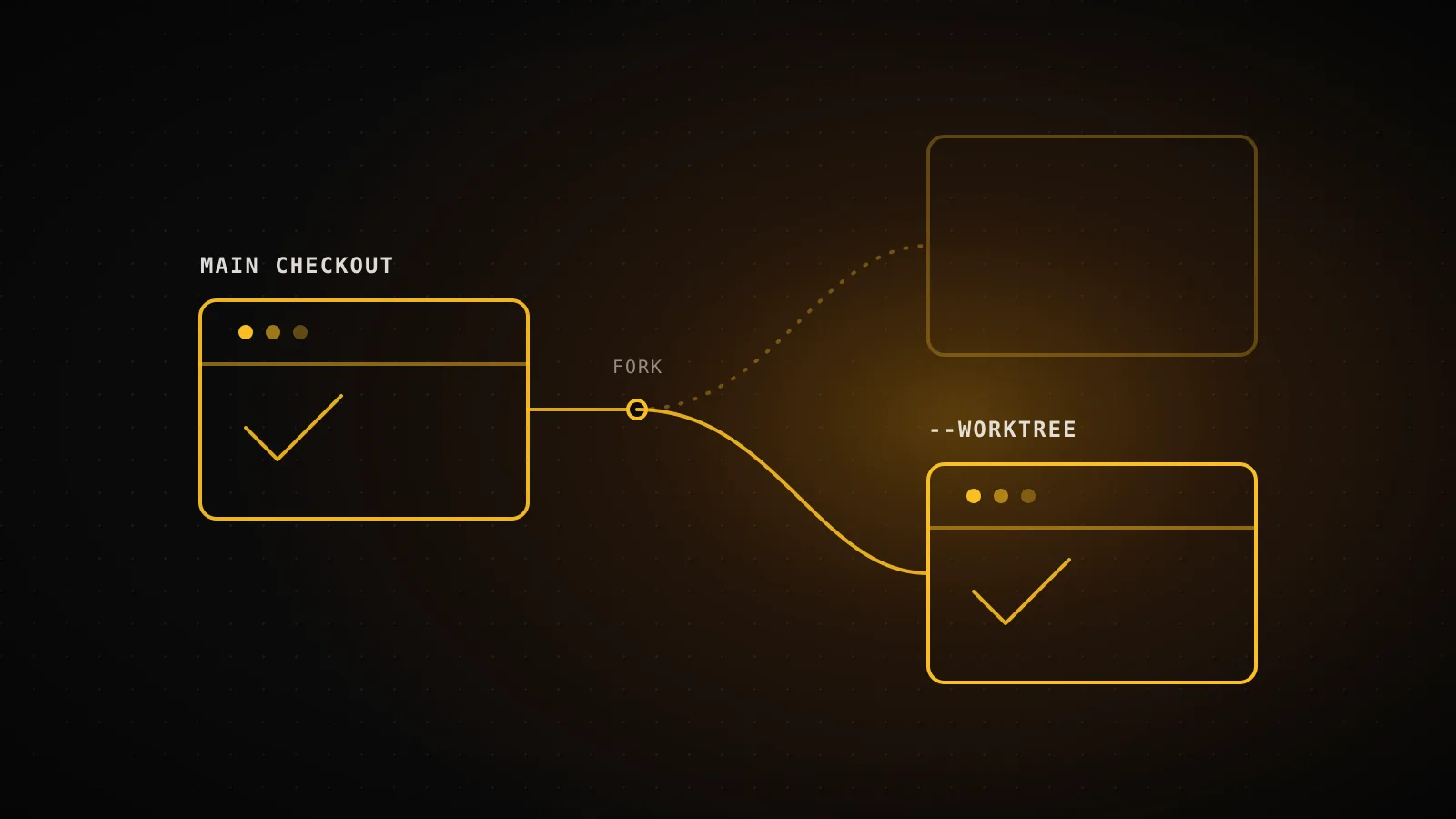
Run claude --worktree feature-auth and Claude Code checks out a second working directory on its own branch, then starts a session inside it - a separate terminal running claude --worktree fix-login at the same time edits nothing that first session touches. That one flag replaces the manual git worktree add + cd + claude sequence most writeups on this topic still describe, and it comes with cleanup, env-file copying, and file-edit isolation built in.
TL;DR:
claude --worktree feature-auth(or-w feature-auth) creates.claude/worktrees/feature-authon a newworktree-feature-authbranch and starts a session there. Add a.worktreeincludefile so gitignored files like.envget copied into every new worktree. Claude Code blocks edits, working-directory commands, and git redirects that reach back into your main checkout - the isolation is enforced at the tool-call level, not a convention Claude happens to follow. ClockedCode's own curatedCLAUDE.mdships a rule that asks before every task whether to run it in one.
Why one checkout can't hold two sessions
A Claude Code session works in whatever directory it started in. Start a second session in that same directory to fix an unrelated bug, and both are now editing the same files on the same branch - uncommitted changes collide, and neither session's diff makes sense on its own. Branch-switching doesn't fix it either: git checkout between two branches mid-session leaves the working directory out of sync with whichever session isn't paying attention to the switch.
A git worktree is a second working directory checked out from the same repository, on its own branch, sharing the same commit history and remote. Two worktrees, two sessions, zero collision - one can build a feature while the other fixes a bug, and git worktree list shows both from either one.
The --worktree flag: what it actually creates
claude --worktree feature-auth does three things in one step: creates the worktree, checks out a new branch for it, and starts the session inside it.
One flag, four moments
claude --worktree feature-authCreates .claude/worktrees/feature-auth on a new worktree-feature-auth branch
(session runs inside the worktree)Edits, working-dir commands, and git redirects into the main checkout are blocked
exitA clean worktree with no name is removed automatically; a named or dirty one prompts first
git worktree removeManual cleanup for anything a -p run or a kept session left behind
Tested for this guide, 2026-08-16
The flag wraps plain git worktree underneath, so I ran the mechanics directly in this repo: git worktree add .worktree-demo-test -b demo/worktree-test printed Preparing worktree (new branch 'demo/worktree-test'), git worktree list then showed both checkouts on their own branches from the same repo, and git worktree remove --force took the second one back out cleanly - the same add/list/remove cycle the --worktree flag runs for you automatically.
By default the worktree lands at .claude/worktrees/feature-auth in your repository root, on a branch named worktree-feature-auth. Run the same command with a different name in a second terminal for a second isolated session, or leave the name off and Claude Code generates one. New worktrees branch from your repository's default branch unless you set worktree.baseRef to "head" in settings, which branches from your current local HEAD instead - useful when a worktree needs to build on work you haven't pushed yet.
You can also skip the flag and ask for it mid-session - "work in a worktree" - and Claude creates one with the EnterWorktree tool, then switches into it without losing the original checkout. Passing --worktree a name that already exists as a directory reopens that worktree instead of creating a new one, and with the default branching mode it resets to a clean tip if the old one has no uncommitted work and its branch was already merged - otherwise it reopens right where you left off.
Subagents get the same isolation: adding isolation: worktree to a custom subagent's frontmatter runs it in its own worktree automatically, which pairs naturally with coordinating multiple sessions as a team when several agents are editing at once.
Wiring up a worktree that isn't half broken
A worktree is a fresh checkout, which means the files git never tracked - .env, .env.local, anything in .gitignore - aren't there. That's the single most common "why doesn't this work" moment with worktrees: dependencies installed, tests passing, and then the app can't find an API key because the .env file simply never got copied.
Drop a .worktreeinclude file in your project root to fix it permanently:
.env
.env.local
config/secrets.json
It uses .gitignore syntax, and only copies files that both match a pattern in it and are already gitignored - so nothing tracked ever gets duplicated. This applies to every worktree Claude Code creates with git: --worktree, worktrees it spins up for isolated subagents, and parallel sessions in the desktop app. Add .claude/worktrees/ to your own .gitignore too, so the worktree directories themselves don't show up as untracked clutter in your main checkout's git status.
Past the env files, treat a new worktree like a fresh clone: ask Claude to install dependencies once you're in it, the same as you would after git clone on a new machine. Worktree creation uses git by default; teams on Perforce, SVN, or Mercurial can replace that logic entirely with a WorktreeCreate hook that checks out a working copy their own way.
The CLAUDE.md rule that asks before it edits
Remembering to type --worktree before every new task is its own kind of friction, which is why ClockedCode's curated CLAUDE.md ships a standing rule for it instead of leaving it to memory:
Worktree first
instr-worktreeAsks whether to do a task in a fresh git worktree, keeping your main branch clean.
Before changing code for a new task, ask whether to do the work in a fresh git
worktree instead of the current checkout. Skip the question for small edits.
Without the rule
Claude edits whatever checkout the session started in - fine for one session at a time, until a second one starts on the same branch.
With the rule
Claude asks before starting a new task, and a yes runs --worktree for you instead of you remembering to type it.
The instruction is deliberately narrow - "skip the question for small edits" - because prompting for a worktree on a one-line typo fix is its own kind of overhead. It only fires for work substantial enough that isolation actually matters, which is the same judgment call the flag's own defaults make: --worktree isn't the right call for every session, just the ones running in parallel with something else.
What a worktree session won't let you touch
Claude Code enforces this at the tool-call level on every session that started with --worktree, entered one with EnterWorktree, or resumed into one. The same four checks apply to every subagent that session spawns, including ones running in the background.
What a worktree session can't touch
4 enforced checksFile edits
An Edit, Write, or NotebookEdit targeting a path in the main checkout
Command working directory
A shell command whose working directory resolves to (or can't be verified outside) the main checkout
Git redirects
git -C, --git-dir, GIT_DIR/GIT_WORK_TREE, or a cd into the main checkout before running git
Command shape
Shell constructs it can't statically trace, like brace expansion or heredocs with unquoted delimiters
From code.claude.com's worktrees reference. Applies whether the session started with --worktree, entered one mid-session with EnterWorktree, or resumed into one - and it covers every subagent that session spawns, including background ones. Command-shape blocking can't be turned off.
Two things trip people up here. First, a worktree still shares your repository's .git directory with the main checkout - git commit and git push from inside a worktree work normally, because writing to the shared .git directory isn't the same as editing the main checkout's files. Second, on Windows, removing a worktree that contains an NTFS junction or directory symlink deletes only the link, never the folder it points to - so cleanup can't reach outside the worktree by accident either way.
When a worktree isn't worth the setup
A worktree earns its setup cost when two sessions genuinely need to run concurrently without stepping on each other - a feature build alongside an urgent fix, or a subagent doing a mechanical refactor while you keep working in the main checkout. For a single session doing one task at a time, it's pure overhead: a second directory to remember, a .worktreeinclude to maintain, and dependencies to reinstall that the main checkout already has.
It also doesn't help with merge conflicts - two worktrees editing the same file on different branches still produce a conflict the moment one branch merges into the other. Worktrees isolate the editing, not the eventual integration. And on a repository with no commits yet, --worktree fails outright with Failed to resolve base branch "HEAD": git rev-parse failed - worktrees need at least one commit to branch from.
FAQ
What's the actual command to run a worktree in Claude Code?
claude --worktree feature-auth (or -w feature-auth). It creates a new working directory under .claude/worktrees/feature-auth on a fresh worktree-feature-auth branch and starts the session inside it. Leave off the name and Claude Code generates one, like bright-running-fox.
Do I still need to run git worktree add myself?
No - that's the manual path the flag replaces. --worktree runs the same git worktree add mechanics for you: I tested the raw commands directly in this repo for this guide, and git worktree add wrote the new checkout and branch exactly as the flag does under the hood. You'd only reach for git worktree add by hand to check out a specific existing branch or place a worktree outside the repository.
Does a worktree copy my .env file?
No, and this is the most common broken-setup complaint. A worktree is a fresh checkout, so gitignored files like .env never appear in it. Add a .worktreeinclude file (gitignore syntax) to your project root listing the files to copy - Claude Code copies anything that matches a pattern in it and is also gitignored, into every new worktree it creates with git.
What happens to the worktree when I exit the session?
If it's clean (no changed, untracked, or unpushed work) and unnamed, Claude Code removes the worktree and its branch automatically. A named session, or one with real work in it, prompts you to keep or remove it first. Non-interactive -p runs skip that prompt entirely and leave the worktree locked until a later session's stale-lock sweep clears it - run git worktree remove yourself to clean those up sooner.
Can Claude edit files outside the worktree by accident?
Claude Code enforces it at the tool level rather than leaving it to convention. Four checks run on every isolated session: Edit/Write/NotebookEdit calls targeting the main checkout, shell commands whose working directory resolves there, git commands redirected into it (via git -C, --git-dir, or GIT_DIR/GIT_WORK_TREE), and shell constructs it can't statically verify stay inside the worktree. The last one can't be turned off.
One flag, and the habit is the only thing left to build
Everything past claude --worktree <name> is just running two sessions instead of one - the same prompts, the same review, in a directory that can't collide with the other. The setup and cleanup mechanics are now Claude Code's problem to manage; deciding when two sessions are actually worth running side by side is still yours, which is exactly what a standing CLAUDE.md rule is for. If your own global file doesn't have an equivalent yet, ClockedCode's CLAUDE.md generator ships this "worktree first" instruction pre-written alongside the rest of its curated defaults.