Claude Code Background Tasks: How to Run Commands Without Blocking
 By Neo Zino - builder of ClockedCode12 min read
How Claude Code backgrounds a slow command, a subagent, or an MCP call automatically, how to disable each one, and why /bg isn't the command that does this.
Made with DispatchSEO
On this page
Claude Code backgrounds three different things automatically: a slow Bash command (Ctrl+B, a prompt, or an auto-timeout move), every subagent it spawns in an interactive session (on by default since v2.1.198), and a slow MCP tool call after two minutes (since v2.1.212). None of that runs through the /bg command several existing writeups point you to for it - that one detaches your whole session, not a single command. Set CLAUDE_CODE_DISABLE_BACKGROUND_TASKS to 1 and all three turn off at once; each one also has its own narrower switch, covered below.
TL;DR: Backgrounding a command (
Ctrl+B, a prompt, or an auto-timeout move) and backgrounding a session (/background, alias/bg) are two different features that share the word "background." Subagents background themselves by default too (fork mode, since v2.1.198), and a slow MCP tool call joins them after two minutes (since v2.1.212) -CLAUDE_CODE_DISABLE_BACKGROUND_TASKS=1turns off all three./taskslists and stops what's running in the current session. How long a command survives depends on who owns it: a subagent's foreground command dies with that subagent's final response, everything else runs until exit, a 5GB output cap, a 60-minute subagent ceiling, or a 30-minute idle memory-pressure reap - and about 5 seconds after the result underclaude -p.
What a Background Task Actually Is in Claude Code
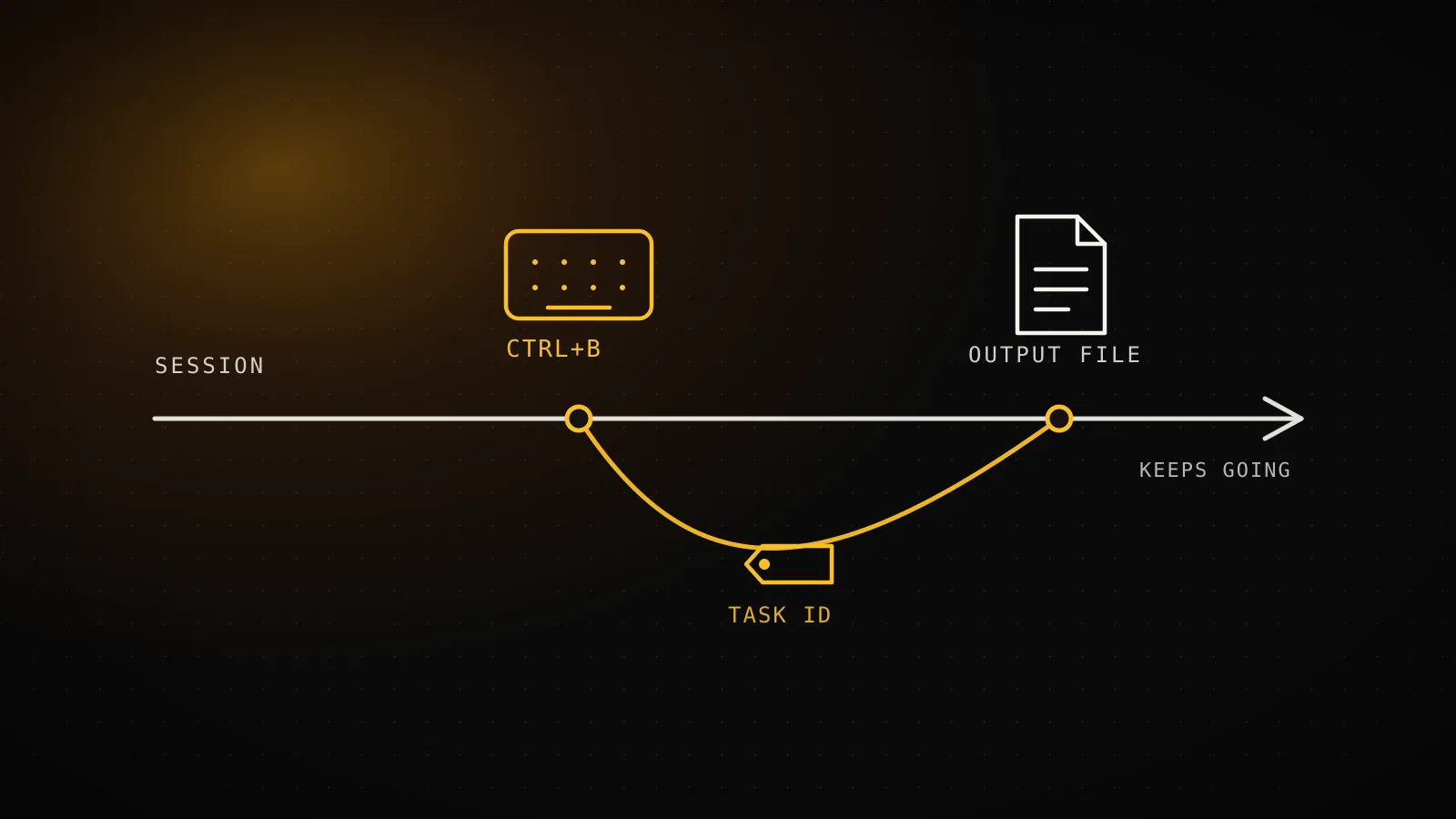
A background task is a single Bash command Claude Code has moved off the main thread of the conversation. It runs asynchronously: Claude gets the task ID back immediately and can keep answering prompts, running other tools, or starting more background work while that command is still going. The output isn't streamed into the conversation as it happens - it's written to a file, and Claude retrieves it with the Read tool when it (or you) actually needs to see it.
That's the whole feature. It exists for exactly the kind of command that used to make you wait: pnpm build, a pytest run with coverage, docker compose up, terraform apply, a dev server you want left running for the rest of the session.
/bg Backgrounds Your Whole Session, Not a Single Command
Here's where several existing guides for this exact query get it backwards. Search "claude code background tasks" and you'll find at least one walkthrough built entirely around /bg as the command that runs a task in the background. It isn't. Per Claude Code's own commands reference, /bg is listed as nothing more than an alias for /background, and /background's job is to detach the entire current session so it keeps running as a background agent while your terminal frees up. Pass it a prompt - /bg run the test suite and fix any failures - and that instruction executes after the handoff, in the new background session, not as a backgrounded Bash call in the one you're sitting in.
Backgrounding a command
Ctrl+BWhat moves
One Bash command - a build, a test run, a dev server
You started it with
Ctrl+B, a prompt, or an auto-timeout move
Conversation
Stays exactly where it is - nothing detaches
Checked with
/tasks, from inside the same session
/background (alias /bg)
/bgWhat moves
The entire conversation, every task it's running
You started it with
/background or its alias /bg
Conversation
Detaches to a background agent; terminal frees up
Checked with
claude agents, from a new terminal
The confusion is understandable: both features use the word "background," both keep something running while you do something else, and /background even carries over any Bash commands you'd already sent to the background with Ctrl+B when it detaches. But they solve different problems. Backgrounding a command frees up the conversation for one slow shell call. Backgrounding a session frees up your terminal for the whole conversation, monitored afterward from claude agents. If you only wanted the first one, /bg is the wrong door.
Subagents and MCP Tool Calls Background Themselves Too
The Bash command mechanism above isn't the only thing Claude Code moves to the background without asking. If you searched for "disable background tasks" because a subagent kept disappearing from view instead of a shell command, this is probably the behavior you actually meant.
Since v2.1.198, every subagent Claude spawns in an interactive session runs in the background by default. This is called fork mode, and it's on by default whenever you're typing into Claude Code directly - Claude keeps working while the subagent runs and gets notified when it finishes, instead of sitting idle waiting for a delegate. Fork mode is off in non-interactive -p runs and the Agent SDK unless you turn it on, since a one-shot run can end before a backgrounded subagent's result ever comes back.
Since v2.1.212, the same thing happens to a slow MCP tool call in the main conversation: if it's still running after two minutes, Claude Code moves it to a background task instead of blocking the session, and the result arrives as a task notification once the server responds. CLAUDE_CODE_MCP_AUTO_BACKGROUND_MS changes that two-minute threshold, or set it to 0 to turn MCP auto-backgrounding off on its own. Calls from subagents, calls to IDE servers, and calls stuck on an open elicitation dialog never get backgrounded this way.
Three things Claude Code backgrounds on its own
3 triggersA slow Bash command
always onOnly on Ctrl+B, a prompt, or a timed-out command
The mechanism the rest of this post covers - a command that outruns its timeout gets moved instead of killed.
Every subagent Claude spawns
v2.1.198+On by default in interactive sessions (fork mode)
Forked and non-forked subagents alike run off to the side. Off by default under -p and the Agent SDK unless you turn fork mode on.
A slow MCP tool call
v2.1.212+On after 2 minutes in the main conversation
CLAUDE_CODE_MCP_AUTO_BACKGROUND_MS changes that threshold, or set it to 0 to turn just this one off.
CLAUDE_CODE_DISABLE_BACKGROUND_TASKS=1 turns off all three at once - each row's own switch (where it has one) only handles that row. From code.claude.com's sub-agents, mcp, and env-vars docs.
CLAUDE_CODE_DISABLE_BACKGROUND_TASKS=1, the variable in the table further down, is the one switch that turns off all three at once: it forces subagents to the foreground in every kind of session regardless of fork mode, stops MCP tool calls from auto-backgrounding, and stops the Bash-command mechanism this article opened with. There's no separate switch for turning off just fork mode while leaving the other two alone - a subagent's own background: true frontmatter field only pushes that one subagent further into the background, it doesn't pull it out.
Three Ways to Move a Command to the Background
Three ways a command gets backgrounded
run_in_backgroundMove a running command
Ctrl+BPress it while a Bash tool call is running to send that one command to the background. tmux users press it twice.
Ask Claude directly
Prompt"Run the build in the background" - Claude sets run_in_background: true on the Bash tool call itself.
Claude Code moves it for you
Auto-timeoutA command still running when its timeout hits gets moved to the background instead of killed, with the task ID and output path in the result.
From code.claude.com's interactive-mode and tools-reference docs.
The three routes all land in the same place - a running command, a task ID, output going to a file - so pick whichever fits how you're already working. Ctrl+B is fastest when you're watching a command run and decide mid-way that you don't want to wait on it. Prompting Claude works when you already know a step is going to be slow before it starts. The auto-timeout move is the safety net for everything else: Claude Code would rather hand you a running background task than kill a process that just needed a few more minutes.
Commands Claude Code Refuses to Auto-Background
The timeout-triggered move has three exceptions, and Claude Code stops these at the timeout instead of backgrounding them:
- Anything starting with
sleep- a deliberate pause, not stalled work. - Anything with
gitanywhere in it -gitoperations that hang usually mean something's actually wrong (an auth prompt, a lock file, a network stall), not that they just need more wall-clock time. If you genuinely need a long-running git operation to survive past a session, a worktree keeps it isolated from whatever else you're doing in the meantime. - Compound commands Claude Code can't fully parse into simple ones - it won't guess at backgrounding something it can't reason about safely.
Ctrl+B and a direct prompt aren't restricted the same way - those are explicit, so Claude Code trusts you to know a git clone is going to take a while. The restriction is specifically on the automatic move.
How Long a Backgrounded Command Keeps Running
How long a background task survives
ordinaryYou exit Claude Code
Cleaned up automatically, unless you background the session first - then it hands off and keeps running
A foreground subagent finishes
A command owned by a subagent running in the foreground ends the moment that subagent gives its final response
30 minutes idle + OS memory pressure
macOS/Linux only, and only if no turn or subagent is running - CLAUDE_CODE_DISABLE_BG_SHELL_PRESSURE_REAP=1 turns it off (v2.1.193+)
60 minutes, subagent-owned commands
A command a subagent started keeps running past that subagent's turn, but only for an hour by default - CLAUDE_SUBAGENT_BG_SHELL_MAX_MS to change it
5GB of output
Any background task is terminated once its output crosses this, with a note in stderr explaining why
5 seconds, headless (-p) runs
A background shell is killed ~5s after Claude's final result under claude -p; background subagents and workflows wait instead, capped at 10 minutes by CLAUDE_CODE_PRINT_BG_WAIT_CEILING_MS
From code.claude.com's interactive-mode, tools-reference, and headless docs - version gates noted where the docs give one.
Each of those caps has an env var if the default doesn't fit how you work:
| Variable | What it changes |
|---|---|
CLAUDE_CODE_DISABLE_BACKGROUND_TASKS=1 | Turns off backgrounding entirely - a timed-out command gets killed instead of moved |
CLAUDE_CODE_DISABLE_BG_SHELL_PRESSURE_REAP=1 | Stops the 30-minute-idle memory-pressure reap on macOS and Linux |
CLAUDE_SUBAGENT_BG_SHELL_MAX_MS | Raises or lowers the 60-minute cap on commands a subagent started |
CLAUDE_CODE_PRINT_BG_WAIT_CEILING_MS | Changes the 10-minute cap headless (-p) runs wait on background subagents/workflows - 0 waits without a limit |
CLAUDE_CODE_MCP_AUTO_BACKGROUND_MS | Changes the 2-minute threshold before a slow MCP tool call auto-backgrounds - 0 turns just this one off |
CLAUDE_AUTO_BACKGROUND_TASKS | Forces subagent and MCP auto-backgrounding on inside non-interactive -p runs, where fork mode is off by default |
One catch before you rely on a backgrounded command's side effects: if it runs cd, pushd, popd, or chdir, that directory change never carries over once the command moves to the background. Claude Code says so explicitly in the result rather than silently acting on a cd that never actually happened in the main session.
Checking On and Stopping Background Work with /tasks
Run /tasks inside the session to see everything currently backgrounded - shell commands and subagents alike, including ones that have already finished - and to stop one directly from that same list. It's one entry in the full slash command reference alongside /bg, /background, and the rest. This is the command several page-one results skip past on their way to explaining /bg, which is a shame, because /tasks is the one you'll actually reach for day to day: it's how you find out whether the build you backgrounded twenty minutes ago is done, still running, or died with an error you haven't seen yet.
If you'd rather watch a command's output scroll in real time instead of checking on it later, shell mode's ! prefix (! pnpm test) runs it directly with live output in the conversation, and still supports Ctrl+B if it turns out to be slower than expected.
Background Tasks in Headless (-p) Runs
Scripted and CI usage (claude -p) has its own exit behavior worth planning around if you're piping Claude Code into a build script. A background shell Claude started - a dev server, a watch build - is terminated about five seconds after Claude's final result and stdin closes; that grace period exists so a task that finishes right after the result can still deliver its output before the process exits. Before v2.1.163, a background process that never exited on its own could hold the whole claude -p invocation open indefinitely.
Background subagents and workflows get treated differently: claude -p waits for them to actually finish, since their result is part of the final output, capped at ten minutes by default (CLAUDE_CODE_PRINT_BG_WAIT_CEILING_MS, or 0 for no cap). claude -p also rejects the --bg flag outright, with an error naming the conflict: in headless mode there's no terminal to detach from, so session-level backgrounding doesn't apply.
When Background Tasks Aren't the Right Call
- You need to watch output scroll live. A backgrounded command's output goes to a file for Claude to read later, not to the conversation as it happens. Shell mode's
!prefix gives you real-time output instead, withCtrl+Bavailable if it turns out to run long. - The command changes directory and later steps depend on that.
cd/pushd/popdinside a backgrounded command doesn't carry over - plan around that instead of finding out mid-session. - You actually want to free up your terminal, not one command. That's
/background(or its alias/bg), not this feature - see the split above. - The command is
git, or starts withsleep. Those never auto-background on timeout; if they need to run long, background them explicitly withCtrl+Bor a prompt instead of waiting on the automatic move.
FAQ
What is a background task in Claude Code?
A Bash command Claude Code runs asynchronously, off to the side, so the session can keep responding to new prompts while a build, test run, or dev server keeps going. It gets a task ID, and its output is written to a file Claude reads on request.
Is /bg the command for running something in the background?
No. /bg is a bare alias for /background, which detaches the whole conversation to run as a background agent - a different feature from backgrounding one command. To background a single command, press Ctrl+B while it's running, ask Claude to run it in the background, or let it time out and get moved automatically.
How do I run a command in the background in Claude Code?
Press Ctrl+B while a Bash command is running (twice in tmux), ask Claude directly to run it in the background, or do nothing - a command that outruns its timeout gets moved to the background automatically instead of killed, unless it's a sleep command, contains git anywhere, or is a compound command Claude Code can't fully parse.
How do I check what's running in the background?
Run /tasks inside the session. It lists everything currently backgrounded, including subagents that have already finished, and lets you stop a task from the same view.
How long do background tasks run before Claude Code stops them?
It depends on who owns the command. One started by a subagent running in the foreground ends the moment that subagent gives its final response. Otherwise it keeps running until you exit (or background the session), until 5GB of output accumulates, until a subagent-owned command hits its 60-minute cap, or until 30 minutes of idle plus OS memory pressure reaps it on macOS and Linux. Under claude -p, a background shell is killed about 5 seconds after Claude's final result.
Can I disable background tasks entirely?
Yes. Set the CLAUDE_CODE_DISABLE_BACKGROUND_TASKS environment variable to 1 and Claude Code turns off all three of its automatic-backgrounding mechanisms at once: a Bash command that hits its timeout gets killed instead of moved, subagents run in the foreground in every kind of session regardless of fork mode, and a slow MCP tool call blocks the conversation instead of moving to a task.
Why do my subagents run in the background automatically now?
Since Claude Code v2.1.198, fork mode is on by default in every interactive session, and it backgrounds every subagent Claude spawns, forked and non-forked alike, so you're not stuck watching a delegate work. It's off by default in non-interactive -p runs and the Agent SDK. Setting CLAUDE_CODE_DISABLE_BACKGROUND_TASKS to 1 forces subagents into the foreground regardless of fork mode.
Run it in the background, not through /bg
The feature works well once it's the right one: background a slow command with Ctrl+B or a prompt, keep working, and pull it up with /tasks when you want to check on it. Save /bg for the times you actually want to hand off the whole conversation and walk away from the terminal. It pairs well with a permissive permissions setup, too, since a command running unattended in the background is exactly when you don't want a permission prompt stalling it. The ClockedCode cheat sheet keeps /tasks, /bg, and the rest of Claude Code's commands on one page if you'd rather not keep re-deriving which is which.