Claude Code vs Roo Code: What Replaced It (and What to Use Instead)
 By Neo Zino - builder of ClockedCode12 min read
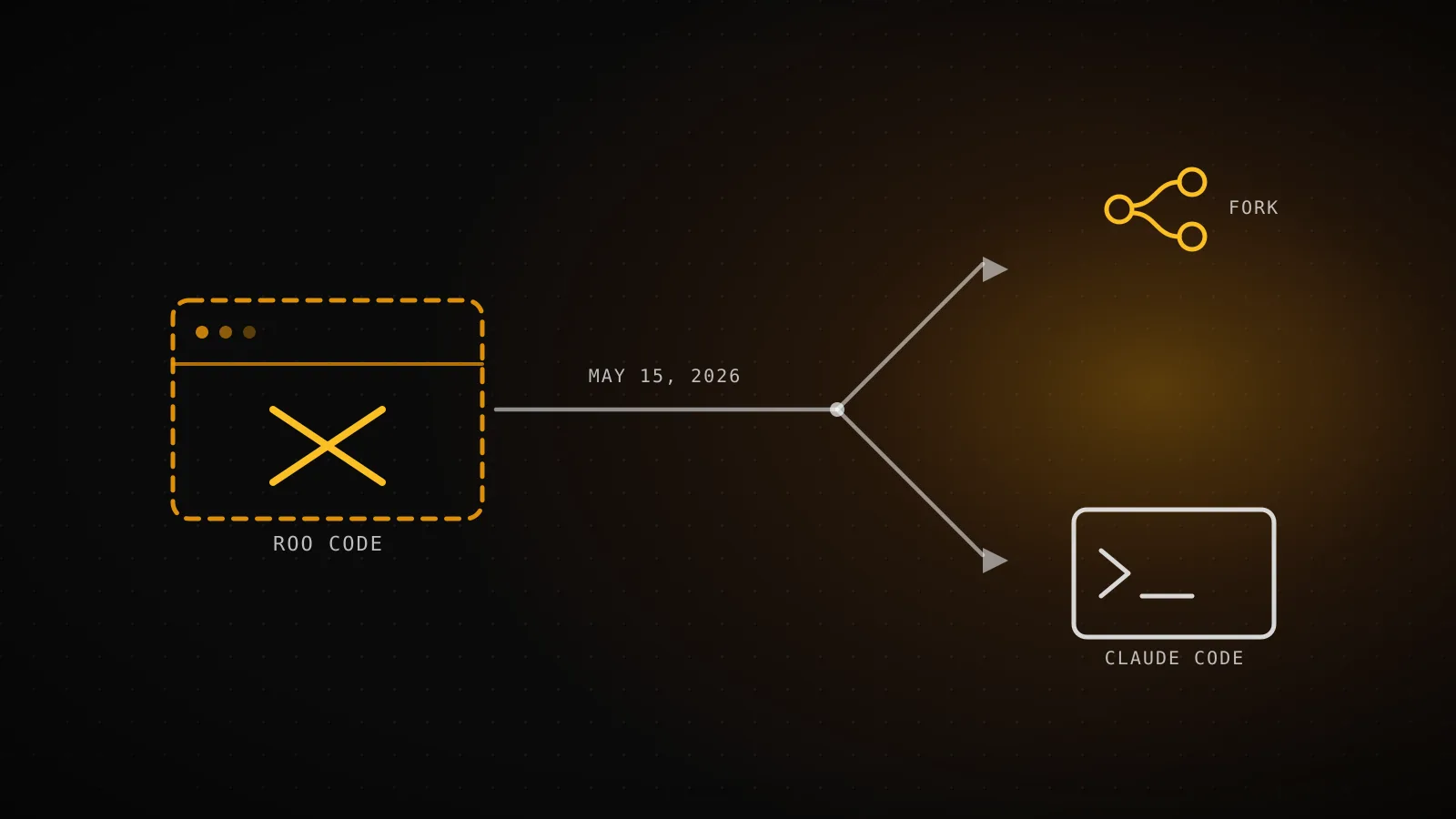
Roo Code shut down on May 15, 2026. Here's what happened, where its users went (Cline, Zoo Code, Roomote), and how Claude Code compares to what's left.
Made with DispatchSEO
On this page
Roo Code was a free, open-source VS Code extension forked from Cline, and it stopped existing on May 15, 2026: the team archived the GitHub repo, shut down the extension along with its Cloud and Router services, and pointed remaining users at a community fork or the project it originally came from. If you're weighing it against Claude Code today, you're not actually choosing between two live products - you're choosing between Claude Code and whatever replaced Roo Code. I checked Roo Code's own docs, its GitHub repo, and the sites of what came after it (rather than trusting the mostly-Reddit-and-YouTube results already ranking for this comparison) to get the timeline and the current options right.
TL;DR: Roo Code - a free, open-source, Cline-derived VS Code extension - shut down on May 15, 2026. Its GitHub repo is archived, its docs redirect newcomers to Zoo Code and Cline, and its own sunset announcement now forwards to Roomote, the team's new cloud agent. Zoo Code is a like-for-like community fork (same features, same settings, same Apache 2.0 license); Cline is Roo's own recommended fastest migration path. None of that touches what Claude Code is: a $17/month (Pro, annual) terminal-native agent with subagents, hooks, skills, and a persistent CLAUDE.md, aimed at depth on one vendor rather than free multi-model flexibility. Want Roo Code's old shape back - free, BYOK, open source? Zoo Code or Cline. Want one deep, actively maintained agent instead? Claude Code.
| Roo Code (defunct) | Claude Code | |
|---|---|---|
| Status | Shut down May 15, 2026 | Actively developed |
| Interface | VS Code extension | Terminal-native CLI, plus VS Code/JetBrains extension and a desktop app |
| License | Open source (Apache 2.0) | Closed source |
| Model access | Any provider, bring your own key | Claude models only |
| Starting price | Free (while it existed) | $17/mo (Pro, annual) |
What Roo Code was (and why people compared it to Claude Code)
Roo Code billed itself as "a whole dev team of AI agents in your editor," per its own VS Code Marketplace listing, which at the time this guide was written still showed the numbers from its last active days: version 3.54.0, just under 1.92 million installs, and a 4.5-star rating across 348 reviews. It forked from Cline early on and kept that lineage visible in its structure - five built-in modes (Code, Architect, Ask, Debug, and Custom), support for MCP servers, and a permission system built around an "Auto-Approve" toggle for letting it run unattended. Like Cline, it never shipped its own model: it connected to whichever provider you configured, which its docs framed with the line that "tokens are cheaper than developer time."
That's exactly why people put it next to Claude Code in the first place. Both are agentic coding tools that touch your files and run commands, but they were built on opposite bets - Roo Code free, open source, and model-agnostic; Claude Code closed source, subscription-priced, and locked to one model family with a deeper native harness wrapped around it. The comparisons still ranking for this query were mostly written while that bet was still live. It isn't anymore, at least not from Roo Code's side.
The shutdown: what happened and where its users went
What happened to Roo Code
Apr 20, 2026
Sunset announced
The team says IDEs aren't the future of coding; work moves to a new cloud agent.
May 15, 2026
Extension, Cloud, and Router shut down
GitHub repo archived the same day. Docs redirect to Zoo Code and Cline.
May 16, 2026
Zoo Code ships v3.54.0
A community fork goes live on the VS Code Marketplace within a day.
The one date I could confirm directly, in two separate places, is May 15, 2026: that's the day GitHub shows the RooCodeInc/Roo-Code repository was archived by its owner (it's read-only now), and it's the exact date Roo Code's own documentation site cites for when "the Roo Code Extension was shut down," alongside its Cloud and Router services. A small but telling detail: the team's original sunset post, titled "sunsetting-roo-code-extension-cloud-and-router" on their own domain, now 301-redirects straight to roomote.dev - the cloud, Slack-first coding agent they moved to instead. The New Stack covered the shutdown at the time and reported the team's stated reasoning as no longer believing IDEs are the future of coding, with Roomote pitched as the successor: a source-available agent you assign work to from Slack, Teams, Discord, or Telegram, which then opens a pull request against GitHub, GitLab, or whichever host you connect.
For anyone who just wants the extension back, not a cloud agent, Roo Code's own farewell pointed at two places: Zoo Code, a community fork, and Cline, the project Roo forked from originally. Both get their own section below.
What Claude Code brings instead
Claude Code starts as a CLI: install it, run claude inside a project, and it reads the codebase, edits files, and runs commands straight from your terminal - piping a diff into claude -p "review this" is a normal invocation, not a special mode. The same engine also ships as a VS Code and JetBrains extension and a desktop app, but the terminal is the native surface, which is why it wires into scripts and CI without extra setup. Unlike Roo Code, it isn't model-agnostic: it runs Claude models exclusively, and the harness around it - subagents, lifecycle hooks, skills, a persistent CLAUDE.md - is built specifically around them rather than being provider-neutral.
Autonomy is an explicit session flag, not an auto-approve checkbox. Running claude --help against the CLI installed for this guide confirms the current build and its permission list:
$ claude --version
2.1.228 (Claude Code)

$ claude --help | grep -A5 "permission-mode <mode>"
--permission-mode <mode>              Permission mode to use for the session
                                       (choices: "acceptEdits", "auto",
                                       "bypassPermissions", "manual",
                                       "dontAsk", "plan")
Six modes, plus a --bg/--background flag that starts a session as a background agent you check on later with claude agents. That's a wider, more explicit range than Roo Code's single Auto-Approve toggle ever exposed, though it's also a smaller surface than Roo Code's five named modes on their own - which is the gap the next section maps directly.
Feature-for-feature: Roo Code's modes vs Claude Code's equivalents
Code
Default session, no flags
Claude Code's normal loop already reads, edits, and runs commands.
Architect
--permission-mode plan
A read-only research pass before anything touches disk, same intent.
Ask
--permission-mode manual, or a one-off -p query
Ask without granting edit access by pinning the mode or piping a single prompt.
Debug
A named subagent
No built-in debug mode - rebuild it as a subagent with a debugging-focused prompt.
Custom
Subagents, or a CLAUDE.md rule
A distinct persona becomes a subagent; a standing instruction becomes a CLAUDE.md line.
None of Roo Code's modes carry over by name, because Claude Code doesn't organize itself around modes at all - it organizes around permission levels, subagents, and a project-level CLAUDE.md. The rough translation: Roo's default Code mode maps to a plain Claude Code session with no flags set, Architect mode maps closest to --permission-mode plan (research and propose before anything touches disk), and Ask mode maps to pinning manual or firing a one-off -p query so nothing gets written without you seeing it first. Debug and Custom modes don't have a built-in equivalent - you'd rebuild each as a named subagent with its own system prompt, which is more setup than flipping a mode dropdown, but also more durable, since a subagent is a file in your repo rather than a per-session toggle.
If you want Roo Code's flavor today: Zoo Code and Cline
Where Roo Code's own farewell pointed people
Zoo Code
VS Code / Open VSX / JetBrains (beta)
Keeping Roo Code's exact settings and modes
Free (BYOK, or Zoo Gateway credits)
Cline
VS Code, JetBrains, CLI, SDK
Roo's own recommended fastest migration path
Free (BYOK)
Claude Code
Terminal-native CLI, plus editor extensions
One deep agent with subagents, hooks, and CLAUDE.md
$17/mo (Pro, annual)
Zoo Code is the closest thing to Roo Code still shipping. Its own site describes it plainly: "Zoo Code is a community fork of Roo Code. It has the same features, the same settings structure, and the same Apache 2.0 license." It's free, model-agnostic (bring your own key, or use its optional Zoo Gateway credits instead of a subscription), and installable from the VS Code Marketplace, Open VSX, or a JetBrains beta. If you still have a Roo Code config lying around, Zoo Code's own migration docs walk through exporting it and importing it straight in - though they're explicit that the exported file can carry API keys, so it's not something to hand off casually.
Cline is the other name Roo Code's own team pointed at, and for a good reason: it's the project Roo forked from in the first place, so the underlying shape - Plan/Act workflow, any-provider model access, an MCP marketplace - is already familiar. It's covered in full, including the newer wrinkle that it can run through an existing Claude subscription instead of a separate API key, in Cline vs Claude Code.
Verdict: what to install now
If the reason you liked Roo Code was the price and the model freedom - picking Claude for one task, a cheap open-weight model for another, paying nothing beyond API usage - Zoo Code is the straightforward answer, since it isn't really a different tool, just the same one under new maintainers. Cline is worth the same look, especially if you want a larger ecosystem (JetBrains, a CLI, an SDK) around that same free, BYOK core.
If what actually drew you to this comparison is Claude Code itself - one deep, actively maintained agent with subagents, hooks, skills, and a CLAUDE.md that persists project knowledge across sessions, plus native headless support for CI - none of that changed when Roo Code shut down, and it was never really Roo Code's category to begin with. Claude Code Alternatives covers the wider field if Zoo Code and Cline aren't quite it either.
When this comparison doesn't apply to you
If you already have Roo Code installed and it's still running, it will likely keep working offline for a while - VS Code extensions don't generally phone home just to execute - but it won't get new model support, bug fixes, or security patches, and the Marketplace listing that used to host updates now points elsewhere. This guide also doesn't cover Roo Code's old Cloud or Router products directly; if those specifically (not just the editor extension) were what your team relied on, Roomote is the team's own successor for that category, and it's priced and structured differently from any editor extension, Claude Code included.
FAQ
Is Roo Code still available?
No. Roo Code's GitHub repository was archived by its owner on May 15, 2026 and is now read-only, and its own documentation site carries a banner stating the extension was shut down that same day, alongside the Cloud and Router services. The VS Code Marketplace listing is still reachable, but it now exists mainly to redirect installers toward Zoo Code and Cline instead.
What replaced Roo Code?
Two different things, depending on what you want. Zoo Code (zoocode.dev) is a community fork that picked up the exact codebase: same features, same settings structure, same Apache 2.0 license. Roomote (roomote.dev), built by the Roo Code team itself, is a different kind of product entirely - a cloud, Slack-first agent that opens pull requests instead of living inside your editor. Roo Code's own migration notice also pointed users to Cline, the project Roo originally forked from.
Can I keep using my old Roo Code settings?
If you move to Zoo Code, yes. Its docs (docs.zoocode.dev/roo-to-zoo-migration) walk through exporting your settings from Roo Code and importing that file into Zoo Code, which merges it into your current setup - the same modes, the same configuration shape. The docs also flag that the exported file can contain API keys, so treat it like a secret, not a shareable config. Moving to Claude Code instead means starting over: it doesn't read Roo Code's settings format at all.
Is Claude Code free like Roo Code was?
No, and that gap didn't close when Roo Code shut down. Roo Code was free and bring-your-own-key for as long as it existed, and Zoo Code kept that model going. Claude Code has never had a standing free tier - Pro starts at $17/month billed annually ($20/month billed monthly), Max plans start at $100/month, and Team runs $20/seat/month annually. If free, pay-your-own-provider pricing is the actual requirement, Zoo Code or Cline gets you there; Claude Code doesn't.
Should I switch to Claude Code or to Zoo Code?
It depends on what you were actually using Roo Code for. If the appeal was picking your own model per task, staying open source, and paying nothing beyond API usage, Zoo Code is the closer match - it's a direct continuation, not a different tool wearing a similar name. If you're open to re-tooling around a single vendor in exchange for a deeper native extension surface - subagents, lifecycle hooks, skills, a persistent CLAUDE.md, and headless CI support - Claude Code is worth the switch. A lot of former Roo Code users land on Cline instead of either, since Roo's own team named it the fastest migration path and it's covered in depth in a separate comparison.
The tool matters less than the extension it lost
The actual lesson from Roo Code's shutdown isn't "pick Claude Code" or "pick Zoo Code" - it's that betting on a free, single-maintainer fork carries a real tail risk that a subscription product with a company behind it doesn't, and that risk showed up here in about the time it takes a feature to go from launch to deprecated. If you want the exact thing Roo Code was, with the risk that whoever forked it next could make the same call, Zoo Code or Cline gets you there today. If you'd rather trade some model flexibility for a harness with a company committed to maintaining it, the CLAUDE.md setup ClockedCode ships is built to get a fresh Claude Code install productive from the first session.