Claude Code MCP Config: The File, Fields, and Safe Defaults
 By Neo Zino - builder of ClockedCode9 min read
Every field Claude Code's MCP config accepts: .mcp.json vs ~/.claude.json, the three scopes, auth patterns, and the real errors from testing it live on 2.1.222.
Made with DispatchSEO
On this page
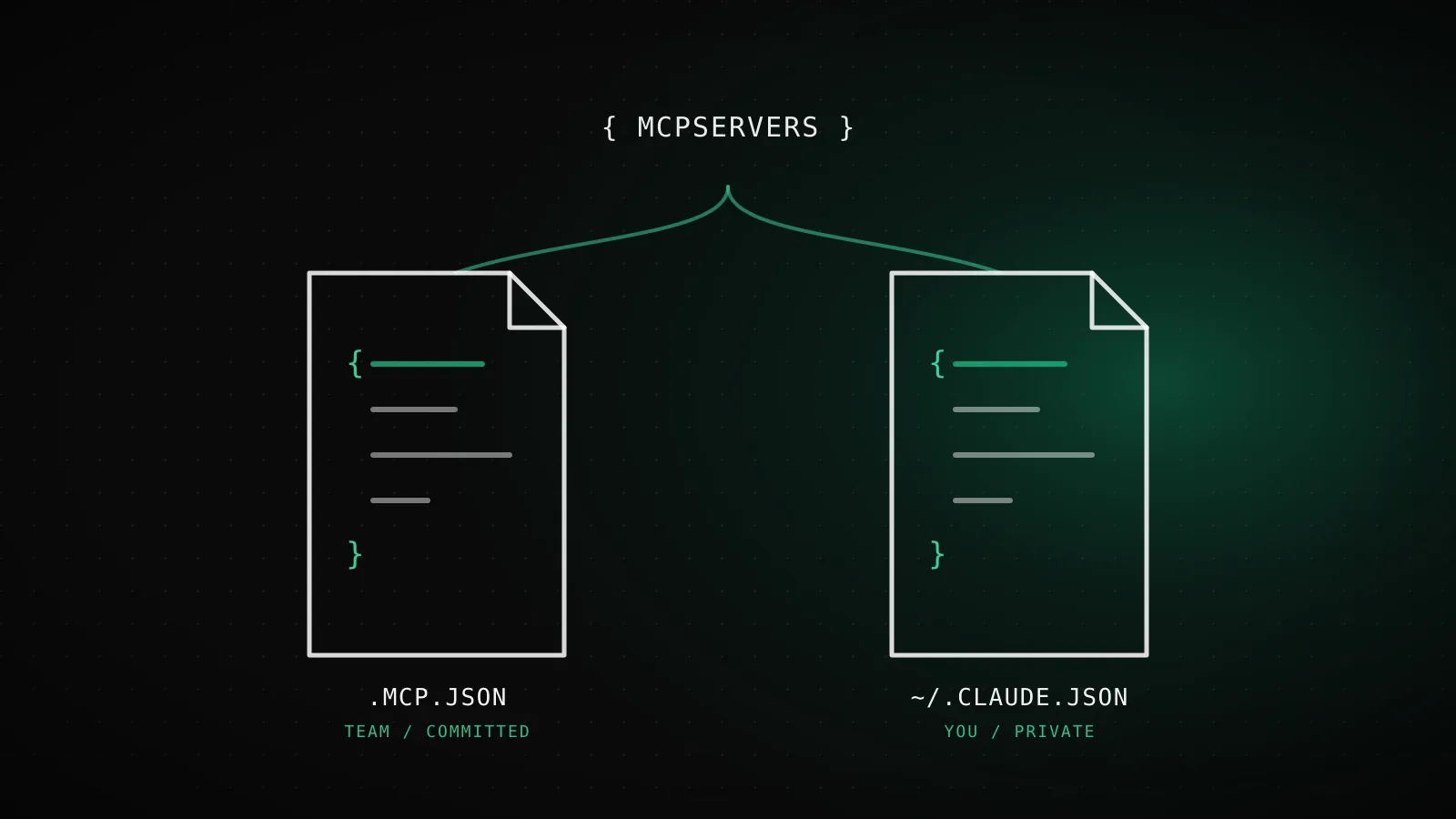
Claude Code's MCP config lives in two files, never one: .mcp.json at your project root for servers you share with a team, and ~/.claude.json in your home directory for everything scoped to just you. Both use the same mcpServers object and the same per-server fields - type, command or url, args, env, headers, and a handful more - whether you hand-edit the JSON yourself or let claude mcp add write it for you.
TL;DR:
.mcp.json(project root, committed) holds project-scoped servers.~/.claude.json(home directory, never committed) holds local scope nested under each project's path and user scope at the top level. Every entry needstypeif it carries aurl-http,sse, orws- and can skip it only forstdio. Secrets belong in${VAR}expansion, not pasted into the file.
Claude Code's config is not Claude Desktop's
Search this exact phrase and most of what comes back - Medium walkthroughs, a GitHub install guide, a support article from an unrelated SaaS - is about claude_desktop_config.json, the config file for the separate Claude Desktop chat app. It's a real file, it uses a similar mcpServers shape, and it has nothing to do with Claude Code. Adding a server in one never adds it to the other, and confusing the two is the single most common reason someone's config "isn't working" when it's actually working exactly as configured - just in the wrong app. What is and isn't shared between the two goes deeper on the split; this guide is entirely about Claude Code's own file, .mcp.json and ~/.claude.json.
Every field the mcpServers object accepts
Whether you write it by hand or generate it with claude mcp add, every entry inside mcpServers is a JSON object keyed by server name. The fields it accepts depend on transport, plus a few that apply everywhere:
Every field mcpServers accepts
10 fields, 3 transports
typerequiredhttp, sse, wsRequired whenever "url" is set. "streamable-http" is an accepted alias for "http". Omit only for stdio.
commandrequiredstdioThe executable Claude Code spawns as a subprocess.
argsoptionalstdioArguments passed to command, as an array of strings.
envoptionalstdioEnvironment variables set in the spawned process only.
urlrequiredhttp, sse, wsThe server's endpoint.
headersoptionalhttp, sse, wsStatic request headers, e.g. { "Authorization": "Bearer ..." }.
headersHelperoptionalhttp, sse, wsShell command run at connect time; its JSON stdout becomes headers, overriding static ones by name.
timeoutoptionalallPer-server tool-call wall-clock limit in ms. Values under 1000 are ignored.
oauthoptionalhttp, sseObject: clientId, callbackPort, authServerMetadataUrl, scopes - for pre-registered OAuth apps.
alwaysLoadoptionalalltrue exempts this server's tools from tool-search deferral; loads them at session start.
Full field list from code.claude.com's MCP reference, matched against add-json runs on Claude Code 2.1.222.
type is the field that trips people up most, because it's easy to skip on a stdio entry (fine - it's the assumed default there) and just as easy to forget on an http one (not fine - a url with no type is a configuration error). Two entries, same mistake, different consequence:
{
  "mcpServers": {
    "local-tool": { "command": "npx", "args": ["-y", "my-mcp-server"] },
    "remote-tool": { "type": "http", "url": "https://mcp.example.com" }
  }
}
Which file local, project, and user actually write
The -s / --scope flag on claude mcp add picks one of three scopes, but there are only two physical files behind them - local and user share ~/.claude.json, just at different nesting:
Two files, not three
Three scopes, but only two files ever get written - local and user share one of them.
~/.claude.jsonYour home directory. Never committed, never shared.
{"mcpServers": { ... },// ^ user scope, top level"projects": {"/path/to/repo": {"mcpServers": { ... }// ^ local scope, nested}}}
Written by: local (nested per-project) and user (top level)
.mcp.jsonYour project root. Committed - everyone who clones it gets it.
{"mcpServers": { ... }// ^ project scope, the only key}
Written by: project only
Structure from code.claude.com's MCP reference, confirmed against the real .mcp.json written by claude mcp add -s project on 2.1.222.
I ran claude mcp add --transport http demo-http https://example.com/mcp -s project in a scratch repo to see the project-scope shape firsthand. The file it wrote:
{
  "mcpServers": {
    "demo-http": {
      "type": "http",
      "url": "https://example.com/mcp"
    }
  }
}
Reach for project scope when the server is part of the setup itself - a shared internal API, a database everyone on the repo touches - and everyone should get it automatically after cloning. Reach for user scope for your own everyday tools you want in every project. Leave it at the local default (no -s flag at all) for anything experimental or carrying credentials you don't want anywhere near version control, even accidentally.
One consequence of .mcp.json being committed: Claude Code won't auto-trust a server that arrived with someone else's code. The first time you open a project with a .mcp.json you didn't write, every server in it shows as pending until you run claude interactively and approve them - claude mcp reset-project-choices clears that decision if you ever need to re-review.
Auth patterns: OAuth, tokens, and dynamic headers
An entry authenticates one of four ways, and which one you reach for depends on what the server supports and whether the file is going into version control:
Four ways a server entry authenticates
OAuth (browser sign-in)
no field needed - triggered automatically on a 401/403Default for most hosted servers (GitHub, Sentry, Vercel). Token is stored and refreshed for you.
Static token or header
headers: { "Authorization": "Bearer ..." } (http), or env (stdio)A fixed secret you generated once, written straight into the entry.
Environment variable expansion
${VAR} or ${VAR:-default} in command, args, env, url, or headersKeeps the actual secret out of a committed .mcp.json - each teammate sets their own VAR.
headersHelper script
headersHelper: "<shell command>"Non-OAuth schemes that need a fresh token per connection - Kerberos, short-lived tokens, internal SSO.
Mechanisms from code.claude.com's MCP reference. Env-var expansion and the missing-variable warning were re-tested for this guide on Claude Code 2.1.222.
The one most guides skip is environment variable expansion, and it's the one that actually matters for a committed .mcp.json. ${VAR} and ${VAR:-default} work inside command, args, env, url, and headers, so a file safe to commit looks like this instead of carrying a real token:
{
  "mcpServers": {
    "github": {
      "type": "http",
      "url": "https://api.githubcopilot.com/mcp/",
      "headers": { "Authorization": "Bearer ${GITHUB_TOKEN}" }
    }
  }
}
I tested what happens when the referenced variable is missing instead of guessing, and it doesn't fail loudly. The config still loads; Claude Code just flags it:
$ claude mcp list
MCP config diagnostics ⚠
[Contains warnings] Project config (shared via .mcp.json)
Location: /path/to/repo/.mcp.json
 └ [Warning] [api-server] mcpServers.api-server: Missing environment variables: MISSING_TOKEN_VAR
The errors you'll actually hit hand-editing
Three mistakes account for most of the confusion when you write .mcp.json by hand instead of letting claude mcp add generate it. I reproduced each one on Claude Code 2.1.222 instead of trusting the docs' description alone.
A url with no type - covered above - gets skipped with the exact warning shown there, not a hard crash. The server just never loads.
A reserved server name. workspace, claude-in-chrome, computer-use, Claude Preview, and Claude Browser are taken by Claude Code's own built-in servers:
$ claude mcp add workspace -- echo hi
Cannot add MCP server "workspace": this name is reserved.
A name already used at that scope. claude mcp add refuses to overwrite silently - you get MCP server <name> already exists in local config and have to claude mcp remove <name> first or pick a different name.
None of these are destructive. Claude Code skips a misconfigured entry and keeps loading the rest of the file, which is exactly why claude mcp list - not just "the config saved without an error" - is the real verification step after any hand edit.
Copy-paste blocks for 5 servers worth connecting
These are the exact entries this site's own MCP config generator produces, so what you paste here matches what the wizard would hand you - useful if you'd rather write .mcp.json directly than click through a form. Drop any of them under mcpServers, keyed by whatever name you'd like:
{
  "mcpServers": {
    "github": {
      "type": "http",
      "url": "https://api.githubcopilot.com/mcp/"
    },
    "supabase": {
      "command": "npx",
      "args": ["-y", "@supabase/mcp-server-supabase@latest", "--project-ref=YOUR_PROJECT_REF"],
      "env": { "SUPABASE_ACCESS_TOKEN": "YOUR_SUPABASE_ACCESS_TOKEN" }
    },
    "sentry": {
      "type": "http",
      "url": "https://mcp.sentry.dev/mcp"
    },
    "vercel": {
      "type": "http",
      "url": "https://mcp.vercel.com"
    },
    "posthog": {
      "type": "http",
      "url": "https://mcp.posthog.com/mcp"
    }
  }
}
Four of the five are OAuth (GitHub, Sentry, Vercel, PostHog) - add the entry, then run /mcp inside a session and sign in; no token to generate or paste. Supabase is the odd one out: it's a local stdio process that needs a real personal access token in env, so treat that one entry as local-scope-only unless you're ready to commit a token placeholder and expand it per teammate with ${VAR} instead. For the reasoning behind picking these five specifically (and two more worth knowing about), the full server-by-server breakdown has the "why," not just the "what."
When to use claude mcp add instead of hand-editing
Hand-editing is worth it once you already know the shape you want - copying a block like the ones above, or scripting a dozen servers into a shared .mcp.json for a monorepo. For anything else, claude mcp add is genuinely less error-prone: it validates the scope flag, handles the -- separator for stdio commands automatically, and writes syntactically correct JSON every time, which a hand edit doesn't guarantee. The full command reference - flags, the OAuth walkthrough, verifying with claude mcp list - covers that path end to end. The two aren't in competition: claude mcp add is just a JSON-file writer with a spellchecker built in, and everything it writes is exactly the format documented above.
FAQ
What is the .mcp.json file in Claude Code?
It's the project-scoped MCP config file, written to your repo root when you run claude mcp add with -s project. It holds one mcpServers object keyed by server name, and because it's meant to be committed, everyone who clones the repo gets the same servers - pending their one-time approval.
What's the difference between .mcp.json and ~/.claude.json?
.mcp.json lives in your project root and is the only file project scope writes to - commit it and your whole team gets the same servers. ~/.claude.json lives in your home directory and holds both local scope (nested under each project's own path) and user scope (at the top level) - neither is ever committed, both stay private to you.
What fields does an MCP server entry accept?
For a stdio server: command, args, and env. For http, sse, or ws: type, url, headers, and optionally headersHelper or an oauth object. Every entry also accepts timeout and alwaysLoad regardless of transport. type is required whenever url is present - Claude Code reads an entry with a url but no type as a misconfigured stdio server and skips it.
How do I keep secrets out of a committed .mcp.json?
Use environment variable expansion instead of pasting the value in. ${VAR} expands to that variable at load time, and ${VAR:-default} falls back to default when VAR isn't set. It works inside command, args, env, url, and headers, so a committed .mcp.json can reference ${GITHUB_TOKEN} while the actual token stays in each teammate's own shell environment.
Why does Claude Code say a server has a url but no type?
Because you (or a script) wrote a JSON entry with a url field but left out type, and Claude Code's default assumption for an untyped entry is stdio - which needs command, not url. Add "type": "http" (or "sse" / "ws") to that entry. Before Claude Code v2.1.202 this same mistake surfaced as a more confusing command: expected string, received undefined error instead.
One object, ten fields, two files
Every server Claude Code connects to, however you added it, ends up as one JSON object under mcpServers in one of exactly two files. Knowing the fields and the file that owns them turns "why isn't this server showing up" into a five-second claude mcp list check instead of a guessing game - which is also the exact gap ClockedCode closes for the servers worth having in the first place: a curated shortlist and the config to match, in one paste instead of ten minutes reading a reference page like this one.