Sentry MCP with Claude Code: Setup and Your First 5 Queries
 By Neo Zino - builder of ClockedCode12 min read
Connect Sentry MCP to Claude Code with one command, sign in with OAuth, confirm it works, then run 5 copy-paste queries mapped to Sentry's real tool names.
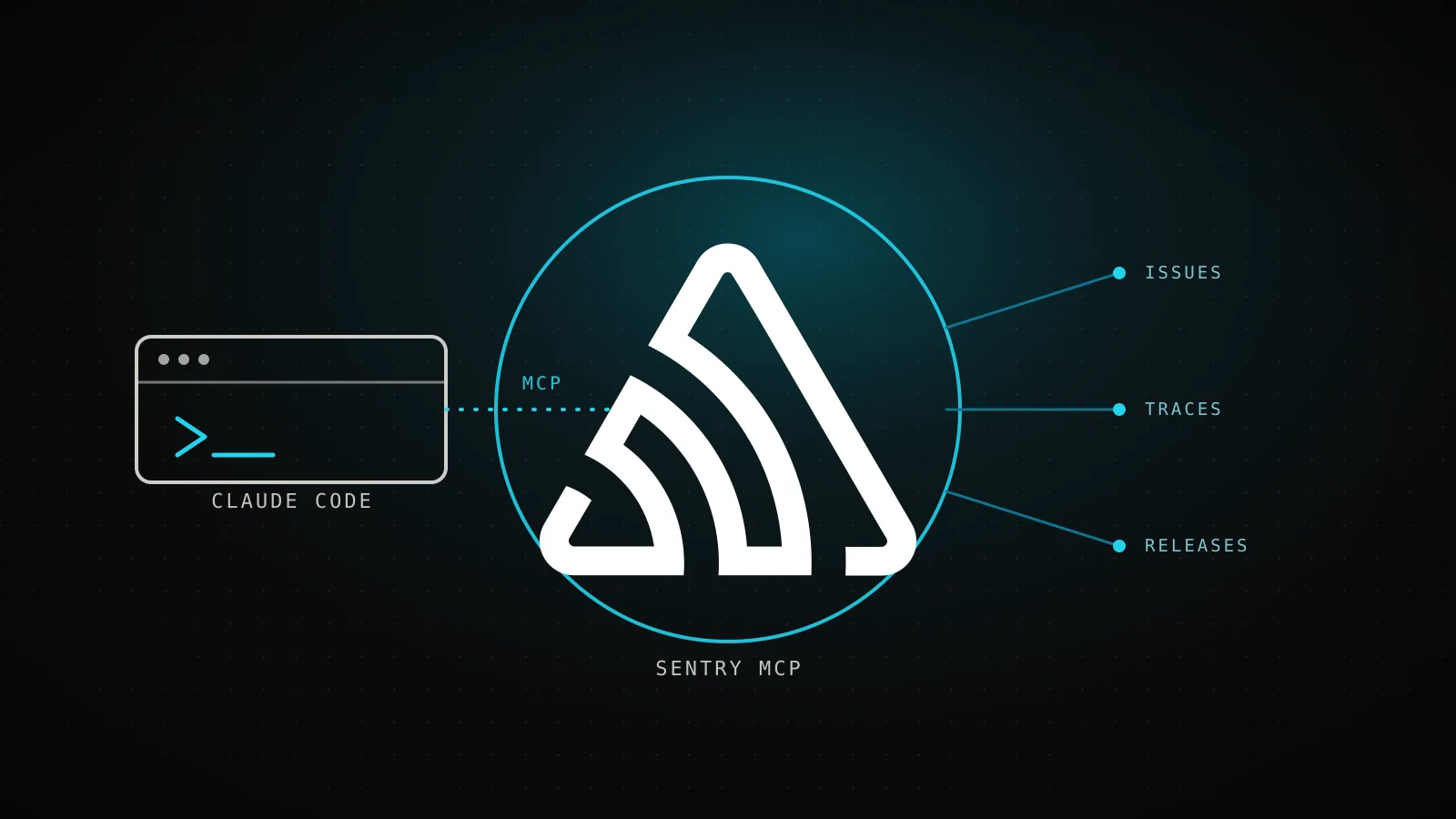
Made with DispatchSEO
On this page
Run claude mcp add --transport http sentry https://mcp.sentry.dev/mcp/<org>/<project>, sign in through the browser prompt it triggers, and Claude Code can read a real Sentry issue - stack trace, breadcrumbs, affected users - in the same conversation where you ask about it. That one line is the easy part. What page 1 for this topic doesn't spell out is what happens right after: confirming the sign-in actually worked, which of Sentry's 57 tools your first prompts should reach for, when the official plugin is worth installing instead of the raw server, and when the self-hosted path changes the whole setup.
TL;DR:
claude mcp add --transport http sentry https://mcp.sentry.dev/mcp/<org>/<project>connects the hosted server, scoped to one project the way Sentry's own docs now lead with; Claude Code marks it "needs authentication" until you run/mcpand sign in through the browser. Confirm withclaude mcp list. Prefer a bundled setup instead? Sentry also ships an official Claude Code plugin. Self-hosted Sentry uses a different, token-based path:npx @sentry/mcp-server@latest --access-token=<token> --host=<your-host>. Sentry MCP exposes 57 tools across issues, traces, releases, alerts, and admin - this guide maps 5 starter prompts to the exact ones they call.
The command, and the two ways to run it
Sentry ships Sentry MCP as a hosted remote server at mcp.sentry.dev - the same one claude mcp add --help uses as its own worked example, which tells you how standard this pairing already is:
claude mcp add --transport http sentry https://mcp.sentry.dev/mcp/<org>/<project>
Sentry's own setup instructions now lead with that org/project-scoped URL rather than the bare https://mcp.sentry.dev/mcp endpoint - scoping it this way makes tools default to the constrained project and hides discovery tools you don't need, which is also what settles the "which project did you mean" ambiguity the query section below still calls out. The bare endpoint still works if you'd rather pick the project per-conversation, and either form accepts ?experimental=1 on the end to opt into forward-looking tool variants.
That writes the server at the default local scope, private to you and this project. If Sentry is a daily tool rather than a one-off, add -s user instead so it's available in every project without re-adding it - the same scope flags any MCP server in Claude Code uses.
The remote server isn't the only path. Sentry MCP also ships a stdio transport, meant for self-hosted Sentry installs the hosted server can't reach:
Remote (--transport http) | Stdio (npx @sentry/mcp-server) | |
|---|---|---|
| Auth | OAuth browser sign-in | A Sentry user auth token you generate yourself |
| Runs where | Sentry's own infrastructure | As a local subprocess on your machine |
| Use it for | Sentry SaaS (sentry.io) - the default for almost everyone | A self-hosted Sentry instance |
| Setup command | claude mcp add --transport http sentry https://mcp.sentry.dev/mcp/<org>/<project> | npx @sentry/mcp-server@latest --access-token=TOKEN --host=sentry.example.com |
Unless you're running Sentry yourself, the remote server is the right default - it's also the one this guide walks through end to end. The MCP config generator builds this exact command (and a dozen others) if you'd rather pick Sentry from a list than type it by hand. A caveat on the stdio path: getsentry/sentry-mcp's own README still flags it as "a work in progress," and its env vars changed since this guide first shipped - EMBEDDED_AGENT_PROVIDER now has to be set explicitly (auto-detecting your LLM provider from whichever API key is present is deprecated), and --insecure-http exists for a self-hosted instance that only serves plain HTTP.
Two official plugins, and what happened when I actually installed them
claude mcp add isn't the only path Sentry ships now. Two different Sentry repos each publish a Claude Code plugin that wraps the same hosted MCP server, and neither shows up if you only read the setup instructions on mcp.sentry.dev:
-
getsentry/sentry-mcp's own plugin adds asentry-mcpsubagent Claude delegates to automatically for Sentry questions, on top of the same MCP tools. I ran this for real, in a scratch project, on Claude Code 2.1.269:claude plugin marketplace add getsentry/sentry-mcp claude plugin install sentry-mcp@sentry-mcpBoth commands succeeded:
✔ Successfully added marketplace: sentry-mcp(it clones the repo over HTTPS to read the marketplace manifest), then✔ Successfully installed plugin: sentry-mcp@sentry-mcp (scope: user).claude plugin listafterward confirmed it:sentry-mcp@sentry-mcpenabled at user scope. Asentry-mcp@sentry-mcp-experimentalvariant installs the same way for forward-looking tool variants. -
getsentry/plugin-claude, the broader "Official Sentry for Claude Code" plugin, bundles the full Sentry skill library on top of the MCP server: SDK setup wizards, debugging workflows, code review with Sentry context, monitoring configuration. Its own README gives the install command asclaude plugin install sentry@claude-plugins-official. I tried that from the same bare shell, and it failed:Failed to install plugin "sentry" not found in marketplace "claude-plugins-official". Your local copy may be out of date - try claude plugin marketplace update claude-plugins-official.claude plugin marketplace listshowed nothing registered at all - this marketplace name isn't one a fresh install already knows, unlike the sentry-mcp-owned one above. It's most likely something the in-app/pluginsbrowser registers the first time you open it interactively; from a headless shell that's never touched/plugins, the documented one-liner alone doesn't get you there.
Either plugin is worth it over the raw claude mcp add command if you want the subagent delegation or the skill library on top of the tools - install the raw server instead if you just want the MCP tools without the wrapper.
Confirming Sentry actually answered
Add, then confirm it actually connected
claude mcp add --transport http sentry https://mcp.sentry.dev/mcp/my-org/my-projectAdded HTTP MCP server sentry with URL: https://mcp.sentry.dev/mcp/my-org/my-project to local config
claude mcp listsentry: https://mcp.sentry.dev/mcp/my-org/my-project (HTTP) - ! Needs authentication
/mcpPick sentry, approve in the browser - claude mcp get sentry then reads Status: ✓ Connected
Re-tested for this refresh: a scratch-project run on Claude Code 2.1.269, 2026-09-11. The first line only confirms the config was written - the second line is what tells you whether Sentry is actually reachable.
Adding the server only writes the config - it doesn't mean Sentry is reachable yet. I re-tested this exact sequence for this refresh, on Claude Code 2.1.269: claude mcp add --transport http sentry https://mcp.sentry.dev/mcp/my-org/my-project printed Added HTTP MCP server sentry with URL: https://mcp.sentry.dev/mcp/my-org/my-project to local config, which only confirms the write. claude mcp list is the command that actually checks the connection - Sentry's OAuth-gated setup isn't the only one worth double-checking that way; Playwright MCP's install has its own gotcha (a -- you have to remember the moment you add a flag) that the same "config write isn't the same as connected" habit catches. Here it came back sentry: https://mcp.sentry.dev/mcp/my-org/my-project (HTTP) - ! Needs authentication - Sentry MCP always starts here, because the hosted server authenticates with OAuth rather than a key you supply up front. Inside a session, run /mcp, pick sentry, and approve the sign-in in the browser tab that opens; from a plain shell, claude mcp login sentry does the same thing without starting a session. Run claude mcp list (or claude mcp get sentry) again afterward and the status flips to connected.
Your first 5 queries
Your first 5 queries, and what they call
Errors
“List the open issues in <project> from the last 24 hours, ranked by event count.”
search_issuesIssues
“Get the full stack trace for issue <ID> and run Seer's root-cause analysis on it.”
get_event_stacktraceanalyze_issue_with_seerPerformance
“Show me the slowest spans across <project> in the last hour.”
search_eventsget_span_detailsReleases
“What shipped in the latest release, and did the error rate change after it?”
find_releasesget_release_detailsTraces
“Pull the trace for <trace ID> and tell me where the time actually went.”
get_trace_detailsTool names from getsentry/sentry-mcp's own toolDefinitions.json, re-checked 2026-09-11.
The prompts above aren't generic "ask Claude about Sentry" suggestions - each one maps to a specific tool Sentry MCP exposes, pulled straight from the server's own source rather than guessed at. A few notes on using them for real:
- Errors and issues are the tools you'll reach for most:
search_issuesreturns a list ranked by whatever you ask for (event count, first seen, assignee), andget_event_stacktracepulls the actual trace instead of you copying one out of the dashboard. analyze_issue_with_seerruns Sentry's own root-cause analysis and hands Claude a starting theory instead of a raw stack trace - worth trying before you dig in by hand, not instead of reading the result critically.- Performance and traces split across two different tools depending on what you're asking:
search_eventsfor counts and statistics ("how many 500s in the last hour"),get_trace_detailsfor one specific request's full path through your system. - Every query needs a project (and usually an org) in scope. If you only have one Sentry project, Claude infers it after the first call; with several, name the project slug in your prompt the first time so it doesn't guess wrong - or skip the guessing entirely by connecting to the org/project-scoped URL from the setup section above.
What's behind those 5 queries
What's behind those 5 queries
57 tools total
Issues & events
13search_issues, get_issue_details
Projects, teams & DSNs
11find_projects, create_dsn
Alerts & uptime monitors
9find_alert_rules, create_uptime_monitor
Traces, replays & profiling
8get_trace_details, get_replay_details
Docs & tool discovery
6search_docs, search_sentry_tools
AI & agent conversations
4search_ai_conversations, get_agent_conversation_details
Dashboards & account
3find_dashboards, whoami
Releases
2find_releases, get_release_details
Onboarding
1onboarding_status_update
Re-counted from getsentry/sentry-mcp's own toolDefinitions.json, 2026-09-11 (53 tools at first count, 2026-08-07) - Sentry's docs don't itemize them.
Sentry's own documentation describes the MCP server only as exposing "Sentry MCP tools" without listing them - I went back to the source (packages/mcp-core/src/toolDefinitions.json in getsentry/sentry-mcp) to re-count what's actually there for this refresh. 57 tools now, up from 53 when this guide first tested it, and the 5 queries above only touch about a dozen. The four new arrivals worth knowing about are search_ai_conversations, search_agent_conversations, get_ai_conversation_details, and get_agent_conversation_details - a genuinely new category for inspecting AI/agent conversations Sentry captured, not just human-triggered errors. The rest is worth knowing exists even if you don't reach for it on day one: create_uptime_monitor and find_alert_rules let Claude set up monitoring, not just read it; find_dsns and create_dsn cover onboarding a new service into an existing Sentry project without leaving the terminal; search_docs and get_doc let Claude pull Sentry's own instrumentation docs mid-conversation when it needs to explain how to add the SDK to a new service. None of this is a reason to memorize the list - search_sentry_tools exists specifically so Claude can look up the right one itself - but knowing the categories exist changes what you think to ask for.
Scoping it down
Every connected MCP server sends its tool list into Claude Code's context on every turn it's active, and Sentry's 57 is a heavier one than most. For the OAuth-connected setup this guide walks through, the scoping lever is the URL itself: connecting to https://mcp.sentry.dev/mcp/<org>/<project> instead of the bare endpoint already hides discovery tools you don't need for a single project, and that's the narrowing Sentry's own docs point you to first. The ?skills=inspect,triage and ?disable-skills=seer query params - dropping one tool group while keeping the rest - are documented specifically for the header-based "explicit Sentry token" auth path and the self-hosted stdio transport, not the OAuth connection above; worth knowing if you switch to either of those, but they aren't what narrows the default claude mcp add setup.
Access control itself lives outside Claude Code entirely. For the OAuth-connected remote server, what Claude can see is whatever you approved on Sentry's own consent screen when you signed in - you can restrict that to specific projects there, and revisit it any time in Sentry's connected-apps settings. For the stdio transport on self-hosted Sentry, scope is set on the user auth token you generate: Sentry's docs list org:read, project:read, project:write, team:read, team:write, and event:write as what the server needs, and a token minted with fewer scopes limits every tool call regardless of what gets asked of it.
When Sentry MCP isn't the right call
If your team already triages through Sentry's own alerting and dashboards and rarely debugs inside a Claude Code session, connecting Sentry MCP mostly just adds 57 tools' worth of context to every message without a matching payoff - the broader cost of that tradeoff is worth reading before connecting a server you'll use occasionally. And if you're self-hosting Sentry without an OpenAI, Anthropic, or OpenRouter key configured on the server side, the AI-powered search tools (search_events, search_issues's natural-language matching) won't be available - the rest of the toolset still works, but plan prompts around structured queries rather than natural language until that's set up.
FAQ
What's the exact command to connect Sentry MCP to Claude Code?
claude mcp add --transport http sentry https://mcp.sentry.dev/mcp/<org>/<project> connects the hosted remote server over OAuth, scoped to one project - Sentry's own setup docs lead with this form now. The bare https://mcp.sentry.dev/mcp endpoint (no org/project) still works if you'd rather choose per-conversation. For a self-hosted Sentry instance, run the stdio server instead: npx @sentry/mcp-server@latest --access-token=<token> --host=<your-sentry-host>.
Does Sentry MCP need an API key, or does it use OAuth?
The hosted remote server uses OAuth - Claude Code flags it as needing authentication the moment you add it, and running /mcp inside a session (or claude mcp login sentry from a shell) opens the sign-in flow. The stdio transport, used for self-hosted Sentry, skips OAuth entirely and takes a Sentry user auth token instead via --access-token.
How many tools does Sentry MCP actually expose?
57, as of the version in Sentry's own toolDefinitions.json source (up from 53 when this guide first tested it). Everything from search_issues and get_issue_details to less obvious ones like analyze_issue_with_seer, create_uptime_monitor, and whoami, plus a newer batch for session replays, profiling, and searching AI/agent conversations. Claude Code loads the full list into context on connect - the first 5 queries in this guide only touch about a dozen of them.
Can I limit Sentry MCP to one project or make it read-only?
For the remote OAuth server, scope comes from what you approve on Sentry's consent screen when you sign in, including which projects it can see. For the stdio transport on self-hosted Sentry, scope is set on the user auth token itself - Sentry's docs list org:read, project:read, project:write, team:read, team:write, and event:write as what the server needs, and a token with narrower scopes limits what tools can do regardless of what Claude asks for.
Should I use the remote server or the stdio transport?
Use the remote HTTP server (the one-line command above) unless you're running self-hosted Sentry - it needs no local process and is what Sentry's own docs point new users to. Reach for the stdio transport (npx @sentry/mcp-server@latest) only when you're pointing at a self-hosted instance the hosted server can't reach.
One sign-in, then it's just a conversation
Everything past the sign-in step is Claude reading what Sentry already has, instead of you opening a dashboard tab and copying a stack trace into the prompt by hand. Picking Sentry MCP in the first place is the smaller decision; the six connectors worth running alongside it is where ClockedCode's own vetted list, and the tuned CLAUDE.md that ships with it, saves the rest of the setup work.