Supabase MCP in Claude Code: Setup, Safe Permissions and What to Ask It
 By Neo Zino - builder of ClockedCode10 min read
Add the Supabase MCP server to Claude Code scoped to one project and read-only, see which of its tools can write, and fix the wrong-account Unauthorized error.
Made with DispatchSEO
On this page
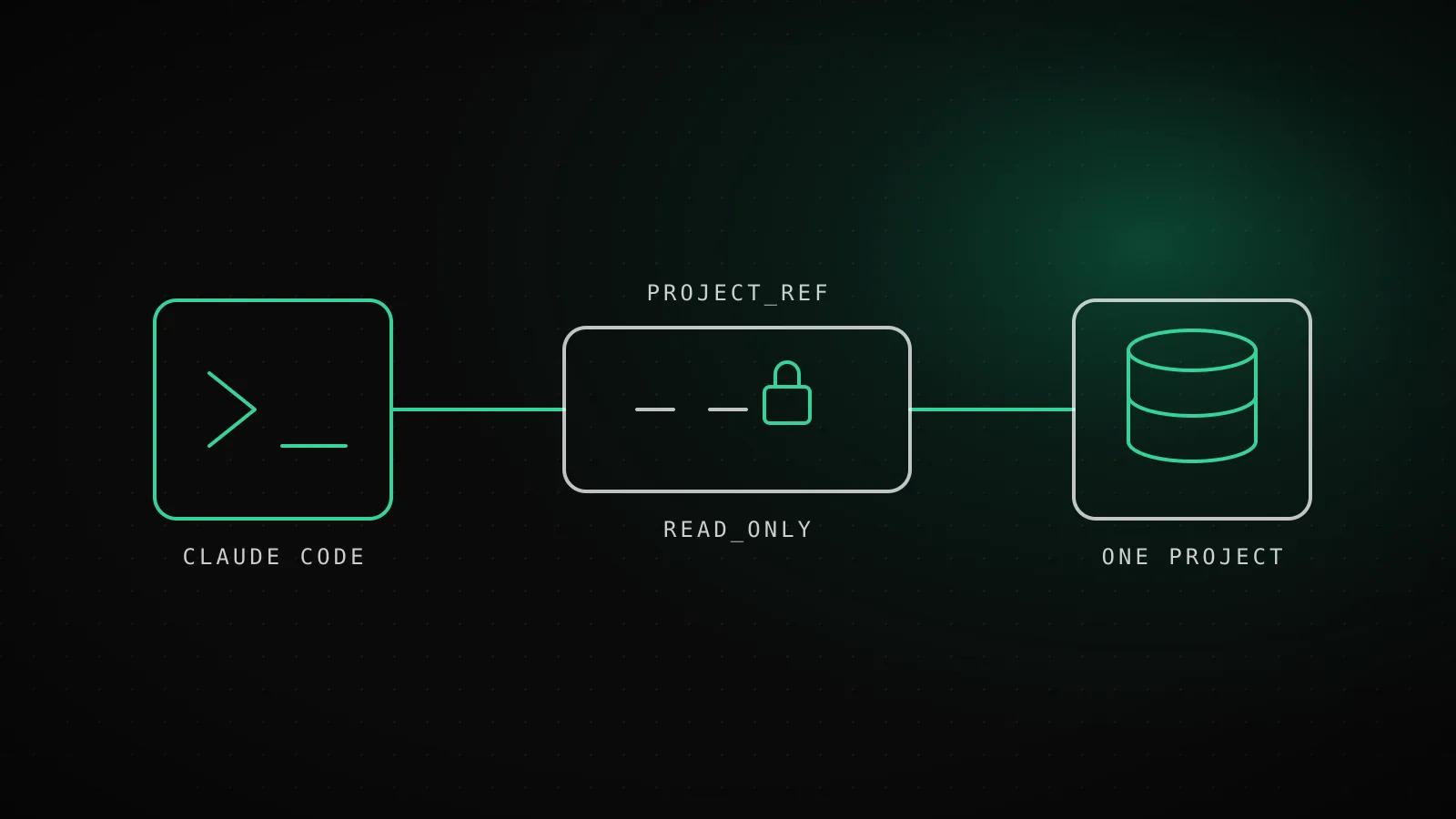
Paste one URL with two parameters on the end and Claude Code can read your Supabase schema, logs and advisors without being able to change any of it: https://mcp.supabase.com/mcp?project_ref=<ref>&read_only=true. The parameters matter more than the install. Without them the server can see every project on your account and run writes, and the default install shown in most walkthroughs sets neither.
TL;DR:
claude mcp add --scope project --transport http supabase "https://mcp.supabase.com/mcp?project_ref=<ref>&read_only=true", then/mcpand Authenticate.project_refpins one project and removes the account tools,read_only=trueruns queries as a read-only Postgres user. Keep tool-call approval on anyway, because the biggest risk Supabase names is prompt injection from data in your own tables.
What do the URL parameters actually lock down?
Supabase's hosted server takes its configuration from query parameters on the URL. These are the four documented ones:
What each URL parameter takes away
project_ref=<id>Every other project, plus the account tools
Scopes the server to one project
read_only=trueWrites: queries run as a read-only Postgres user
Applies to all queries
features=database,docsEvery tool group you did not list
Comma-separated group names
skip_elicitations=<tools>Nothing - it removes a confirmation form
Hosted only. Leave it off for interactive work
Two of them do the real work. project_ref is the scope: the server only sees that project, and Supabase's docs say it also disables the account tools, so Claude cannot list your other projects, create one or pause one. read_only=true is the write lock, applied at the Postgres role instead of in the model's good intentions.
features is the third lever. All groups are on by default except storage, and features=database,docs leaves only those two. If you only want Claude explaining schema and searching docs, that is the smallest surface that still does the job.
I would leave skip_elicitations alone. It exists to skip the confirmation form for create_project, create_branch, execute_sql and apply_migration, which is the opposite of what you want while you are learning what the server does.
Hosted URL or the npx server: which one do you add?
Add the hosted URL unless you have a reason not to. It needs no local process and no token you manage by hand, since sign-in goes through your Supabase account in the browser.
claude mcp add --scope project --transport http supabase \
  "https://mcp.supabase.com/mcp?project_ref=<ref>&read_only=true"
I ran that against a scratch directory on Claude Code 2.1.305. It printed Added HTTP MCP server supabase with URL: https://mcp.supabase.com/mcp to project config. Look closely at that URL: the success message drops the query string. The file is fine, though, and .mcp.json holds the full URL with project_ref and read_only=true in it:
{
  "mcpServers": {
    "supabase": {
      "type": "http",
      "url": "https://mcp.supabase.com/mcp?project_ref=abc123&read_only=true"
    }
  }
}
So do not take the message as proof the lock is missing, and do not take it as proof the server works. Run /mcp in a regular terminal session (Supabase's docs say not the IDE extension), choose supabase, then Authenticate and pick the organization that owns the project. Any server that stops at "needs authentication" is covered here.
The --scope project flag writes to .mcp.json, which is meant to be committed. A hosted URL with a project_ref in it is not a secret, so that is fine, and it means everyone on the repo gets the same locked configuration. The scope rules for all three levels are in the MCP config guide.
The other route is the npx server, which runs on your machine and takes a personal access token from the environment. This repo uses it for its own database, pinned to one project:
claude mcp add --scope project supabase \
  --env SUPABASE_ACCESS_TOKEN=<token> \
  -- npx -y @supabase/mcp-server-supabase@latest --project-ref=<ref> --read-only
That also worked here and wrote a stdio entry with command: npx and the --project-ref and --read-only args split out. One caution: that command puts the token in .mcp.json as plain text. Do not commit it that way. This repo's own file uses "SUPABASE_ACCESS_TOKEN": "${SUPABASE_ACCESS_TOKEN_CLOCKEDCODE}" so the token stays in the shell environment. Claude Code expands ${VAR} in .mcp.json.
| Hosted URL | npx server | |
|---|---|---|
| Sign-in | Browser, through your Supabase account | Personal access token in an env var |
| Scope flag | ?project_ref=<ref> | --project-ref=<ref> |
| Read-only flag | ?read_only=true | --read-only |
| Where it runs | Supabase's servers | A local subprocess |
| Safe to commit | Yes, no secret in it | Only with ${VAR} for the token |
| Pick it when | Almost always | You need token-based auth, such as headless runs |
If you would rather assemble either entry from a form, the MCP config generator builds the claude mcp add line for you.
Which Supabase tools can write, and which can't?
Supabase MCP tool groups
database5 tools - OnChanges data: apply_migration, execute_sql
debugging2 tools - OnChanges data: Read only
development3 tools - OnChanges data: Read only
functions3 tools - OnChanges data: deploy_edge_function
docs1 tools - OnChanges data: Read only
branching6 tools - On, paid planChanges data: create, merge, reset, rebase, delete
account9 tools - Off when project-scopedChanges data: create_project, pause_project
storage3 tools - Off by defaultChanges data: update_storage_config
The docs list 33 tools in eight groups. Nobody gets all 33. A project-scoped server drops the 9 account tools, storage is off until you ask for it, and create_edge_function_secret is only available under specific conditions. That leaves 20.
I can confirm the 20 from a real session. This repo runs the project-scoped npx server, and the tool list Claude Code loaded had exactly these: list_tables, list_extensions, list_migrations, apply_migration, execute_sql, query_logs, get_advisors, get_project_url, get_publishable_keys, generate_typescript_types, list_edge_functions, get_edge_function, deploy_edge_function, search_docs, and the six branching tools. No account tools, no storage tools. That matches the docs arithmetic, which is the useful part: scoping really does shrink what the model is offered.
Two of those 20 are the ones to think about. execute_sql runs arbitrary SQL, and apply_migration runs DDL and logs it as a migration. With read_only=true the first stops being able to write. The migration tool is still in the list, and the model can still call it, so the read-only role is the thing that makes it fail, not its absence. Treat that as a reason to also gate it in Claude Code, which the next section does.
How do you stop the write tools in Claude Code itself?
Supabase's lock lives on their side. Claude Code has its own, and I would use both. Permission rules for MCP tools take the form mcp__<server>__<tool>, so a project .claude/settings.json can force a prompt on the tools that change things:
{
  "permissions": {
    "ask": [
      "mcp__supabase__apply_migration",
      "mcp__supabase__execute_sql",
      "mcp__supabase__deploy_edge_function"
    ],
    "deny": [
      "mcp__supabase__delete_branch",
      "mcp__supabase__reset_branch"
    ]
  }
}
Read-only tools like list_tables and get_advisors stay prompt-free under your normal rules. How allow, ask and deny resolve against each other is in the permissions guide. The point of doubling up is that the two locks fail differently. If you ever drop read_only=true to apply a migration, the ask rule is still there asking.
This matters because of what Supabase calls the main LLM-specific risk: prompt injection. If a support ticket or a user bio sitting in your database contains text telling the assistant to dump a table, a model reading that row may follow it. A read-only role and a manual approval step are what turn that from an incident into a refused call. Supabase is also blunt that its own confirmation forms are a guardrail, not a guarantee.
What does a first session look like?
Start with prompts that only read, and name the tool group you expect it to reach for:
- "List my tables and flag any without row level security." This lands on
list_tables, thenget_advisorsfor the security check. - "Run the security and performance advisors and summarize the top three issues." Pure
get_advisors. - "Show the last 20 error lines from the API logs." That is
query_logs. - "Generate TypeScript types for the schema and tell me what changed since the types in
src/."generate_typescript_types, then a diff in your own repo. - "Write a migration that adds a
last_seen_atcolumn toprofiles, but do not apply it." The model writes the SQL and you review it as a file.
The fifth one is the habit worth keeping: have Claude write the migration, read it, and only then let it call apply_migration. For anything that touches real data, Supabase's docs point at branching, so apply on a branch and merge after you have checked it. Branching needs a paid plan and is marked experimental.
Why does the same server answer for the wrong project?
Because the access token is the account, and project_ref is only a filter on top of it. The failure I hit in this repo was on the npx server. A generic SUPABASE_ACCESS_TOKEN was set globally on the machine, and it held a token for a different Supabase account than the project I had scoped to. The result was Unauthorized, and it was confusing because some calls appeared to behave while the DDL and project calls did not.
The wrong-account token, step by step
- 1. Cause
A shared SUPABASE_ACCESS_TOKEN
It was set globally and belonged to a different Supabase account
- 2. Symptom
Unauthorized
Some calls worked, DDL and project calls failed
- 3. Fix
One variable per project
Token from the right account, named SUPABASE_ACCESS_TOKEN_<PROJECT>
- 4. Then
Fully restart the app
A window reload does not refresh the environment the extension host holds
The fix is boring. Make the token in the account that owns the project, give it a variable name tied to that project, and reference that name in .mcp.json as above. Then fully quit and reopen the app. A window reload will not do it, because the extension host keeps the environment it started with, and a new variable never reaches it. The hosted URL avoids this whole class of problem, since you sign in as a specific account interactively and can see which one you picked.
When is Supabase MCP the wrong setup?
Skip it for a project where you only ever need a schema dump. supabase gen types and a pg_dump from the terminal do that without adding 20 tools to every turn's context. If context cost is what bothers you, how to keep MCP servers from taking up context shows the options, and features=database,docs is the Supabase-specific one.
Do not give this server to customers or put it in a shared bot either. Supabase's docs say it runs with your developer permissions, which makes it a development tool and nothing more. And for unattended jobs, Supabase's advice is project-scoped, read-only tools that report instead of writing. If a routine needs more than that, it needs a human step in it.
FAQ
What is the command to add Supabase MCP to Claude Code?
claude mcp add --scope project --transport http supabase "https://mcp.supabase.com/mcp?project_ref=<ref>&read_only=true" adds the hosted server, locked to one project and to read-only queries. Then run /mcp in a regular terminal, pick supabase, and choose Authenticate to sign in with your Supabase account.
Does read_only=true stop Claude from changing my database?
It makes the server run every query as a read-only Postgres user, so SQL writes fail at the database. It is a guardrail on the SQL path, and Supabase's docs still recommend keeping manual approval on for tool calls, because the docs call confirmation prompts a guardrail and not a guarantee.
How many tools does the Supabase MCP server have?
Supabase's docs list 33 across eight groups, but a project-scoped server drops the 9 account tools, the storage group is off by default, and one edge function tool is conditional. That leaves 20 tools in a typical project-scoped setup.
Why do I get Unauthorized from the Supabase MCP server?
On the npx server, the usual cause is a SUPABASE_ACCESS_TOKEN that belongs to a different Supabase account than the project you scoped to. Create the token in the account that owns the project, give it a project-specific variable name, and fully restart the app so it picks up the new environment.
Is it safe to connect Supabase MCP to a production database?
Only with the locks on. Supabase says to connect to production only when necessary, scope to one project, use read-only mode, limit the feature groups, and test changes on a branch first. The main risk it names is prompt injection, where text stored in your database tries to steer the assistant.
Lock it first, then give it work
Scope and read-only first, a permissions.ask rule on the migration tool second, and then the server is boring in the good way. The same pattern, one narrow connection per project with approvals left on, is how the MCP servers worth running are set up in ClockedCode's own tuned configuration.