Claude Code vs GitHub Copilot: What Actually Separates Them
 By Neo Zino - builder of ClockedCode9 min read
Claude Code and GitHub Copilot solve different problems, not the same one. Current pricing for both, the real difference, and when running both makes sense.
Made with DispatchSEO
On this page
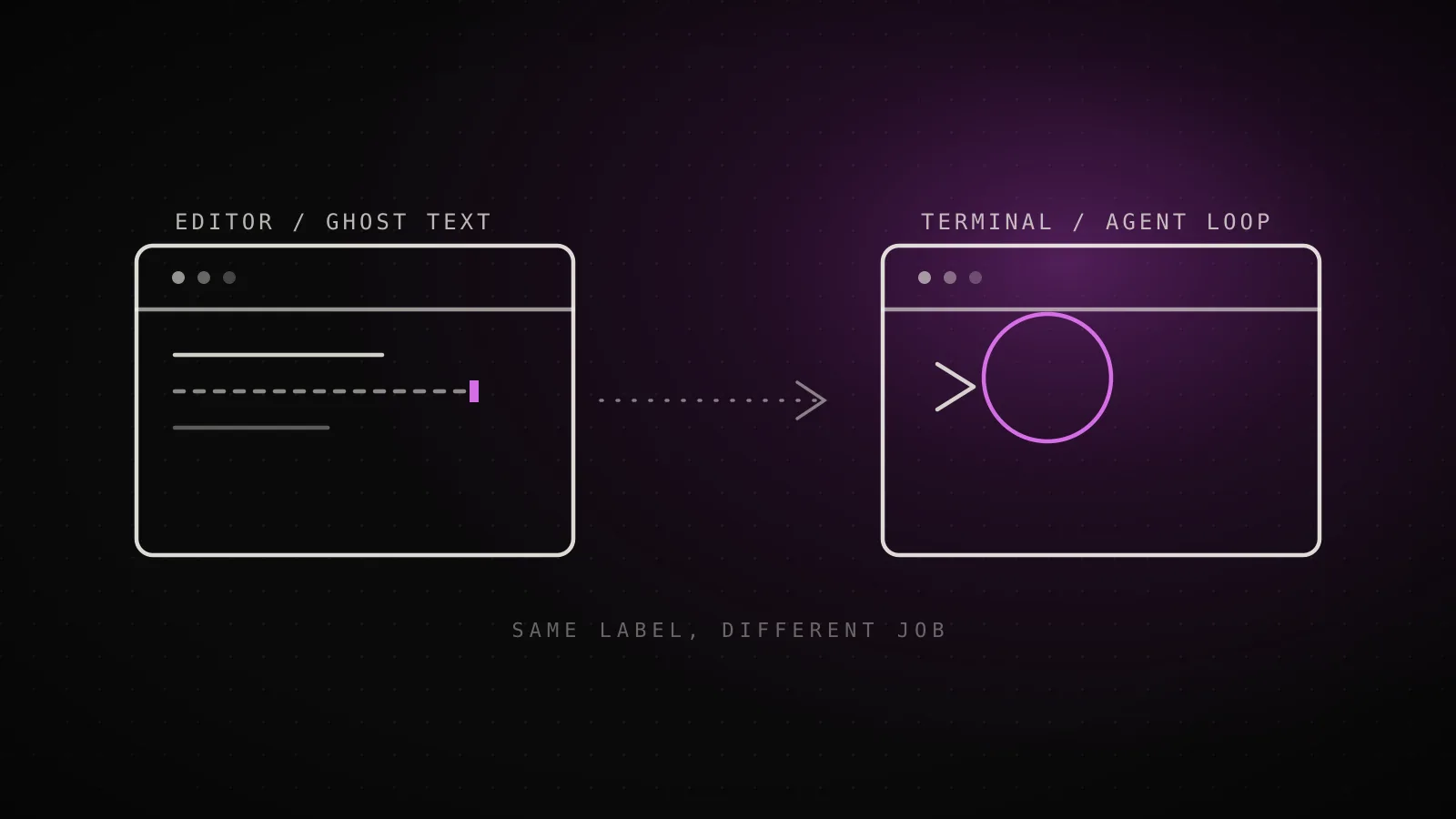
Ask ten developers which "AI coding tool" they use and Claude Code and GitHub Copilot both come back constantly, which is exactly the source of the confusion: they aren't competing for the same five minutes of your day. Copilot lives inside your editor and predicts the next few lines while your hands stay on the keyboard. Claude Code lives in your terminal and takes a goal, then works across your repo until it's done. Picking "the better one" only makes sense once you know which job you're hiring for.
TL;DR: GitHub Copilot is the pick for staying inside a file and shipping fast, line-by-line changes - it's a $10/month editor extension (VS Code, Visual Studio, JetBrains, Xcode) with ghost-text completions and an in-editor agent mode. Claude Code is the pick for handing off a whole feature or fix and reviewing it later - it's a terminal-first agent, $17/month through Claude Pro, that runs headless in CI or from a script as easily as it runs interactively. Copilot Pro's own pricing page already lists Claude Code as a third-party agent you can run through it, so for a lot of developers the real answer isn't either/or.
Two Different Jobs Wearing the Same "AI Coding Tool" Label
Copilot started as autocomplete and has stayed closest to that shape: it watches what you're typing and offers the next few lines inline, or rewrites a selection when you ask. You accept, reject, or keep typing past it, one suggestion at a time, and the loop never leaves the file you have open.
Claude Code starts from a different premise. You give it a goal - "add pagination to this endpoint and update the tests" - and it reads across the repo, plans the change, edits multiple files, runs commands to check its own work, and reports back. Nothing about that loop requires you to watch it happen: git diff main --name-only | claude -p "review these changed files for security issues" is an ordinary Claude Code command, not a special mode you have to opt into.
That's the whole difference the rest of this comparison is built on. Everything below - pricing, where each one wins, whether you need both - follows from where the two of them anchor: inside the file, or across the repo.
Current Pricing, Tier by Tier
Pricing on both sides has moved since a lot of the existing comparisons were written - Copilot in particular has added two tiers since the old Free/Pro split most posts still describe. Here's every individual tier from both vendors' own pricing pages, pulled fresh for this guide:
GitHub Copilot
- Max$200 monthly credits, priority model access$100/mo
- Pro+$70 monthly credits, Opus access, code review$39/mo
- Pro$15 monthly credits, unlimited completions$10/mo
- Free2,000 completions/mo, Haiku 4.5 + GPT-5 mini$0/mo
Claude Code
- Max5x-20x Pro usage, higher output limits$100/mo
- Team (premium seat)All Claude capabilities, admin controls$100/mo
- ProClaude Code included, annual billing$17/mo
- FreeBasic chat and code generation, no Claude Code$0/mo
Read from claude.com/pricing and github.com/features/copilot/plans, 2026-08-08. Individual plans only - both vendors also sell separate Team/Business and Enterprise tiers.
Two things stand out reading the ladders side by side. First, the entry gap is real: Copilot's $10/month Pro tier genuinely undercuts the $17-20/month Claude Pro costs for Claude Code access, and Copilot's free tier gives you 2,000 completions a month while Claude Code has no functioning free tier at all. Second, that gap closes fast - by the top tier both vendors land on the same $100/month number, Copilot Max and Claude Max, and both are selling the same thing at that price: more usage before you hit a wall, not new features. Team and Enterprise pricing exists on both sides too, but it's seat-negotiated and worth checking directly rather than quoting a number that's stale by the time you read it.
What Happens When You Actually Turn Each One On
The pricing tells you what each one costs; this is what each one actually does once it's running. Copilot's loop stays inside the editor and waits on you. Claude Code's loop leaves the editor and comes back with a result:
GitHub Copilot's default loop
You type a line
Ghost-text suggestion appears inline
Tab to accept, keep typing to ignore
Claude Code's default loop
You hand it a goal, not a line
It reads and edits across the repo
Runs commands, tests its own work
Reports back - watched or headless
Tested for this guide - claude --help, v2.1.226, 2026-08-08
Running claude --help prints -p, --print for non-interactive output and --bg, --background to start a session and return immediately - both first-class flags, confirming Claude Code's headless mode is a documented interface, not a workaround.
The -p/--print flag is the one that matters most for the "is this really headless" question, and it's worth testing yourself rather than taking on faith - claude --help prints it as a first-class option, not a hidden flag. That's the practical gap: Copilot's agent mode still opens inside VS Code or JetBrains and shows you the diffs landing; Claude Code's default agent mode doesn't need a window open at all.
Who Each One Is Actually Built For
GitHub Copilot
built for staying inside the file you're already in
Lives in your editor
VS Code, Visual Studio, JetBrains, Xcode - no context switch
Line-by-line speed
Ghost text and Cmd/Ctrl-I edits land as fast as you can accept them
Org-wide rollout
Business/Enterprise seats, policy controls admins already understand
Claude Code
built for work you'd rather hand off than narrate
Runs unattended
CLI, CI, scripts, or piped input - no editor required
Repo-wide changes
Plans and edits across many files as one coherent task
Delegate and review later
Kick off a background session, check the diff when it's done
Neither list is complete, but it's the shape that matters: Copilot's strengths cluster around staying close to code you're already looking at, and Claude Code's cluster around work you'd rather assign and check on once it's done. A team doing mostly incremental feature work in a couple of familiar services leans one way; a team doing large migrations, cross-cutting refactors, or anything that benefits from running unattended in CI leans the other.
Running Both (It's More Normal Than You Think)
Nothing about installing one blocks the other, and a lot of developers who've tried both end up doing exactly that - Copilot for the moment-to-moment editing loop, Claude Code for anything that's really its own small project rather than a quick edit. It's an easier combination to justify than it looks, too: Copilot Pro's own pricing page lists third-party agent access to Claude Code and Codex on its $10/month tier, which means the tool a lot of roundups list as a Claude Code alternative is, on its entry plan, also a channel for paying for Claude Code itself. If your team already has Copilot seats for the editor experience, checking whether your tier already includes agent access is worth five minutes before buying a second subscription.
When Neither One Is the Right Call
Being honest about the edges matters as much as the comparison itself. Copilot is a poor fit for work that genuinely spans a repo - a version bump across forty files, a rename that touches every import, a fix that needs its own test run to confirm - because the ghost-text loop was never built to hold that much context at once. Claude Code is a poor fit for the opposite case: quick, visual, throwaway edits where opening a terminal and writing a prompt is slower than just typing the three lines yourself. If you're regularly using either tool outside the job it's shaped for, that friction is a signal, not something to push through.
The Verdict
If most of your day is spent inside a handful of files you already know well, Copilot's $10/month entry tier is hard to beat on speed alone. If you're regularly the person who gets handed "can you fix this across the service" and would rather review a finished diff than narrate every step, Claude Code is worth the extra cost of Claude Pro - and if editor-native review still matters to you at that point, Claude Code vs Cursor covers the closer call between a terminal agent and a full IDE built around the same idea. And if your team can afford both, that combination - Copilot for the keystrokes, Claude Code for the delegation - is what a lot of working developers have already landed on, not a compromise. Whichever one you pick for the agent side, starting it from a real terminal session and a curated Claude Code setup turn the blank terminal into something useful from the first session instead of the fiftieth.
FAQ
Is Claude Code better than GitHub Copilot?
Not directly comparable, because they're solving different problems. Copilot's job is keeping your hands on the keyboard while you write; Claude Code's job is taking a task off your plate entirely. Ask which of those two moments describes more of your week, not which tool wins a spec sheet - that's the question that actually decides it.
Can I use GitHub Copilot to run Claude Code?
Yes, on Copilot's paid tiers. Copilot Pro ($10/mo) already lists third-party agent access, including Claude Code and Codex, on its own pricing page - so a Copilot subscription can double as a billing channel for Claude Code rather than a straight alternative to it. Check Copilot's current plans page before assuming a specific tier includes it, since GitHub has moved this feature between tiers before.
Is GitHub Copilot cheaper than Claude Code?
At the entry tier, yes on the sticker price: Copilot Pro is $10/month against Claude Pro's $17/month (annual) or $20/month (monthly), and Claude Pro is what includes Claude Code. Once you go up a tier the gap narrows - Copilot Pro+ is $39/month and both vendors sell a $100/month top tier (Copilot Max, Claude Max). The real cost driver is how fast you burn through included credits or usage, not the sticker price.
Does GitHub Copilot have an agent mode like Claude Code?
Copilot has agent mode and a cloud coding agent across VS Code, Visual Studio, JetBrains, and Eclipse, and it runs inside the editor. Claude Code's agent loop starts from the terminal by default: type a prompt, pipe one in from another command, wire it into a CI step, or kick off a background session and check the result later. An editor extension exists for Claude Code too, but it's the optional add-on, not where the tool starts.
Should I switch from Copilot to Claude Code?
Only if the work you're doing has actually changed shape. If you're still doing line-by-line edits in a familiar file, Copilot's ghost text will keep being faster than typing a prompt. If you've started handing off whole features, multi-file refactors, or repo-wide fixes and reviewing them after the fact, that's the work Claude Code is built for, and switching (or adding it alongside Copilot) will show up immediately.
The Label Is the Same; the Job Isn't
"AI coding tool" is doing too much work as a category - it's flattening a ghost-text autocomplete and a terminal-native agent into the same sentence, and that's why the comparison keeps feeling unresolved. Ask which job you're actually hiring for instead of which tool is objectively better, and the pricing and feature list above stop being a debate and start being a checklist. Mine's Claude Code for anything I'd rather delegate than watch, with a tuned setup doing the work of closing the gap Copilot's defaults don't have to close.