Claude Code Not Working? A Troubleshooting Checklist for the Common Failures
 By Neo Zino - builder of ClockedCode11 min read
Claude Code not working? Match what you see to one of seven causes, run claude doctor and a five-rung reset ladder, then jump to the fix. Tested on 2.1.287.
Made with DispatchSEO
On this page
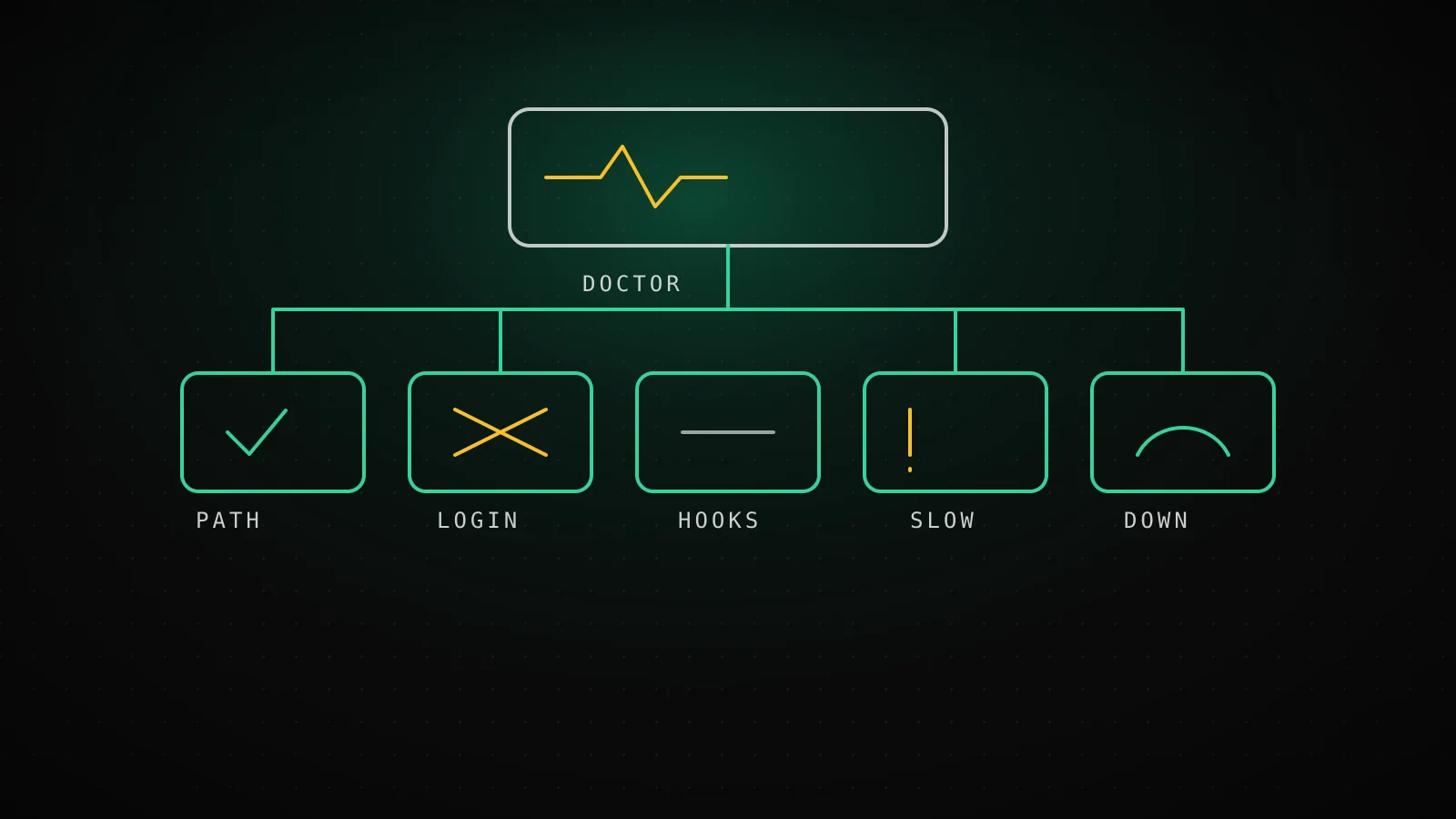
When Claude Code is not working, the failure almost always sits in one of seven places: the install, the login, a dead feature (hooks, MCP, voice), speed, Anthropic's servers, or your own settings. What the failure looks like tells you which one in under a minute, and most of them have a one-line first check.
TL;DR: Won't launch or
command not foundmeans PATH or permissions. Keeps asking you to log in means reset your login. One feature dead means a config problem, so runclaude --safe-mode. Slow means context or cache.529 Overloadedmeans it is Anthropic, not you. When you do not know, runclaude doctor, thenclaude --safe-mode, in that order.
Find your symptom
Read down the left side until one line sounds like what you are looking at. Each row links to the guide that goes deep on it, so this page stays a map instead of repeating seven other posts.
Seven ways Claude Code "stops working", and where each one is fixed
claude: command not found, or the install errors out
Usually: PATH or directory ownership, not a broken binary
The command-not-found fixEACCES: permission denied during install or update
Usually: A directory your account does not own
The EACCES fixA hook you wrote never runs
Usually: Matcher shape, exit codes, or the hook never loaded
Hooks not firingAn MCP server is missing, failed, or connected with zero tools
Usually: Wrong config location, approval, or auth expiry
MCP server not working/voice dictation errors out
Usually: Mic access, or a headless box that cannot have one
Voice mode not workingSlow replies, fans spinning, or a long freeze
Usually: Cold cache, huge context, effort level, or your own setup
Claude Code slow
If nothing there matches, the next section is the triage I run before changing anything.
Three checks before you touch anything
Run these in order. Each one rules out a whole category for almost no effort.
- Is Anthropic having a bad day? Open status.claude.com. A live incident explains a lot of "it was fine an hour ago" reports, and no local fix will help you. Do this first because it takes ten seconds and saves the most wasted time.
- Does a clean session work? Run
claude --safe-mode. Per the CLI help it starts with all customizations off: CLAUDE.md, skills, plugins, hooks, MCP servers, custom commands and agents. Login, model choice, built-in tools and permissions behave normally. Fine in safe mode means the cause is one of your customizations. Just as broken in safe mode means it is the install, the account, or the service. - What does the install say about itself? Run
claude doctorin your terminal. On a healthy machine it prints this (shortened, from 2.1.287 on a fresh Linux box):
Running: native (2.1.287)
Platform: linux-x64
Path: /home/runner/.local/share/claude/versions/2.1.287
Config install method: native
Search: OK (bundled)
Auto-updates: enabled
Auto-update channel: latest

No installation issues found.
Two lines are worth knowing. Path tells you which binary is actually running, which matters when you have an old npm install shadowing a newer native one. Search: OK (bundled) means the built-in ripgrep works. If the Search tool or @file mentions come up empty, installing your platform's ripgrep and setting USE_BUILTIN_RIPGREP to 0 is the documented fix, and claude doctor then shows your system path on that line instead.
It won't launch, or claude isn't found
command not found: claude right after a successful install is nearly always PATH. The binary exists, your shell just does not look in the folder it lives in. The command not found guide has the exact export line for zsh, bash and PowerShell.
An install that fails outright usually names its cause. EACCES means a directory you do not own, which is a one-time ownership fix covered in the EACCES guide. Anthropic's install page also maps Killed or exit code 137 on small Linux servers to running out of memory, and TLS connect error to out-of-date CA certificates, so match the literal text before you reinstall anything.
On Windows under WSL, a plain Exec format error is a WSL1 problem rather than a Claude Code one, and Claude Code on WSL explains why WSL2 does not have it.
You are signed out, looping, or billed to the wrong thing
Login trouble has a few distinct shapes, and the fix differs.
Prompted to log in again and again. Do the clean version of a re-login: run /logout, quit Claude Code, start claude and sign in. If it recurs, check your system clock, since token validation depends on correct timestamps. On macOS, claude doctor reports a warning starting with macOS Keychain is not writable when the Keychain is rejecting writes, which happens when it is locked in an SSH session or its password drifted from your account password.
OAuth error: Invalid code. The code expired or got truncated when you copied it. Press c at the login prompt to copy the full URL. Over SSH, the browser often opens on the wrong machine, so open the URL on your local one. Claude Code on WSL covers the WSL version of this.
This organization has been disabled with a paid plan. It looks like a billing problem and is not. A leftover ANTHROPIC_API_KEY in your shell profile overrides your subscription login. I checked how that shows up on 2.1.287 by running claude auth status with a dummy key set:
$ ANTHROPIC_API_KEY=sk-ant-old claude auth status
{
  "loggedIn": true,
  "authMethod": "api_key",
  "apiProvider": "firstParty",
  "apiKeySource": "ANTHROPIC_API_KEY"
}
That is a fake key, so it is not a measure of whether a real key works, only of which credential wins. authMethod: "api_key" with apiKeySource: "ANTHROPIC_API_KEY" is the tell. Run unset ANTHROPIC_API_KEY, then look in ~/.zshrc, ~/.bashrc and ~/.profile for an export line left over from an old employer or project. /status inside a session confirms which method is active.
403 Forbidden after login. Pro and Max users should confirm the subscription is active in their account settings. Console users need the Claude Code or Developer role. Behind a corporate proxy, the fix is on the network side, and the proxy guide walks through it.
It runs, but one feature is dead
When the core loop works and one thing does not, the cause is almost always configuration, and claude --safe-mode is the fastest proof. If safe mode fixes it, bisect: turn things back on one at a time.
- Hooks that never run.
/hookslists what actually loaded. If your hook is missing there, it never loaded, and the usual cause is amatcherwritten as an array instead of a pipe-separated string like"Edit|Write". Matching is also case-sensitive, sobashmatches nothing andBashdoes. Hooks not firing has the six real causes. - MCP servers that are missing or empty.
/mcpshows status per server. A project server in.mcp.jsonneeds a one-time approval, and if you dismissed that prompt it stays disabled until you approve it from/mcp. Relative paths incommandorargsresolve from where you launched Claude Code, not from the config file. The MCP troubleshooting guide covers the rest. - Voice dictation.
/voiceneeds a microphone, so it cannot work over SSH or in a container. Voice mode not working lists the five documented errors. - Settings that seem ignored.
settings.local.jsonoverridessettings.json, and both override~/.claude/settings.json. Separately,permissions,hooksandenvbelong in~/.claude/settings.json, not in~/.claude.json, which holds app state. Those are two different files with confusingly similar names.
It is slow, overloaded, or frozen
These look alike from the outside and have different owners.
If a reply is slow only after you came back from a break, or only in a long session, the cause is a cold prompt cache or a bloated context, and the Claude Code slow guide shows how to tell them apart with /usage and /context.
If you see API Error: 529 Overloaded, that is Anthropic being at capacity, and Claude Code already retried before showing it. The 529 guide explains what to do while you wait.
If the terminal simply stops responding, press Ctrl+C. If that does nothing, close the terminal. You do not lose the conversation: claude --resume in the same directory picks it back up. Fans spinning is a memory story. Anthropic's docs say a critical memory warning appears once the heap passes 2.5GB, and the fix is to restart and run claude --continue to resume in a fresh process.
What claude doctor actually reports on a broken config
This is the part I could test directly, so I did. I made a scratch directory with a .claude/settings.json, broke it four different ways, and ran claude doctor on 2.1.287 each time.
What claude doctor said about four broken settings files
Claude Code 2.1.287, run for this guide
Hook "matcher" written as an array
Invalid hook matcher (expected string, received array), with a suggested fix
Named exactly
permissions.defaultMode set to "yolo"
Invalid value, lists the six valid modes
Named exactly
settings.json with a trailing comma and no closing brace (invalid JSON)
An "Invalid settings" header with an empty list under it
Flagged, but no reason given
model set to "not-a-real-model"
Nothing. The file counted as valid
Silent
The matcher and the bad defaultMode were reported precisely, with a suggested fix attached. The broken JSON (a trailing comma, and I had also left off the closing brace) was the odd one: doctor printed an Invalid settings header and then nothing under it, so you learn that something is wrong but not what. And a made-up model name passed without a word, because that only fails when a request is actually made.
So a clean claude doctor rules out a malformed file, not a wrong value. For a model name that does not exist, the evidence shows up as an API error at the first request, not in the doctor report. Also note that the report ended with No installation issues found. even when a settings file was invalid, because installation and settings are reported separately. Read the whole output, not just the last line.
The reset ladder, mildest rung first
When you have a theory but not proof, climb in this order and stop when it works. Each rung costs more than the one before it.
The reset ladder: climb only as far as you need
1.Read the installation report
claude doctorCosts: Nothing. Read-only, runs without starting a session.
2.Rule your customizations in or out
claude --safe-modeCosts: Nothing saved. CLAUDE.md, hooks, MCP, plugins are off for one session.
3.Drop a bloated session
/clearCosts: The live context. Old work stays reachable with /resume.
4.Re-authenticate from scratch
/logout, quit, claudeCosts: Stored credentials, including saved MCP logins.
5.Start from an empty config directory
CLAUDE_CONFIG_DIR=/tmp/claude-clean claudeCosts: Nothing deleted, but you log in and see first-run screens again.
The last rung is the one people skip, and it is the most conclusive. Point CLAUDE_CONFIG_DIR at an empty directory and launch from a folder with no .claude, .mcp.json or CLAUDE.md:
cd /tmp && CLAUDE_CONFIG_DIR=/tmp/claude-clean claude
Expect the first-run setup screens and a fresh login. If the problem vanishes, it lives somewhere in your real ~/.claude or project files, and you reintroduce them one at a time. If it survives, check /status for managed settings and look for environment variables that affect Claude Code.
A clean setup is also the cheapest prevention. A small, tested global CLAUDE.md and a short tool list leave far fewer things to bisect when something breaks, which is the reasoning behind what we ship in ClockedCode.
When the problem is not on your machine
Some failures are not fixable from your side, and the honest move is to stop tuning.
- A live incident on status.claude.com.
529or5xxerrors that appear in--safe-modetoo.- A login loop that survives a full logout, a correct clock and a clean config directory. That is an account issue, and Anthropic's own docs send you to support for it.
- Billing and subscription questions. Support, not settings.
For a bug you have narrowed down, /feedback inside Claude Code reports it directly. Attach only the -diagnostics.json from /heapdump to public issues, never the .heapsnapshot, which contains your full conversation and credentials.
What this checklist will not catch
It is built from Anthropic's current docs plus the commands I could run headless on 2.1.287. I could not test a signed-in session here, so the login and OAuth fixes are documented behavior, not something I reproduced. Editor-specific problems (the VS Code extension not connecting, JetBrains not detecting the CLI) have their own pages in Anthropic's docs and are outside this checklist.
FAQ
Why is Claude Code not working all of a sudden?
If it worked yesterday, something changed: an update, an expired login, a new ANTHROPIC_API_KEY in your shell, a settings file you edited, or Anthropic having an incident. Check status.claude.com first, then run claude doctor, then claude --safe-mode. Those three separate a service problem from an install problem from your own configuration.
What does claude doctor check?
It prints the installation type and version, the install path, whether the bundled search tool works, the auto-update setting, and any invalid settings files it can find in the current directory. It runs from your shell without starting a session. Inside a session, /doctor goes further and proposes fixes it can apply after you confirm.
How do I reset Claude Code without losing my settings?
Start with claude --safe-mode, which turns off CLAUDE.md, hooks, MCP servers and plugins for one session and deletes nothing. If you need a truly blank slate, run CLAUDE_CONFIG_DIR=/tmp/claude-clean claude from an empty directory. Your real files under ~/.claude stay untouched, you just log in again inside the clean session.
Claude Code keeps asking me to log in. What do I do?
Run /logout, quit Claude Code, start it again and sign in fresh. If it keeps happening, check that your system clock is correct, because token validation depends on it, and on macOS run claude doctor to see whether the Keychain is rejecting writes. Account-level loops that survive all of that need Anthropic support.
Is Claude Code down or is it just me?
If you see API Error 529 Overloaded or repeated retries, treat it as the service first and check status.claude.com. If claude --safe-mode behaves exactly like your normal session and the failure is a timeout or a 5xx, it is probably not your machine. If safe mode works and normal mode does not, it is your configuration.