Claude Code Statusline Examples: Real Configs to Copy
 By Neo Zino - builder of ClockedCode12 min read
Four tested Claude Code statusline scripts you can paste as-is: minimal, git-aware, token-budget, and a color-coded two-line bar, plus fixes for a blank one.
Made with DispatchSEO
On this page
Four Claude Code statuslines are below, and every one of them ran against mock session JSON before it made it into this page: a minimal model-and-folder line, a git-aware line with dirty-file counts, a token-budget line for long sessions, and a two-line color-coded bar. Copy the block that matches what you want to see, drop it in ~/.claude/statusline.sh, and wire it up in the settings section below.
TL;DR: Four tested statusline scripts: minimal, git-aware, token-budget, and a two-line color-coded bar. Each one is copy-paste ready,
chmod +xit and pointsettings.jsonat it (steps below), or skip the bash entirely with the free statusline generator. Statusline blank after wiring it up? Jump to the four real causes.
How a statusline update actually happens
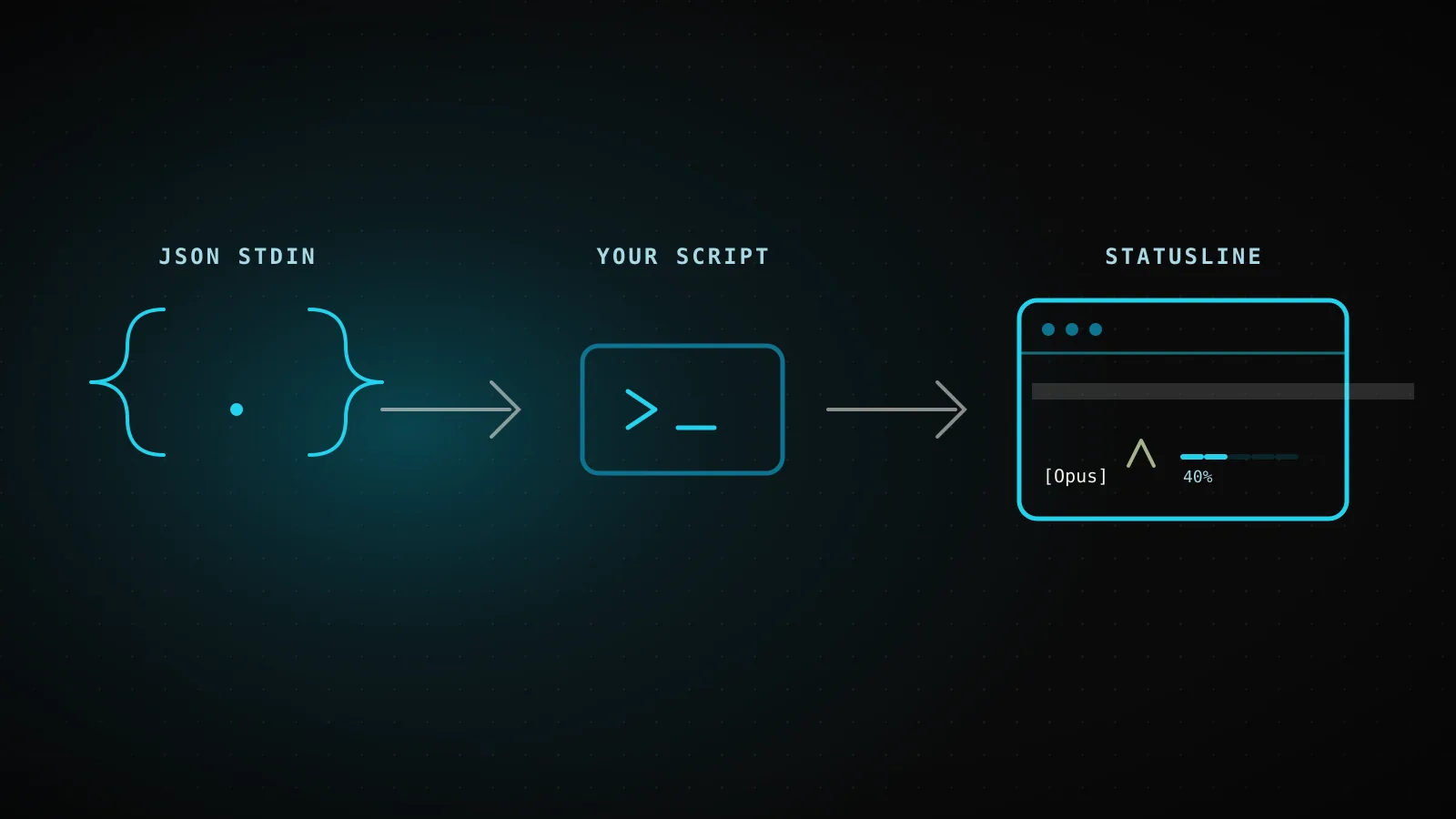
Before the scripts: a statusline is not a live widget that polls anything. It's a shell command Claude Code reruns on specific events and hands JSON to on stdin - your script reads that JSON once, prints a line, and exits.
One statusline update, start to finish
An update fires
A new assistant message, /compact finishing, a permission-mode change, or a refreshInterval tick
JSON lands on stdin
model.display_name, workspace.current_dir, cost.total_cost_usd, context_window.used_percentage
Your script parses and formats it
jq in bash, json.load in Python, JSON.parse in Node - your call
stdout becomes the row
Claude Code redraws the bar in place with whatever you printed
That's the whole contract. Claude Code fires your command again when a new assistant message arrives, /compact finishes, the permission mode or vim mode changes, or (if you set one) a refreshInterval timer elapses - useful for a clock or for a segment fed by a background subagent, since those don't otherwise trigger an update while the main session sits idle. Git branch and dirty-file counts are conspicuously absent from that JSON - Claude Code doesn't run git for you, so the git-aware example below shells out itself.
The minimal statusline: model and folder, nothing else
For when the six-segment default feels like noise and you just want to know which model is running and where you are:
#!/bin/bash
# Generated by the ClockedCode statusline generator
# https://clockedcode.com/tools/claude-code-statusline
input=$(cat)

MODEL=$(echo "$input" | jq -r '.model.display_name')
DIR=$(echo "$input" | jq -r '.workspace.current_dir')

MODEL_PART="[$MODEL]"
DIR_PART="📁 ${DIR##*/}"

PARTS=()
[ -n "$MODEL_PART" ] && PARTS+=("$MODEL_PART")
[ -n "$DIR_PART" ] && PARTS+=("$DIR_PART")

LINE=""
for i in "${!PARTS[@]}"; do
  if [ "$i" -eq 0 ]; then LINE="${PARTS[$i]}"
  else LINE="${LINE}  ${PARTS[$i]}"
  fi
done
echo -e "$LINE"
Piped through mock session data, that prints exactly [Sonnet 5] 📁 clockedcode - no color codes, no git, two jq calls and nothing else that can fail. ${DIR##*/} is bash's own suffix-strip, not a jq trick: it takes workspace.current_dir and keeps only the last path segment, so a deeply nested project still shows a short folder name.
Add git: branch and dirty-file counts, guarded
The default most people actually want - model, folder, branch, and how dirty the tree is, with staged files in green and modified files in yellow:
#!/bin/bash
# Generated by the ClockedCode statusline generator
# https://clockedcode.com/tools/claude-code-statusline
input=$(cat)

GREEN='\033[32m'; YELLOW='\033[33m'; RED='\033[31m'; RESET='\033[0m'

MODEL=$(echo "$input" | jq -r '.model.display_name')
DIR=$(echo "$input" | jq -r '.workspace.current_dir')

BRANCH=""; STAGED=0; MODIFIED=0
if git rev-parse --git-dir > /dev/null 2>&1; then
  BRANCH=$(git branch --show-current 2>/dev/null)
  STAGED=$(git diff --cached --numstat 2>/dev/null | wc -l | tr -d ' ')
  MODIFIED=$(git diff --numstat 2>/dev/null | wc -l | tr -d ' ')
fi

MODEL_PART="[$MODEL]"
DIR_PART="📁 ${DIR##*/}"
BRANCH_PART=""
[ -n "$BRANCH" ] && BRANCH_PART="🌿 $BRANCH"
DIRTY_PART=""
[ "$STAGED" -gt 0 ] && DIRTY_PART="${DIRTY_PART}${GREEN}+${STAGED}${RESET}"
[ "$MODIFIED" -gt 0 ] && DIRTY_PART="${DIRTY_PART}${YELLOW}~${MODIFIED}${RESET}"

PARTS=()
[ -n "$MODEL_PART" ] && PARTS+=("$MODEL_PART")
[ -n "$DIR_PART" ] && PARTS+=("$DIR_PART")
[ -n "$BRANCH_PART" ] && PARTS+=("$BRANCH_PART")
[ -n "$DIRTY_PART" ] && PARTS+=("$DIRTY_PART")

LINE=""
for i in "${!PARTS[@]}"; do
  if [ "$i" -eq 0 ]; then LINE="${PARTS[$i]}"
  else LINE="${LINE} | ${PARTS[$i]}"
  fi
done
echo -e "$LINE"
git branch --show-current and the two git diff --numstat calls are not in the JSON Claude Code sends you - the field table in the official statusline docs confirms it, and the git rev-parse --git-dir guard at the top is what stops the script from erroring outside a repo. I ran this exact script twice while writing this guide: from inside this project's own repo it printed [Sonnet 5] | 📁 clockedcode | 🌿 main, and from a plain temp directory outside any repo it fell back to [Sonnet 5] | 📁 clockedcode with no error and no stray branch text - the guard does exactly what it claims.
Track tokens left instead of a percentage
A percentage is fine on a 200k-token model. On a 1M-token model, "8% used" undersells how much room is actually left, and "how many messages have I got" is usually the more useful framing for a long session:
#!/bin/bash
# Generated by the ClockedCode statusline generator
# https://clockedcode.com/tools/claude-code-statusline
input=$(cat)

GREEN='\033[32m'; YELLOW='\033[33m'; RED='\033[31m'; RESET='\033[0m'

MODEL=$(echo "$input" | jq -r '.model.display_name')
REMAINING=$(echo "$input" | jq -r '((.context_window.context_window_size // 200000) - ((.context_window.total_input_tokens // 0) + (.context_window.total_output_tokens // 0))) / 1000 | floor')
COST=$(echo "$input" | jq -r '.cost.total_cost_usd // 0')

MODEL_PART="[$MODEL]"
CONTEXT_PART="${REMAINING}k left"
COST_FMT=$(printf '$%.2f' "$COST")
COST_PART="💰 ${COST_FMT}"

PARTS=()
[ -n "$MODEL_PART" ] && PARTS+=("$MODEL_PART")
[ -n "$CONTEXT_PART" ] && PARTS+=("$CONTEXT_PART")
[ -n "$COST_PART" ] && PARTS+=("$COST_PART")

LINE=""
for i in "${!PARTS[@]}"; do
  if [ "$i" -eq 0 ]; then LINE="${PARTS[$i]}"
  else LINE="${LINE} · ${PARTS[$i]}"
  fi
done
echo -e "$LINE"
Fed a mock payload with 200,000 total tokens and 86,200 already used, this printed [Sonnet 5] · 113k left · 💰 $0.63. The subtraction reads context_window_size (200,000 by default, 1,000,000 on extended-context models) minus input and output tokens combined - the same input-only-for-percentage logic Anthropic's own used_percentage field uses, just expressed as a countdown instead of a share. The context window guide covers what actually eats that budget if 113k left is lower than you expected mid-session.
A two-line statusline: git branch on top, a context bar below
Claude Code's own docs ship this exact pattern as their multi-line example - two echo statements, each rendering its own row, with the context bar's color keyed to how full it is:
#!/bin/bash
input=$(cat)

MODEL=$(echo "$input" | jq -r '.model.display_name')
DIR=$(echo "$input" | jq -r '.workspace.current_dir')
COST=$(echo "$input" | jq -r '.cost.total_cost_usd // 0')
PCT=$(echo "$input" | jq -r '.context_window.used_percentage // 0' | cut -d. -f1)
DURATION_MS=$(echo "$input" | jq -r '.cost.total_duration_ms // 0')

CYAN='\033[36m'; GREEN='\033[32m'; YELLOW='\033[33m'; RED='\033[31m'; RESET='\033[0m'

if [ "$PCT" -ge 90 ]; then BAR_COLOR="$RED"
elif [ "$PCT" -ge 70 ]; then BAR_COLOR="$YELLOW"
else BAR_COLOR="$GREEN"; fi

FILLED=$((PCT / 10)); EMPTY=$((10 - FILLED))
printf -v FILL "%${FILLED}s"; printf -v PAD "%${EMPTY}s"
BAR="${FILL// /█}${PAD// /░}"

MINS=$((DURATION_MS / 60000)); SECS=$(((DURATION_MS % 60000) / 1000))

BRANCH=""
git rev-parse --git-dir > /dev/null 2>&1 && BRANCH=" | 🌿 $(git branch --show-current 2>/dev/null)"

echo -e "${CYAN}[$MODEL]${RESET} 📁 ${DIR##*/}$BRANCH"
COST_FMT=$(printf '$%.2f' "$COST")
echo -e "${BAR_COLOR}${BAR}${RESET} ${PCT}% | ${YELLOW}${COST_FMT}${RESET} | ⏱️ ${MINS}m ${SECS}s"
I ran it at two usage levels to confirm the threshold actually flips: at 74% used the bar printed yellow (███████░░░ 74%), and at 92% it printed red (█████████░ 92%) - matching the green-under-70/yellow-70-to-89/red-90-plus split the docs describe, not a guess at where the lines fall.
Which segment is on, by config
| Segment | Minimalleast clutter | Git-awarereview workflow | Token budgetlong sessions | Two-lineeverything at once |
|---|---|---|---|---|
| Model name | ||||
| Current folder | ||||
| Git branch | ||||
| Dirty file counts | ||||
| Context left / used | ||||
| Session cost |
Generated and run against mock session JSON for this guide - every config above is the real script output, not a mockup.
Wiring any of these into settings.json
Every script above installs the same way. Save whichever one you picked to ~/.claude/statusline.sh, make it executable, then point settings.json at it:
chmod +x ~/.claude/statusline.sh
{
  "statusLine": {
    "type": "command",
    "command": "~/.claude/statusline.sh"
  }
}
Claude Code reloads settings automatically and runs the script as soon as you save the file - you don't need to restart for the config change itself (the next section covers a different problem that does need one). Two optional fields are worth knowing about even though none of the four scripts above use them: padding adds horizontal spacing to the whole line, and refreshInterval (minimum 1 second) reruns your command on a timer in addition to the normal event triggers, for a segment that needs to move even while the session sits idle.
If typing bash isn't the part you enjoy, the free statusline generator builds any combination of these segments through a click-through wizard, shows the exact output in a live preview before you commit, and its "paste this into Claude Code" option merges the statusLine field into an existing settings.json instead of overwriting whatever else lives in that file - the same merge-aware behavior the settings.json generator uses for hooks and permissions.
A blank or stuck statusline almost always traces to one of four things
Blank statusline, in the order to check
Script isn't executable
chmod +x ~/.claude/statusline.sh
Script exits non-zero or prints nothing
echo '{"model":{"display_name":"Opus"}}' | ~/.claude/statusline.sh
Workspace trust not accepted
claude --debug logs the exact reason; accept the trust dialog, then restart
Fields still null after several messages
Restart Claude Code - stale null values don't self-heal mid-session
| Symptom | Likely cause | Fix |
|---|---|---|
| Nothing shows at all | Script not executable, or exits non-zero | chmod +x it, then run it manually with mock JSON piped in |
| Blank even though the file is fine | Workspace trust not accepted for this folder | claude --debug logs the skip reason; accept the trust dialog, restart |
Shows -- or stays empty | A field is null before the first API response | Wait one message, or restart if it's still empty after several |
| Was fine, now frozen | A slow script (large-repo git status) is still running | Claude Code cancels and reruns on the next trigger; cache slow git calls to a temp file if this is chronic |
Workspace trust catches more people than the other three combined, because it fails silently: statusLine runs a shell command, so it's gated behind the same workspace trust rule as hooks are. Until you've accepted that folder's trust dialog, the status line just stays blank and claude --debug logs Status line command skipped: workspace trust not accepted - nothing on screen tells you that's what happened. And because statusLine lives in the settings hierarchy alongside hooks, an org-wide disableAllHooks or allowManagedHooksOnly policy can also silently disable a personal statusline; what hooks actually control explains what those settings gate and why they show up here too.
Terminal width and update speed cap what a statusline should try to show
None of this is a reason to skip a statusline, but two physical limits shape which segments are worth fighting for. First, width: the status bar is one row (or two, if you print two lines), Claude Code captures your script's output instead of connecting it to the terminal directly, and tput cols won't tell you how much room you have from inside the script - read the COLUMNS environment variable instead, which Claude Code sets before every run. Cram six segments onto a narrow terminal and the line truncates or wraps badly; the minimal or token-budget scripts above read better on a laptop-width pane than the two-line one does.
Second, speed: your script reruns on most assistant messages, and git diff --numstat gets slower as a repository grows. Claude Code cancels an in-flight script if a new trigger fires before it finishes, so a chronically slow script just shows stale output instead of erroring - the docs' own fix is caching git output to a temp file keyed by session_id and only refreshing every few seconds, worth doing if the git-aware or two-line script above ever feels laggy in a large monorepo.
FAQ
What data can a Claude Code statusline actually show?
Whatever is in the JSON Claude Code pipes to your script on stdin: model name and ID, the current and project directories, session cost and duration, context window token counts and percentage, rate limit usage for Pro/Max plans, and more specialized fields like open PR status and vim mode. Git branch and dirty-file counts are not in that JSON - your script has to shell out to git itself.
Do I need jq installed to use these scripts?
The bash examples in this guide do, since jq is what pulls fields out of the JSON on stdin. It ships with most Linux distros and is a one-line install on macOS (brew install jq) and Windows (via Git Bash's package manager or winget). If you'd rather skip the dependency, Claude Code's own docs also show Python and Node.js versions of the same scripts using each language's built-in JSON parsing.
Why is my statusline blank after I add it to settings.json?
Four things account for almost every case: the script isn't executable, the script exits non-zero or prints nothing, workspace trust hasn't been accepted for the folder, or a field is still null because it's early in the session. Test the script directly with a mock JSON payload piped into it before assuming the config is wrong.
Can I combine segments from different examples in this guide?
Yes - each script is just a sequence of PART variables joined with a separator, so copying a block from one example into another (the context-bar builder, say, into the git-aware script) works as long as you also copy the jq extraction line it depends on. The free generator does this toggling for you without touching bash directly.
Does running a statusline script slow Claude Code down?
Not noticeably for anything in this guide, but heavier scripts can lag on large repositories because git status-style commands get slower as a repo grows, and your script reruns on most assistant messages. Claude Code cancels an in-flight script run if a new update fires before it finishes, and the docs cover caching git output to a temp file for repos where that becomes visible.
Can a statusline show my Claude subscription's rate limit usage?
Yes, if you're on a Claude.ai Pro or Max plan (or behind a gateway with a spend limit) - the rate_limits.five_hour and rate_limits.seven_day fields report 0-100 usage for the rolling window and weekly window once the session's had its first API response. None of the four scripts in this guide show it, since it's plan-specific, but it's a one-line jq addition using the same "// empty" fallback pattern the other segments use.
All four scripts above are also exactly what the generator produces when you toggle the matching segments, minus the copy-paste - if you want a fifth combination this guide didn't cover, the wizard builds it and shows you the live preview before you commit to it. That's the same one-paste idea ClockedCode applies to a full Claude Code setup, not just the status bar.