Claude Code Stuck on "Compacting"? How to Fix It
 By Neo Zino - builder of ClockedCode12 min read
Claude Code stuck on "Compacting" past a minute or two is one of four documented failure modes, not normal auto-compact - here's the fix for each.
Made with DispatchSEO
On this page
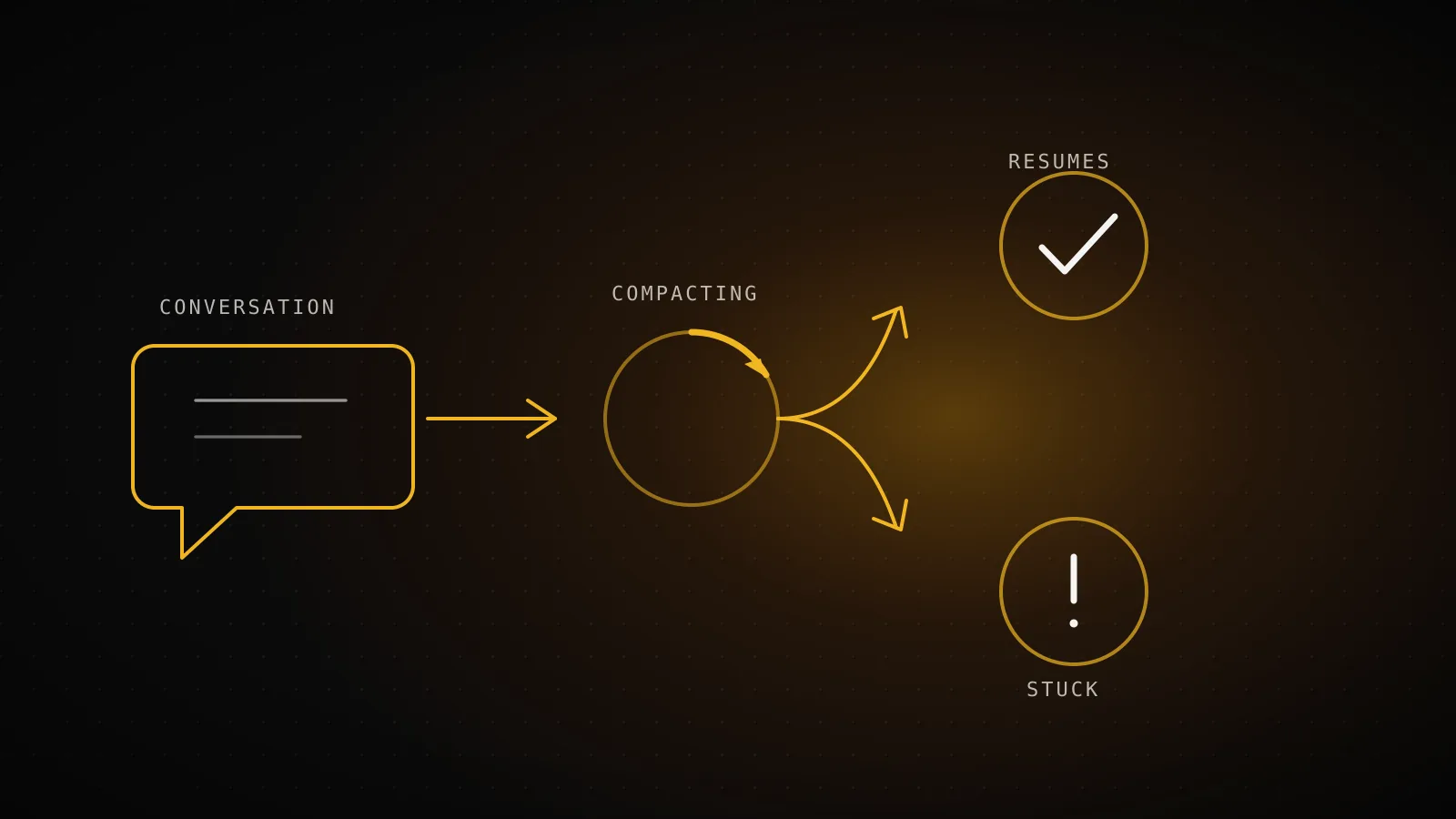
Claude Code stuck on "Compacting conversation…" past a minute or two on a normal-sized session isn't ordinary auto-compact working slowly - it's one of four documented failure modes, and the fix depends on which one you're looking at. Anthropic's own docs name two of them outright ("Autocompact is thrashing" and the flat-out "Error during compaction" failure); the other two started as bug reports on the Claude Code GitHub repo, and both have since been closed by GitHub's inactivity bot without Anthropic shipping a fix for either.
TL;DR: Normal compaction is one request that finishes in seconds to a couple of minutes. Past that, check for the exact "Autocompact is thrashing" error first (there's an official fix: chunk the file, focused
/compact, a subagent, or/clear). "Error during compaction: Conversation too long" is a separate, also-documented failure - press Esc twice to step back a few turns and run/compactagain, or/clearif that's still not enough room. No error but the same files keep getting re-read with no progress is a third, still-unresolved bug (GitHub #6004, closed by inactivity but never actually fixed) - interrupt and narrow the task. A completely frozen terminal where Ctrl+C does nothing is a fourth, similarly unresolved bug (GitHub #19567), sometimes caused by a Homebrew package shadowing macOS'spgrep/pkill- close the terminal,claude --resume, and kill any orphaned process.
What normal auto-compact looks like
Auto-compact fires on its own once your context nears the limit for whatever model you're running, so the session can keep going instead of hitting a wall. Under the hood it's just one more request to the API, built from your conversation so far with a summarization instruction added at the end, so most of what it's sending has already been cached. That's the whole reason it's normally fast: a couple of minutes at most, even on a session that's been running for hours, and then a normal response on your very next message. ClockedCode's fuller breakdown of auto-compact covers the settings that move that trigger earlier or later and what the generated summary actually keeps - worth reading once this specific problem is sorted.
- The spinner runs for anywhere from a few seconds to a couple of minutes on a large conversation
- It stops on its own and your next message gets a normal response
- CLAUDE.md, memory, and your recent files reload without you asking
- An explicit "Autocompact is thrashing" error appears instead of finishing
- The same tool calls (often the same files) repeat with no new output for several minutes
- Ctrl+C does nothing and the terminal stays blank
The four documented ways compaction actually breaks
None of this is guesswork pieced together from a forum thread - two failure modes are named in Anthropic's own docs, and the other two started as reproducible bug reports on the anthropics/claude-code repo with real environment details attached; both reports are now closed, though not because either one got an official fix.
Four documented failure modes, not one vague "it hangs sometimes"
Thrashing
code.claude.com, official
"Autocompact is thrashing: the context refilled to the limit..." - a file or tool output refills context right after each summary.
Read the oversized file in chunks, run /compact with a focus that drops it, delegate it to a subagent, or /clear.
Compaction fails outright
code.claude.com, official
"Error during compaction: Conversation too long" - /compact doesn't have enough free context left to hold the summary it's producing.
Press Esc twice to step back several turns, then /compact again. If that's still not enough room, /clear starts fresh - your conversation reopens with /resume.
Infinite compaction loop
GitHub issue #6004 (closed)
Claude re-reads the same files, attempts to compact, then restarts the same read - no error, no progress, and usage limits drain faster than usual.
No official fix shipped; interrupt and restart with a narrower task, or split the work so fewer files need to stay in context at once.
Hang with an orphaned process
GitHub issue #19567 (closed)
The terminal goes completely unresponsive and Ctrl+C does nothing; a claude process with PPID 1 keeps running and consuming CPU/RAM after you close the window.
Close the terminal, then `ps aux | grep claude` and `kill -9` the orphan. One reported cause: a Homebrew proctools install shadowing macOS's own pgrep/pkill - run `PATH="/usr/bin:$PATH" claude` to rule it out.
Source: code.claude.com/docs/en/troubleshooting and /docs/en/errors, plus GitHub issues #6004 and #19567 (both since closed), checked 2026-09-27.
| Failure mode | Where it's documented | What tells them apart |
|---|---|---|
| Thrashing | code.claude.com troubleshooting page | Explicit error text naming the problem |
| Compaction fails outright | code.claude.com error reference | /compact throws Error during compaction: Conversation too long instead of finishing |
| Infinite compaction loop | GitHub issue #6004 (closed) | Same files re-read repeatedly, no error, usage drains fast |
| Hang / orphaned process | GitHub issue #19567 (closed) | Terminal fully unresponsive, Ctrl+C does nothing |
The thrashing error and the outright compaction failure are the two Anthropic has actually built documented responses for: one fires when a single file or tool output refills context back to the limit several times right after compaction finishes, the other when /compact itself doesn't have enough free room left to hold its own summary. The other two are real, filed bug reports rather than documented behavior, and both have since been closed by GitHub's inactivity bot without a fix - which is exactly why generic "just wait it out" advice floating around for this query doesn't hold up for either of them.
What to do right now, in order
In order, cheapest fix first
Press Ctrl+C once
Cancels the current operation if anything is still listening
Run /compact with a focus
"/compact keep only the plan and the diff" drops the output that's refilling context
Run /clear if the history isn't worth keeping
Costs nothing and skips compaction entirely for the next message
Close the terminal and run claude --resume
Picks the same session back up - closing the window doesn't lose it
Run /doctor, then /feedback if it's still wrong
Checks your setup first, then reports the exact session to Anthropic
One command on that list deserves more detail: instead of the bare /compact, tell it what to protect - /compact keep only the plan and the diff or /compact focus on the failing test output - since custom instructions replace Claude's default summarization prompt rather than adding to it. If you'd rather not lose the earlier conversation at all, ClockedCode's checkpoints guide covers /rewind, which can jump to a point before things went sideways and summarize from there instead of gambling on the automatic pass finishing cleanly.
When /compact fails outright instead of hanging
The fourth failure mode doesn't look like a stuck spinner at all - it looks like /compact refusing to run. If you see Error during compaction: Conversation too long, the summarization request that /compact was about to send doesn't have enough free context left to hold the summary it would produce, so it fails instead of hanging indefinitely. It's most likely to show up right after Prompt is too long has already appeared, or the moment auto-compact triggers with the window essentially full.
The fix is different from every other mode on this page: press Esc twice to open the message list, step back several turns to drop the most recent messages from context, then run /compact again with that room freed up. If stepping back doesn't free enough space, /clear starts a fresh session - your previous conversation isn't gone, and resuming it later with /resume picks it back up.
Two related messages share the same underlying cause from a different angle. Prompt is too long · automatic compaction failed: <error> means the compaction attempt itself failed on something else first, like an unavailable model or an authentication error - resolve that named error before /compact will work again. Prompt is too long · this conversation is a single exchange and cannot be compacted means there's no earlier turn to summarize at all, usually because a large system prompt, a pile of MCP tool definitions, or a big attachment fills the request on its own; disabling MCP servers you aren't using removes their tool definitions from context and is often the fastest way to shrink that baseline. Before v2.1.216, a failed compaction rendered in the same dim styling as a normal, successful command - easy to miss entirely; current versions show it in error styling instead.
When a checkpoint beats waiting it out
If a session has already thrashed once, restarting it with the same oversized context just sets up the same collision again. /rewind (or double-tapping Escape) opens the same checkpoint menu Claude Code uses for course-correcting a bad edit, and one of its options is "Summarize from here" - which is a manual compact aimed at a point you pick, rather than wherever the automatic trigger happened to land when the large file was still in context. That's a materially different starting point than letting auto-compact try the exact same request again and hoping the thrashing guard doesn't trip a second time.
Checking how close you are to the trigger before it becomes a problem is worth doing on any long session - run /context directly to see the same breakdown of system prompt, tools, memory files, and messages that decides when auto-compact fires.
Reporting it as a bug
The thrashing error and the outright compaction failure are expected, documented behavior with a real fix, so neither needs a bug report. The infinite loop and the hang still do, and Claude Code has a built-in path for it: run /feedback from inside the stuck session (or the one right after you recover from it) to send the exact conversation to Anthropic. If memory usage is part of what you're seeing - the orphaned-process report in issue #19567 measured 11.8 GB of RAM held by a single hung claude process - /heapdump writes a JS heap snapshot and a diagnostics file to your desktop that's safe to attach to a GitHub issue (the diagnostics file specifically; the heap snapshot contains your full conversation and shouldn't go in a public report). Both #6004 and #19567 are now closed and locked by GitHub's inactivity bot, so commenting on either isn't an option any more - file a fresh issue instead, and link back to whichever one matches your symptom for context.
When it isn't compaction at all
A session that looks frozen isn't always compacting - it can be sitting on a slow tool call, a hung MCP server, or a long-running Bash command with no output yet, all of which show the same "nothing is happening" symptom without the word "Compacting" ever appearing. Run /doctor first if you're not sure what's actually stuck; it checks your installation, settings, extensions, and context usage in one pass and proposes fixes before you assume compaction is the culprit at all.
Honest limits here
Two of the four failure modes on this page - the infinite loop and the hang - still don't have an official Anthropic fix. Both GitHub reports were closed by an automated inactivity bot months ago, not because Anthropic shipped a fix for either one; one commenter on #6004 flagged the close as premature. The workarounds above (narrower tasks, checking for a shadowed pgrep/pkill, killing an orphaned process) come from what worked in the reported threads, not from documented, guaranteed behavior the way the thrashing and outright-failure fixes are. If none of them clear your specific case, /feedback and a fresh GitHub issue are the actual path to a fix, not another restart.
FAQ
What does "stuck on compacting" actually mean in Claude Code?
It means the "Compacting conversation…" spinner is still running well past the point where normal auto-compact finishes - normal compaction is one summarization request that takes seconds to a couple of minutes on a large conversation. Past that, you're looking at one of four documented failure modes: a thrashing error, an infinite compaction loop, a full hang, or an outright compaction failure, and each has a different fix.
How long should normal auto-compact take?
From a few seconds up to roughly a couple of minutes for a very large conversation, since it's a single request built from your existing history plus a summarization instruction and reads from your prompt cache instead of reprocessing everything. It should always finish and hand a normal response back on your next message. If it doesn't, treat it as stuck rather than waiting indefinitely.
What does the "Autocompact is thrashing" error mean and how do I fix it?
It's an official, named error: compaction succeeded, but a file or tool output immediately refilled the context window back to the limit, several times in a row, so Claude Code stopped retrying rather than burn API calls on a loop making no progress. Fix it by asking Claude to read the oversized file in smaller chunks, running /compact with a focus that drops the large output, delegating that piece of work to a subagent, or running /clear if the earlier conversation isn't worth keeping.
Why does compacting seem to loop forever with no error message at all?
That matches a documented GitHub bug report (issue #6004): Claude re-reads the same handful of files, attempts to compact, and restarts the same read pattern with no error and no progress, while usage limits drain faster than normal. GitHub's own inactivity bot closed that issue in February 2026 without Anthropic shipping a fix - one commenter flagged the close as premature - so there's still no official fix: interrupt the session and restart with a narrower task, or split the work so fewer files need to stay in context at once.
Claude Code is completely frozen and Ctrl+C doesn't do anything - what do I do?
Close the terminal window; per Claude Code's own troubleshooting docs, that doesn't lose your conversation, and claude --resume in the same directory picks the session back up. If the process won't die, check for an orphaned claude process with ps aux | grep claude and kill -9 it - a real GitHub report (issue #19567) traced this exact hang to a Homebrew proctools install shadowing macOS's native pgrep/pkill, fixed by running PATH="/usr/bin:$PATH" claude. That issue was also closed by GitHub's inactivity bot, in March 2026, with no shipped fix, so the workaround above is still the best known path.
What does "Error during compaction: Conversation too long" mean and how do I fix it?
It's a fourth, separately documented failure: /compact itself doesn't have enough free context left to hold the summary it's trying to produce, so it fails outright instead of hanging or looping. Press Esc twice to open the message list, step back several turns to drop the most recent messages, then run /compact again. If that doesn't free enough space, run /clear - your conversation is preserved and reopens with /resume.
Does a stuck compaction count against my usage limit?
Compaction itself is a real request - it reads the conversation it's summarizing - so it does draw on your usage the same as any other turn, and a session that's thrashing or looping burns through that budget faster than normal use would. That's a different question from whether it counts against a spend cap or rate limit in the way a 429 does; if usage is disappearing unusually fast, treat a stuck compaction as the likely cause and interrupt it rather than let it keep running.
One spinner, four different bugs
The word "stuck" covers four genuinely different problems here, and the fix for one won't touch the other three - which is the main thing generic advice about this error gets wrong by treating it as one issue with one answer. Confirm which of the four you're actually looking at before you start restarting sessions or killing processes, and if you land on one of the two that Anthropic hasn't fixed yet, /feedback and a fresh issue do more good than another retry. ClockedCode's context-window breakdown covers the proactive side of the same problem: keeping a session small enough that it rarely reaches the trigger in the first place.